
The Unseen Dangers of Postgres Migrations
Migrating a PostgreSQL database is a task that often appears straightforward on the surface. You extract data, set up a new instance, and load it in. However, the reality is far more complex, fraught with potential pitfalls that can lead to data loss, extended downtime, and significant operational headaches. The core issue lies in the sheer number of variables involved: the version of PostgreSQL you are migrating from and to, the specific extensions in use, the underlying operating system, the network configuration between the old and new environments, and the application's tolerance for latency and downtime. Each of these factors can introduce subtle incompatibilities or performance regressions that only manifest under load, long after the migration is declared 'complete'.
The common approach often involves tools like `pg_dump` and `pg_restore`. While robust for logical backups and straightforward restorations, they are not always the optimal solution for large, complex, or mission-critical databases where minimizing downtime is paramount. The time required to dump and restore can be prohibitive, pushing the migration window beyond acceptable limits. Furthermore, `pg_dump` creates a point-in-time snapshot. Any data changes occurring in the source database after the dump begins are not captured, leading to data divergence if the migration process is lengthy.
Consider the analogy of moving a bustling city: simply packing up every building and its contents and unpacking them elsewhere is an immense undertaking. It’s not just about the physical move; it’s about ensuring that essential services remain operational during the transition, that the new city layout is compatible with existing infrastructure, and that the population can adapt without disruption. A database migration, especially for a critical application, is no different. It demands meticulous planning, rigorous testing, and a deep understanding of the interdependencies between the database, the applications that rely on it, and the infrastructure hosting it.
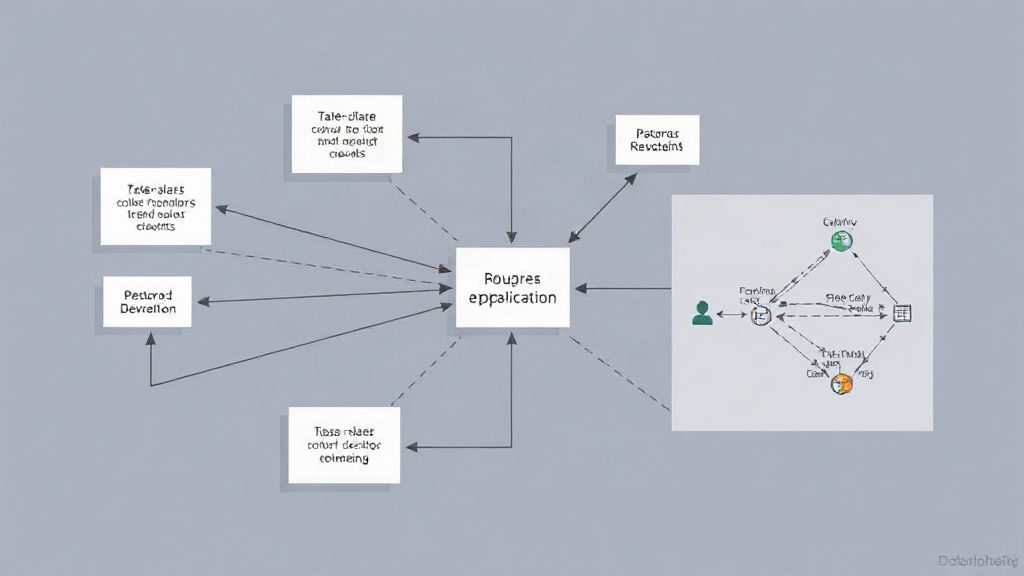
Common Migration Strategies and Their Trade-offs
Several strategies exist for migrating PostgreSQL databases, each with its own set of advantages and disadvantages:
Logical Backups (`pg_dump`/`pg_restore`)
This is often the go-to method for smaller databases or when downtime is acceptable. It involves creating a logical dump of the database schema and data, then restoring it to a new instance. Pros: Simple, version-agnostic (mostly), good for schema changes. Cons: Slow for large databases, significant downtime, potential for data loss if not managed carefully (changes during dump are missed), requires sufficient disk space for dump files.
Physical Replication (Streaming Replication, Logical Replication)
This method leverages PostgreSQL's built-in replication features. You set up a new instance as a replica of the primary, allow it to catch up, and then promote it to become the new primary. Pros: Minimizes downtime significantly, ensures data consistency as replication is continuous. Cons: Requires compatible PostgreSQL versions (major version upgrades often require a different approach), can be complex to set up, requires careful monitoring of replication lag, network bandwidth intensive.
Third-Party Tools and Services
A plethora of tools and cloud-managed services offer specialized migration capabilities. These can range from advanced logical replication tools to services that handle the entire migration process, including data synchronization and cutover. Pros: Can automate complex tasks, reduce manual effort, potentially offer zero-downtime migrations, provide expert support. Cons: Can be expensive, may introduce vendor lock-in, require trust in the third-party's technology and security practices.
Key Considerations for a Safe Migration
Regardless of the chosen strategy, several critical factors must be addressed to ensure a safe and successful migration:
- Version Compatibility: Major version upgrades (e.g., 11 to 14) often introduce breaking changes. Thoroughly review the release notes for all intermediate versions and test extensively. Extensions are particularly prone to version-specific incompatibilities.
- Extension Management: Ensure all extensions used in the source database are available and compatible with the target PostgreSQL version. Some extensions might need to be recompiled or replaced.
- Data Integrity Checks: Implement robust data validation post-migration. This goes beyond simply checking row counts. Tools that compare data checksums or perform sample data comparisons across tables are essential.
- Application Testing: The database is only one part of the system. Applications interacting with the database must be thoroughly tested against the new environment. This includes functional tests, performance tests, and load tests to identify any regressions or new bottlenecks.
- Downtime Planning: Even with replication, a brief cutover window is usually necessary. Plan this meticulously, communicate it clearly to stakeholders, and have rollback procedures in place.
- Security: Ensure the new database environment is configured securely from the start. This includes network access controls, user permissions, and encryption settings.
The Unanswered Question: Post-Migration Performance Tuning
What often gets overlooked in the rush to complete a migration is the subsequent performance tuning. A database that performed adequately in its old environment might behave differently in a new one due to subtle differences in hardware, OS configurations, or even PostgreSQL version defaults. The query planner might make different decisions, and previously efficient indexing strategies could become suboptimal. Without a dedicated phase for monitoring and tuning queries and configurations in the new environment, the perceived success of the migration can quickly sour into a performance crisis.
The community discussions around Postgres migrations, while rich with tactical advice on tools and techniques, rarely address this post-migration optimization period with the same urgency. It’s treated as an afterthought, when in reality, it’s a critical step for realizing the full benefits of the migration and ensuring long-term stability and performance. If you run a team that relies on this database, budget and allocate resources specifically for this tuning phase, not just for the migration event itself.