The 'All-or-Nothing' Rendering Bottleneck
Server-Side Rendering (SSR) is often lauded for its benefits to SEO and initial page load performance. However, traditional SSR implementations, including those in Next.js's Page Router architecture and other monolithic frameworks, suffer from a significant architectural flaw: the 'all-or-nothing' rendering paradigm. This means the server must complete the entire rendering process for a page before it can send any HTML to the client's browser.
Consider a complex enterprise application, like an analytics dashboard. Fetching essential components such as the header, navigation, and user profile might take a mere 50 milliseconds from the database. Yet, a computationally intensive component, such as an annual revenue aggregation chart, could take up to 3 seconds to calculate. In a traditional SSR setup, the Node.js server cannot transmit even the initial HTML structure to the browser until this 3-second chart query completes. The result is a frustrating user experience: a blank white screen for three agonizing seconds, leading to abysmal Time to First Byte (TTFB) and First Contentful Paint (FCP) metrics. Users perceive the application as slow and unresponsive, regardless of how quickly other parts of the page might render.
This bottleneck directly impacts user engagement and conversion rates. A user waiting for three seconds for any content to appear is likely to abandon the page, especially on mobile devices or slower networks. The perceived latency negates the performance advantages SSR aims to provide. Developers often resort to client-side rendering or complex caching strategies to mitigate this, but these solutions can introduce their own set of challenges, including SEO complications and increased client-side processing load.
Introducing Streaming SSR in Next.js
Next.js 13 introduced a significant architectural shift with the App Router and its support for streaming Server-Side Rendering. This paradigm fundamentally changes how SSR operates, moving away from the rigid 'all-or-nothing' model. Streaming SSR allows the server to send HTML chunks to the browser as they become available, rather than waiting for the entire page to be rendered.
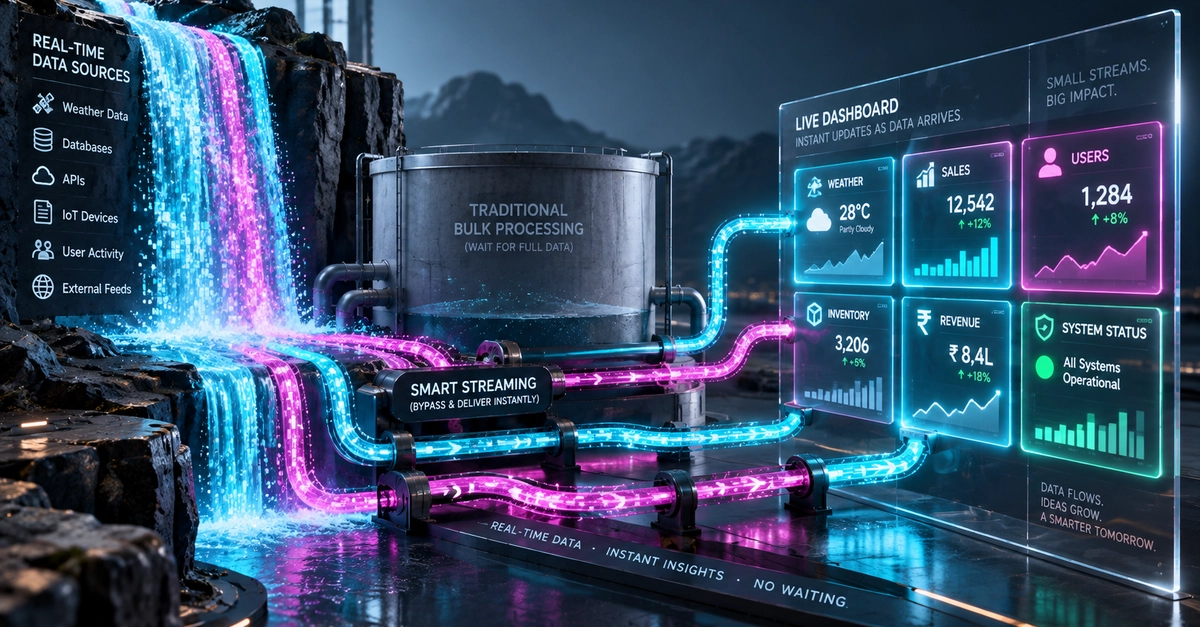
Think of it less like a single, massive delivery truck that can only depart once fully loaded, and more like a convoy of smaller vehicles. The first vehicle (the initial HTML shell) can depart immediately, followed by subsequent vehicles carrying different parts of the content as they are ready. This means the user sees the basic page structure, navigation, and header almost instantly, even while more complex components like the 'Annual Revenue Aggregation Chart' are still being generated on the server.
The core mechanism behind streaming SSR involves React's concurrent rendering capabilities. When a component initiates a data fetch or a heavy computation, it can suspend. Instead of blocking the entire rendering thread, React yields control. The server, aware of these suspended states, can then send a preliminary HTML response for the parts of the page that are ready. When the suspended data becomes available, React continues rendering that specific component, and the server can stream the updated HTML for that section. This is often facilitated by Suspense boundaries, which act as placeholders for content that is not yet ready.
Performance Gains and User Experience
The benefits of streaming SSR are substantial. By prioritizing the delivery of essential page elements, TTFB and FCP metrics see dramatic improvements. Users perceive the application as much faster because they see meaningful content sooner. This is crucial for user retention and satisfaction. Instead of a blank screen, users are greeted with a functional layout, even if some dynamic elements are still loading.
Consider the analytics dashboard example again. With streaming SSR, the header and navigation might appear in under 200ms. The user can immediately start interacting with these stable elements. The 'Annual Revenue Aggregation Chart', which takes 3 seconds to compute, will load in its designated spot once ready, perhaps after an additional 1-2 seconds, bringing the total load time for that specific component to around 3-4 seconds from the initial request. However, the user has already had a positive first impression and can engage with the rest of the application. This asynchronous loading of components dramatically improves the perceived performance, making the application feel fluid and responsive.
This approach also enhances the developer experience. Developers can more easily manage data fetching and rendering for complex pages. They can strategically place Suspense boundaries around components that rely on slow data fetches or heavy computations, ensuring that the rest of the application remains responsive. This leads to cleaner code and more predictable performance characteristics.
Implementation Details and Considerations
Implementing streaming SSR in Next.js primarily involves leveraging the App Router and its default behavior. When using `async` components or data fetching methods like `fetch` within components in the App Router, Next.js automatically handles the streaming. Developers can explicitly use the `Suspense` boundary component from React to wrap parts of their UI that might take time to load or render.
For example, a component that fetches user-specific data from an API can be wrapped in `