LiveAvaBot API: Seamless Telegram Video Avatar Integration
LiveAvaBot, a tool initially developed to solve the persistent issue of iPhone videos failing as Telegram video avatars, has launched a public REST API. This move allows developers to embed the bot's video conversion capabilities directly into their own applications, streamlining the process for users who want to create compliant Telegram video avatars from their mobile footage.
The core problem LiveAvaBot addresses stems from Telegram's stringent requirements for video avatars. The platform demands a specific format that often trips up standard video exports from mobile devices, particularly iPhones. These requirements include a precise codec (H.264 with yuv420p pixel format and no audio), a square 800x800 resolution with center cropping, a duration between 3 and 10 seconds, a file size under 2MB, and an MP4 container with the faststart flag enabled. Failing to meet even one of these criteria typically results in Telegram rejecting the video.
Before the API, users had to manually upload their videos to the LiveAvaBot Telegram bot for conversion, a process that worked but lacked integration for third-party services. The demand from existing users for programmatic access led to the development of the new API endpoint, enabling a more robust and flexible solution for developers building applications that interact with or enhance the Telegram experience.
Technical Pipeline for Conversion
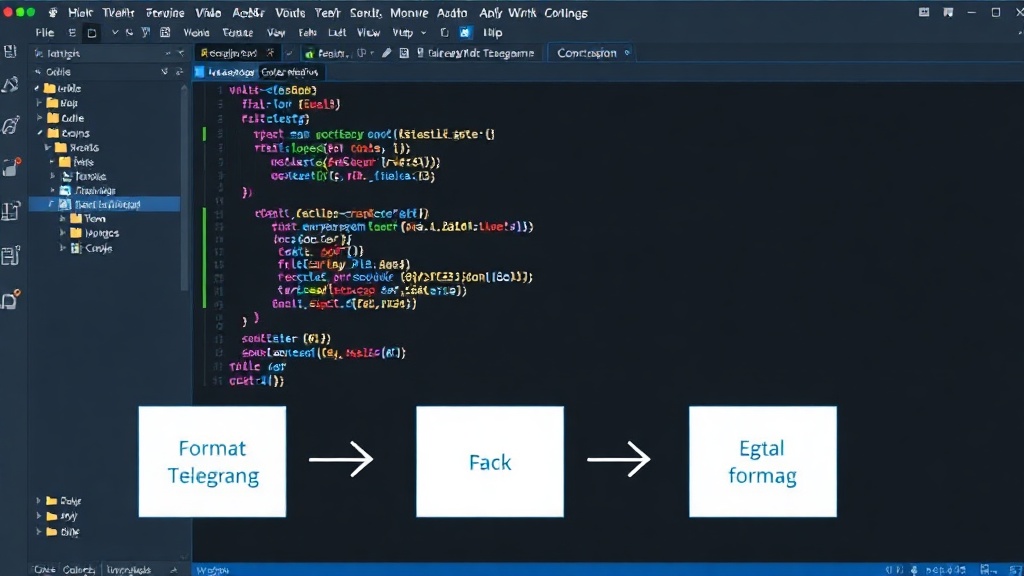
The conversion process relies on a robust ffmpeg pipeline. Ffmpeg is a powerful open-source tool that handles multimedia data, making it ideal for the complex transformations required to meet Telegram's specifications. The pipeline is designed to take a user-provided video file and systematically apply the necessary adjustments:
- Codec and Pixel Format: Ffmpeg re-encodes the video stream to H.264, ensuring the yuv420p pixel format. Crucially, the audio track is stripped out, as Telegram video avatars do not support sound.
- Resolution and Cropping: The video is resized to 800x800 pixels. A center crop is applied to ensure the subject remains prominent and the aspect ratio is maintained within the square frame.
- Duration Control: Videos are trimmed or extended to fall within the 3 to 10-second window. This is often achieved by selecting a specific segment of the original video or looping short clips.
- File Size Optimization: Bitrate adjustments and other encoding optimizations are applied to ensure the final MP4 file stays below the 2MB limit.
- Container and Faststart: The output container is set to MP4, and the faststart flag is enabled. This flag moves the metadata to the beginning of the file, allowing for quicker playback initiation when the video is streamed or displayed, which is critical for avatar previews.
This ffmpeg-driven pipeline is what powers the LiveAvaBot service and is now accessible via the API. Developers do not need to manage ffmpeg installations or complex command-line arguments themselves; the API abstracts all of this complexity away.
API Endpoint and Usage
The LiveAvaBot REST API provides a single endpoint for video conversion. Developers submit a POST request containing the video file to be converted. The API processes the video using the aforementioned ffmpeg pipeline and returns a link to the converted MP4 file, ready for upload as a Telegram video avatar. The API is designed for simplicity, abstracting the intricacies of ffmpeg and Telegram's specific format requirements.
To integrate, developers typically need to:
- Obtain API Credentials: Sign up for an API key from LiveAvaBot.
- Prepare Video Input: Ensure the input video is in a common format supported by ffmpeg (e.g., MP4, MOV, AVI).
- Make API Call: Send a POST request to the LiveAvaBot API endpoint, including the video file in the request body and the API key for authentication.
- Handle Response: Receive the JSON response, which will contain a URL to the successfully converted video avatar file.
- Upload to Telegram: Use the provided URL (or the downloaded file) to set the video avatar within a Telegram client.
The API aims to be a straightforward solution for developers who want to offer enhanced profile customization options within their own communities or applications, particularly those targeting Telegram users. The initial success of the bot, with over 290 users processed, underscores the demand for such a utility.
Implications for Developers and Platforms
The introduction of the LiveAvaBot API signifies a move towards more specialized, embeddable microservices for common platform pain points. For developers, it removes a significant technical hurdle. Instead of reverse-engineering Telegram's video avatar specifications and building a complex ffmpeg processing pipeline, they can leverage a proven, maintained service. This is particularly valuable for applications that foster community interaction or aim to provide a polished user experience on platforms like Telegram.
Consider a social networking app built around Telegram integration. Previously, users might have had to navigate away from the app to convert their videos. Now, the app can offer a seamless 'Set Video Avatar' button that directly calls the LiveAvaBot API. The user experience is vastly improved, keeping engagement within the application. This also democratizes the creation of professional-looking video avatars, making them accessible to a wider range of users who may not be technically inclined.
While the current focus is on Telegram video avatars, this type of API could pave the way for similar services addressing other platform-specific media requirements. The success of LiveAvaBot's API will likely encourage other developers to identify and productize niche conversion or processing tasks that are currently cumbersome for end-users or developers alike. What remains to be seen is how Telegram itself might evolve its video avatar specifications, potentially necessitating future updates to the LiveAvaBot service and API.