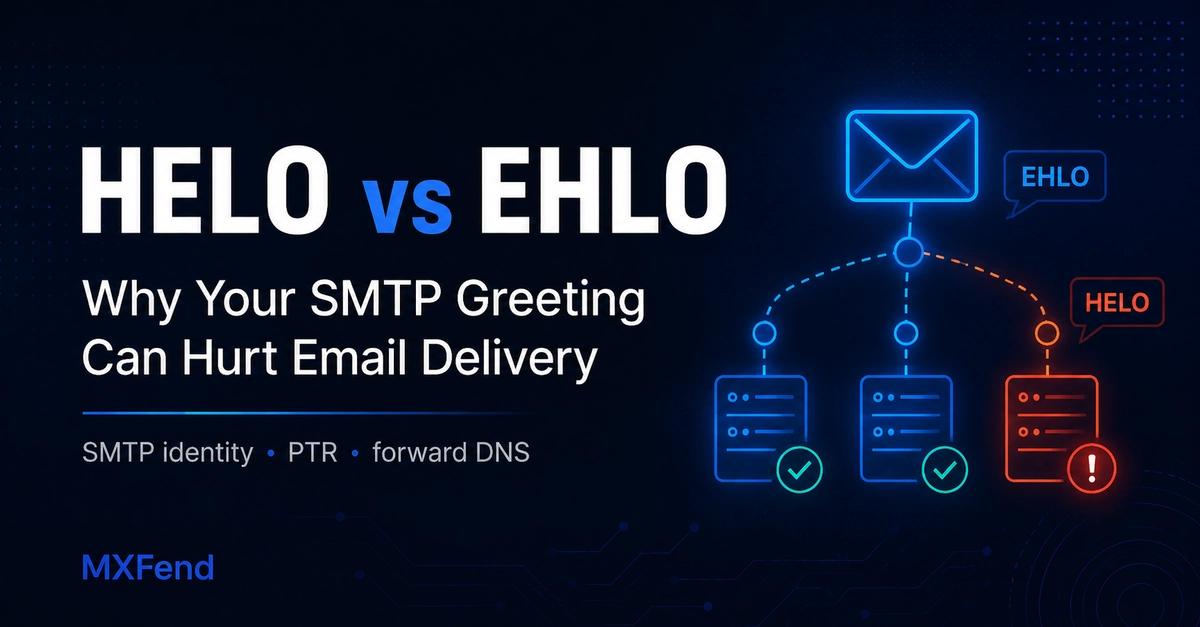
The First Impression: HELO vs. EHLO
When one mail server connects to another to send an email, a critical handshake occurs. The receiving server typically initiates with an SMTP banner, signaling its readiness. The sending server then must identify itself. Historically, this was done with the HELO command, a simple request for the other server's hostname. More modernly, EHLO (Extended HELO) is used. EHLO not only identifies the sending server but also queries the receiving server for its supported extensions, offering a richer communication channel.
However, the way a mail server introduces itself, particularly with the EHLO command, can become an early indicator of its trustworthiness. If a server greets the recipient with EHLO localhost or EHLO server1.internal, it presents a weak, generic, or potentially misleading identity. This greeting happens before any message content is transmitted and is one of the first identity signals a receiving server evaluates. For administrators focused on SPF, DKIM, and DMARC records, this initial handshake is a crucial, often overlooked, component of a robust email delivery strategy.
Why Generic Greetings Trigger Red Flags
Receiving mail servers use the information provided during the SMTP handshake to assess the legitimacy of incoming mail. A HELO or EHLO command that returns a generic hostname like localhost or an internal server name (e.g., server1.internal) immediately raises suspicion. These are not valid public domain names that can be verified through DNS records. Mail servers are designed to be wary of such ambiguous introductions. They suggest a lack of proper configuration, potential spoofing, or an attempt to obscure the true origin of the email.
Think of it like walking into a formal event and introducing yourself with only your first name, or worse, stating you are 'the guest'. While technically an introduction, it provides no verifiable context. In the digital realm of email delivery, verifiability is paramount. A receiving server expects an identifier that can be cross-referenced with other authentication mechanisms. When this identifier is vague, it’s a strong signal to treat the incoming email with caution, often leading to it being flagged as spam, rejected outright, or placed in a quarantine.
The Technical Nuance: HELO vs. EHLO
The HELO command is the older, more basic form of identification. It simply states the sending server's hostname. The receiving server might respond with a 250 OK, but it doesn't learn anything about the sending server's capabilities.
The EHLO command, on the other hand, is designed for extensibility. When a sending server issues EHLO, it's not just identifying itself; it's also asking the receiving server, "What extended SMTP features do you support?" The receiving server responds with a list of its capabilities, often including features like SIZE (maximum message size), STARTTLS (for encrypting the connection), and PIPELINING (for sending multiple commands without waiting for responses). This exchange provides valuable information for optimizing the email transfer process and establishing a more secure connection.
The problem arises when the sending server, after issuing EHLO, provides a hostname that is not resolvable or is clearly internal. For instance, if a server sends EHLO mail.example.com, the receiving server will likely perform a DNS lookup for mail.example.com. If this lookup fails or points to an unexpected IP address, it's a red flag. Similarly, if the response is EHLO localhost, the receiving server knows that localhost is not a valid public identifier for a mail server and treats it with suspicion.
Impact on Email Authentication Protocols
While SPF, DKIM, and DMARC are the primary pillars of modern email authentication, they do not operate in a vacuum. These protocols rely on verifiable identity. SPF checks the IP address against a list of authorized senders for a given domain. DKIM adds a digital signature to the email, verifiable against a public key in the domain's DNS. DMARC provides policy on how to handle authentication failures.
The HELO/EHLO greeting is an earlier layer of identity verification. If the hostname provided in the greeting does not match the domain associated with the SPF record, or if it's an unresolvable name, it can undermine the entire authentication chain. Some receiving servers may perform a reverse DNS (rDNS) lookup on the sending IP address and compare it with the hostname provided in the HELO/EHLO command. A mismatch or the absence of a valid rDNS entry for the greeting hostname can lead to a failed authentication check, even if SPF, DKIM, and DMARC are correctly configured.
Configuring Your Mail Server for Deliverability
The solution is straightforward: ensure your mail server's HELO/EHLO greeting uses a fully qualified domain name (FQDN) that accurately represents your mail server and is verifiable through DNS. This FQDN should ideally be the same hostname that is used in your SPF records and for which you have a correct rDNS entry.
For example, if your domain is example.com and you have a mail server named mail.example.com with an IP address 192.0.2.100, your configuration should look something like this:
- DNS A Record:
mail.example.compoints to192.0.2.100 - DNS SPF Record: Includes
ip4:192.0.2.100or a mechanism that authorizesmail.example.com - Reverse DNS (rDNS): The IP address
192.0.2.100resolves tomail.example.com - SMTP Greeting: The server identifies itself as
EHLO mail.example.com
This consistency across DNS, rDNS, and the SMTP greeting creates a unified and verifiable identity for your mail server. It reassures receiving servers that the sender is legitimate and properly configured, thereby improving the chances of your emails reaching the inbox.
What Nobody Has Addressed Yet: The Legacy Server Problem
While configuring new servers is relatively simple, the real challenge lies with legacy systems or complex network infrastructures. Many organizations still operate older mail servers or have intricate internal setups where the HELO/EHLO greeting might be hardcoded to internal hostnames or even localhost. Updating these can be a significant undertaking, requiring changes to server configurations, DNS, and potentially even network architecture. The operational risk of misconfiguring such a critical service is high, leading many to delay or avoid these necessary updates. What happens to the deliverability of emails from these long-standing, yet improperly introduced, servers is a silent ticking time bomb for many IT departments.
Conclusion
The HELO/EHLO greeting is more than just a formality; it's a fundamental aspect of email server identity verification. A misconfigured greeting can negate the benefits of robust SPF, DKIM, and DMARC setups, leading to decreased email deliverability. By ensuring your mail server uses a consistent, verifiable, and publicly resolvable hostname in its SMTP greeting, you strengthen your email's first impression and significantly improve its chances of reaching the intended recipient.