Why Container Data Disappears
Containers are designed to be ephemeral. This means that when a container is deleted, any data stored directly within its filesystem is lost. This is a fundamental design principle that promotes immutability and simplifies container management. However, for stateful applications like databases, file storage services (e.g., Nextcloud), or custom configurations, this ephemeral nature poses a significant problem. Without a strategy for persistent storage, critical data will vanish the moment the container is removed, whether through a deliberate docker compose down or an accidental deletion.
Persistent Storage Strategies: Volumes and Bind Mounts
To overcome the ephemeral nature of containers, Docker provides two primary mechanisms for persisting data outside the container's lifecycle: named volumes and bind mounts. Both methods allow data to live on the host machine, independent of the container's existence. However, they differ significantly in how they are managed, where they are stored, and their intended use cases.
Understanding Named Volumes
Docker-managed volumes are the preferred method for persisting data in most scenarios. When you create a named volume, Docker takes responsibility for managing its lifecycle and location on the host system. Docker typically stores volumes in a dedicated directory on the host, often under /var/lib/docker/volumes/ on Linux systems. This abstraction means you don't need to know the exact path on your host machine; Docker handles it.
How Named Volumes Work
You define named volumes in your docker-compose.yaml file under the volumes: section. You can then map these named volumes to specific paths within your containers. Docker creates the volume if it doesn't exist and attaches it to the specified container path. If you later remove the container, the volume persists. You can then attach this volume to a new container, or manage it independently using Docker CLI commands like docker volume ls, docker volume create, and docker volume rm.
This managed approach offers several advantages:
- Portability: Volumes are managed by Docker, making it easier to move your application and its data between different environments.
- Lifecycle Management: Docker handles the creation, deletion, and backup of volumes, simplifying administration.
- Performance: Volumes are optimized for I/O operations, making them suitable for performance-sensitive applications like databases.
- Isolation: Data is stored in a designated Docker-managed area, preventing accidental modification by other processes on the host.
For example, in a docker-compose.yaml file, you might define:
services:
  db:
    image: postgres
    volumes:
      - db_data:/var/lib/postgresql/data

volumes:
  db_data:
Here, db_data is a named volume that Docker will manage and ensure the PostgreSQL data persists.
Understanding Bind Mounts
Bind mounts, on the other hand, allow you to mount a file or directory from your host machine's filesystem directly into a container. Unlike volumes, you explicitly specify the path on the host. This gives you direct control over the location of the data but also places more responsibility on you for managing that data and its compatibility with the container.
How Bind Mounts Work
Bind mounts are defined in the volumes: section of your docker-compose.yaml by specifying the absolute or relative path on the host machine followed by the container path. For instance:
services:
  app:
    image: my-web-app
    volumes:
      - ./app-code:/usr/src/app
In this example, the app-code directory from the host (relative to the compose file) is mounted into the container at /usr/src/app. Any changes made in either location are immediately reflected in the other.
Bind mounts are useful for several scenarios:
- Development: Mounting source code directories into containers allows developers to edit code on their host and see changes reflected instantly in the running container, speeding up the development cycle.
- Configuration Files: You can mount specific configuration files from the host into a container to customize its behavior without rebuilding the image.
- Sharing Host Resources: If a container needs access to specific files or directories on the host system (e.g., logs, shared data directories), bind mounts provide a direct way to do this.
However, bind mounts come with caveats:
- Host Dependency: The data is tied to a specific path on the host machine, making the setup less portable.
- Permissions: You must ensure that the user inside the container has the correct permissions to read and write to the host directory. Mismatched UIDs/GIDs can cause issues.
- Potential for Accidental Overwrites: If the container writes to a bind-mounted directory, it can overwrite or modify files on your host system, which can be dangerous if not managed carefully.
Volumes vs. Bind Mounts: The Key Differences
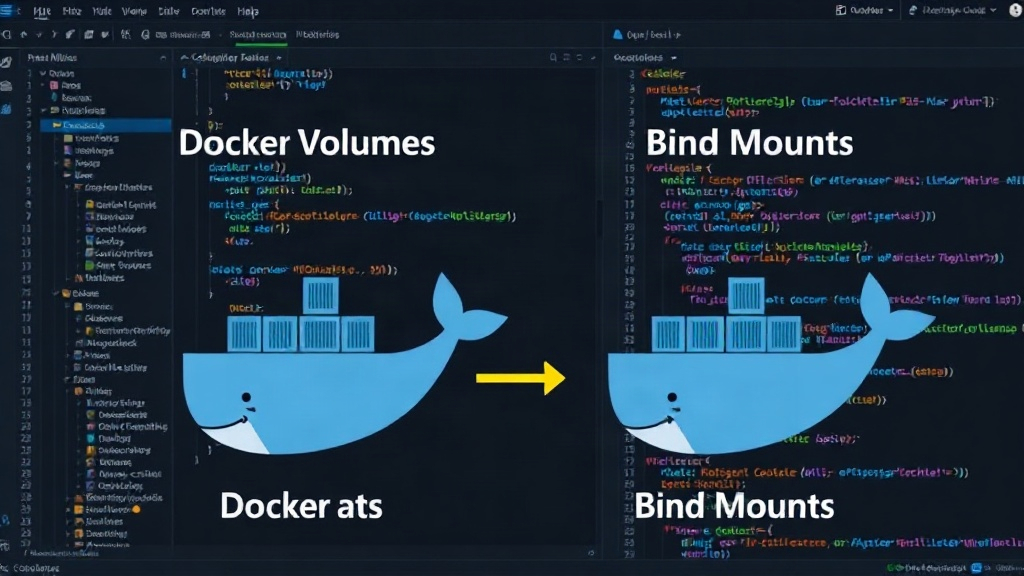
The fundamental difference lies in management and origin. Volumes are managed by Docker, abstracting away the host path and providing a more robust, portable solution. Bind mounts are managed by the user, directly linking a host path to a container path, offering more control but less abstraction.
Think of Docker volumes like a well-organized locker at a gym that the gym staff manages. You know your stuff is safe and accessible when you need it, and you don't need to worry about where the locker is physically located within the building. Bind mounts, on the other hand, are like leaving your gym bag in a specific, publicly accessible spot in the parking lot – you know exactly where it is, but you're responsible for its security and retrieval, and anyone else could potentially access or tamper with it.
When to Use Which
The choice between volumes and bind mounts depends heavily on your use case:
- Use Named Volumes for:
- Database data
- Application state (e.g., user uploads, cache files)
- Configuration that needs to persist across container restarts and be managed by Docker
- Any scenario where portability and simplified lifecycle management are priorities.
- Use Bind Mounts for:
- Mounting application source code during development.
- Providing configuration files to a container.
- Accessing specific host system files or directories needed by the container.
- When you need fine-grained control over the exact location of data on the host.
Conclusion
Understanding the distinction between Docker volumes and bind mounts is crucial for effectively managing persistent data in containerized applications. Named volumes offer a Docker-managed, portable, and robust solution ideal for application state and databases. Bind mounts provide direct access to host filesystems, invaluable for development workflows and specific configuration needs. By choosing the appropriate method, you ensure your containerized applications can reliably store and access data, overcoming the inherent ephemerality of containers.