
The Annoyance of a Smudgy Screen
Wiping down a laptop screen presents a surprisingly common, yet overlooked, problem: accidental inputs. Every time the author reached for a cloth to clean their MacBook display, the keyboard or trackpad would be triggered. This would wake the screen, display the wallpaper, and obscure the very smudges the user was trying to remove. The workaround—shutting down the entire machine just to clean the screen—felt unnecessarily cumbersome.
This frustration is a shared experience for many laptop users. The act of cleaning a screen should be a simple maintenance task, not an exercise in strategic avoidance of input devices.
Enter the Cat Problem
Beyond the screen-cleaning dilemma, another user-reported issue highlighted a different kind of accidental input: pets. Complaints surfaced in App Store reviews detailing how cats walking across keyboards would disrupt user sessions. These feline interlopers would pause videos, switch browser tabs, or even trigger Spotlight search, turning a relaxed viewing experience into a chaotic scramble.
Existing solutions for this problem were either nonexistent or inadequate, leaving users to simply hope their pets remained off the keyboard during critical tasks. This pointed to a clear need for a software solution that could temporarily disable input devices.
CleanMyScreen: The Solution
To address these distinct yet related issues, the developer built an open-source utility named CleanMyScreen. This application consolidates three distinct modes into a single, lightweight package, offering a streamlined approach to managing screen cleaning and preventing unwanted keyboard interactions.
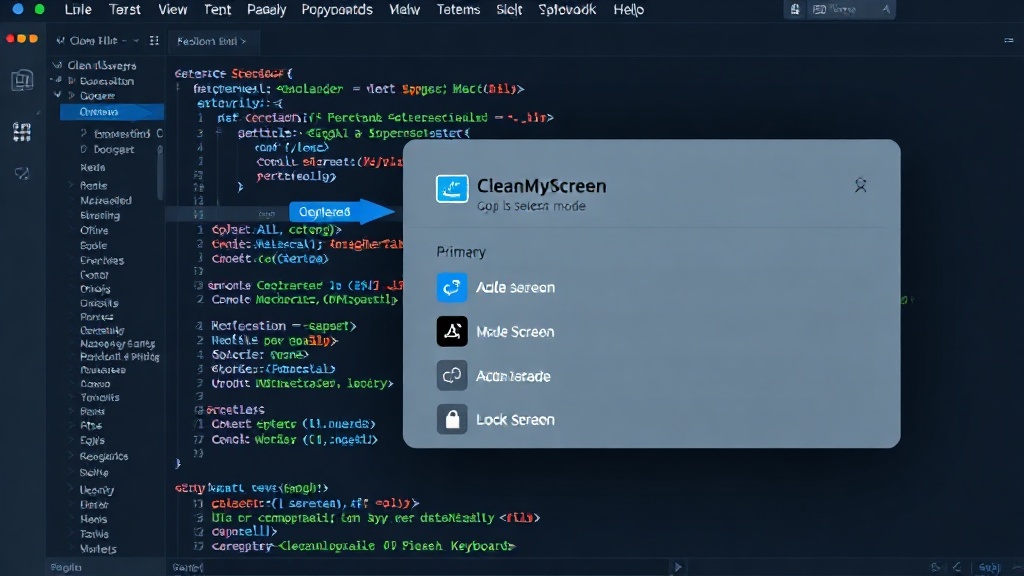
Mode 1: Screen Cleaning Lock
The first mode directly tackles the screen-smudging problem. When activated, CleanMyScreen disables the keyboard and trackpad. This crucial step prevents any accidental inputs while the user is cleaning their display. The screen remains active, allowing for clear visibility of smudges, but the input devices are rendered inert. Once cleaning is complete, a simple key combination or a timer deactivates the lock, returning full functionality to the laptop. This mode transforms the awkward, blind-wipe process into a controlled and effective cleaning session.
Mode 2: Pet Lock
The second mode is specifically designed to combat the 'cat-on-keyboard' scenario. Similar to the screen-cleaning lock, this feature temporarily disables input devices. However, it is intended for longer periods when users might step away from their machines or when pets are known to be active. The Pet Lock ensures that accidental brushes with the keyboard or trackpad do not disrupt ongoing tasks, play videos, or open unintended applications. It provides peace of mind for users who share their workspace with furry companions.
Mode 3: Full Screen Lock
The third mode offers a comprehensive solution for situations requiring a complete system lockout. This is particularly useful for presentations, screen-sharing sessions, or when a user needs to step away for an extended period, ensuring absolute privacy and preventing any possibility of unauthorized access or accidental input. It provides a robust layer of security and control over the user's machine, going beyond simple pet-proofing to offer a more serious lock-down capability.
AI-Assisted Development
What makes the rapid development of CleanMyScreen particularly noteworthy is the developer's use of AI. The entire utility was conceptualized and built in approximately three hours, a testament to the accelerating pace of software development when augmented by artificial intelligence. While the article does not specify which AI tools were employed, the speed of iteration suggests the use of AI for code generation, debugging assistance, or even UI design suggestions.
This efficiency highlights a significant shift in how developers can approach problem-solving. Instead of spending days or weeks on boilerplate code and initial setup, AI can potentially handle much of the foundational work, allowing developers to focus on the unique logic and user experience aspects of their applications. The success of CleanMyScreen serves as a practical demonstration of AI's capability to significantly reduce development time for utility software.
Open Source and Future Potential
CleanMyScreen is released as an open-source project, inviting community contributions and further development. The GitHub repository provides the codebase for anyone to inspect, modify, or enhance. This open approach fosters collaboration and allows the utility to evolve based on user needs and developer interest.
The immediate impact is a free, accessible solution for two common laptop annoyances. Longer term, the project could inspire similar AI-assisted utility development or see its features integrated into broader system management tools. The surprising detail here is not the speed of development, but the direct application of AI to solve what might be considered minor, yet persistent, user experience issues.
What remains to be seen is how widely this AI-assisted development model will be adopted for similar utility-class applications and whether it can maintain the same level of polish and security as traditionally developed software.