
Zoho Tables: A New Approach to Team Data Management
Zoho, a company known for its expansive suite of business applications, has launched Zoho Tables, a new platform designed to offer a more intelligent and integrated way for teams to manage their work and data. This move positions Zoho to compete in the rapidly growing market for no-code and low-code data management tools, aiming to bridge the gap between simple spreadsheets and complex databases.
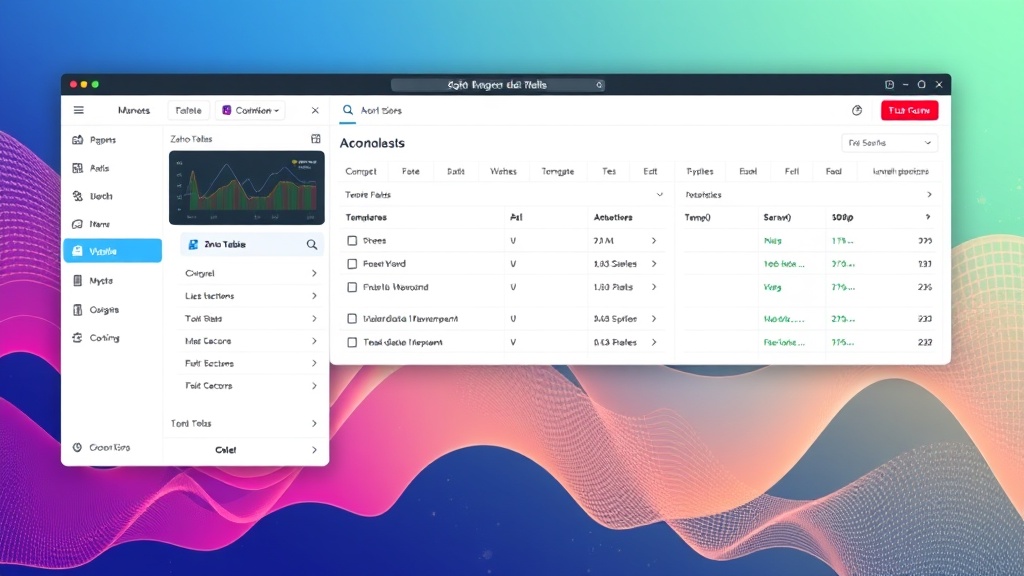
At its core, Zoho Tables is presented as a smarter alternative to traditional spreadsheets and basic databases. It allows users to organize, track, and collaborate on data without requiring extensive technical expertise. The platform emphasizes ease of use, aiming to empower individuals and teams to build custom applications and workflows tailored to their specific needs.
The product is built on the premise that modern work involves vast amounts of data that need to be managed efficiently. Whether it's project tracking, customer relationship management, inventory control, or event planning, Zoho Tables offers a flexible structure to accommodate diverse use cases. Its integration with other Zoho applications is a key selling point, promising a more cohesive experience for businesses already invested in the Zoho ecosystem.
Key Features and Functionality
Zoho Tables offers a range of features designed to enhance data management and collaboration:
- Customizable Databases: Users can create tables with various field types, including text, numbers, dates, dropdowns, and even file attachments. This allows for structured data entry that is more robust than a typical spreadsheet.
- Built-in Templates: To accelerate setup, Zoho Tables provides a library of pre-built templates for common use cases like project management, CRM, bug tracking, and event planning.
- Automation Workflows: The platform includes capabilities for automating repetitive tasks. Users can set up rules to trigger actions based on data changes, such as sending notifications, updating records, or assigning tasks.
- Collaboration Tools: Zoho Tables facilitates teamwork through features like real-time co-editing, commenting on records, and role-based access control, ensuring that the right people have access to the right data.
- Integration Capabilities: A significant advantage is its deep integration with other Zoho products, such as Zoho CRM, Zoho Projects, and Zoho Creator. This allows data to flow seamlessly between different applications, creating unified business processes. It also supports integrations with third-party services via APIs.
- Reporting and Analytics: While not a full-fledged BI tool, Zoho Tables offers basic reporting features to visualize data and gain insights. Users can create custom views and summaries of their data.
The platform is designed to be accessible to users with varying technical backgrounds. Its intuitive interface allows users to build and manage their data structures visually, much like arranging columns and rows in a spreadsheet, but with the added power of relational data and automation.
Bridging the Gap Between Spreadsheets and Databases
Zoho Tables appears to occupy a critical space in the software landscape. Many businesses start with spreadsheets like Microsoft Excel or Google Sheets for data tracking. While familiar, spreadsheets quickly become unwieldy for complex projects, collaborative work, or data integrity. They lack robust features for automation, access control, and maintaining data consistency across multiple users.
On the other end of the spectrum are traditional relational databases (SQL) or enterprise-level database management systems. These offer immense power and flexibility but require significant technical expertise to set up, manage, and query. The learning curve is steep, and they are often overkill for many small to medium-sized business needs.
Zoho Tables aims to be the middle ground. It provides the structure and relational capabilities of a database but with the user-friendliness and visual interface reminiscent of a spreadsheet. This makes it an attractive option for teams that need more than a spreadsheet can offer but do not have the resources or need for a full-blown database system. Think of it less like a complex enterprise database and more like a highly organized digital whiteboard that remembers every detail and can even perform tasks for you.
The Zoho Ecosystem Advantage
For existing Zoho users, the introduction of Zoho Tables is particularly significant. Zoho has been steadily building an integrated suite of business applications, from CRM and marketing automation to finance and HR. The ability to connect data managed in Tables directly with Zoho CRM records, or to use Tables as a data source for Zoho Projects, streamlines workflows considerably.
This interconnectedness is a core part of Zoho's strategy. By providing a central hub for data management that can interact with its other specialized applications, Zoho aims to offer a comprehensive business operating system. This reduces the need for disparate tools and the associated costs and complexities of integration. For businesses already using multiple Zoho products, adopting Tables feels like a natural extension, enhancing the value of their existing investment.
Who Benefits from Zoho Tables?
The target audience for Zoho Tables is broad, encompassing various roles and business sizes:
- Small to Medium-sized Businesses (SMBs): These businesses often lack dedicated IT departments and need user-friendly tools to manage operations efficiently.
- Project Managers: To track project progress, assign tasks, manage resources, and monitor deadlines.
- Sales and Marketing Teams: For managing leads, customer interactions, campaign data, and contact lists beyond the capabilities of a standard CRM.
- Operations Managers: For inventory tracking, supply chain management, facility maintenance, and process optimization.
- Event Planners: To manage guest lists, vendor information, budgets, and event schedules.
- HR Departments: For employee onboarding, leave tracking, and performance management.
The platform’s flexibility means that almost any team that manages structured information can find a use for Zoho Tables. Its appeal lies in its ability to adapt to specific business processes, rather than forcing businesses to adapt their processes to a rigid software structure.
The Future of Data Management Tools
Zoho Tables enters a competitive landscape that includes tools like Airtable, Coda, Notion, and Smartsheet, each offering different blends of spreadsheet-like interfaces, database functionalities, and collaboration features. Zoho's strength lies in its established enterprise presence and its comprehensive suite of integrated applications.
The success of Zoho Tables will likely depend on its ability to deliver on its promise of simplicity, power, and seamless integration. As businesses increasingly rely on data to drive decisions and operations, tools that democratize data management while maintaining integrity and enabling collaboration will become indispensable. Zoho Tables appears poised to capture a significant share of this market, particularly among its existing customer base and businesses seeking an all-in-one solution.