The Pain of Manual Localization
Localizing an iOS or macOS application involves a tedious process of creating language-specific versions of property list (.plist) files. Developers typically start with a Base.lproj folder containing UI strings. For each supported language (e.g., French, German, Thai), they need to create a corresponding fr.lproj, de.lproj, or th.lproj folder, duplicating the .plist file and translating every string value. This manual effort is time-consuming, error-prone, and scales poorly with the number of supported languages.
Developers have historically faced a few options: paying for professional translation services, hiring freelancers, or manually copying and pasting strings into numerous duplicated files. For many, especially independent developers or those on tight budgets, these options are either too expensive or too inefficient. The sheer volume of repetitive work can quickly become a significant bottleneck in the development cycle.
This repetitive task is exactly what software engineer Swain W. sought to eliminate. Frustrated by the manual translation workflow, he developed pListTranslatorApp, a small, free, and open-source macOS application designed to automate this process.
Introducing pListTranslatorApp
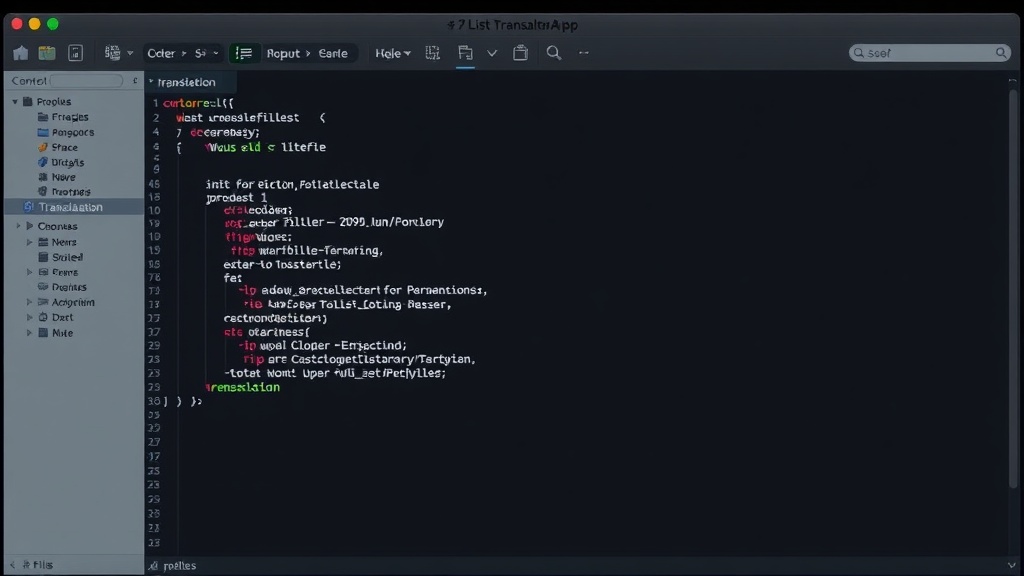
pListTranslatorApp is a native macOS application built with SwiftUI. Its core function is to simplify the localization of Xcode project property list files. The app takes an existing .plist file from a project's base language directory, identifies the string values that require translation, and then leverages Apple's built-in Translation framework to perform these translations entirely on-device. Finally, it outputs new, localized .plist files ready to be integrated back into an Xcode project.
The decision to build this tool stemmed from a desire to avoid external services and manual copy-pasting. Swain W. spent approximately one day developing the initial version, highlighting the efficiency achievable with targeted automation. The app's on-device processing is a key feature, addressing potential privacy concerns associated with sending sensitive application strings to third-party translation APIs. It also means the tool functions without an internet connection, further enhancing its utility for developers working in varied environments.
On-Device Translation: A Privacy and Efficiency Win
The use of Apple's native Translation framework is central to pListTranslatorApp's design. This framework allows applications to access robust translation capabilities directly on the user's device, without needing to upload data to remote servers. For developers localizing sensitive application strings, this on-device processing offers a significant advantage in terms of data privacy and security. It ensures that proprietary strings or user-facing text remain within the developer's control, reducing the risk of data exposure.
Furthermore, relying on a native framework eliminates the need for API keys, subscriptions, or external dependencies that often accompany cloud-based translation services. This not only simplifies the app's architecture but also makes it entirely free to use, with no ongoing costs for the end-user. The app's portability is also enhanced; it can function anywhere, whether connected to a stable internet connection or not. This is particularly beneficial for developers who travel or work in areas with unreliable network access.
How it Works: A Streamlined Workflow
The workflow for pListTranslatorApp is designed to be intuitive and efficient for Xcode users. Developers typically navigate to their project's Base.lproj directory, select the .plist file containing the strings to be localized, and open it with pListTranslatorApp. The application then parses the .plist, identifying all string values within the structure. The user can then select which languages they wish to translate into. Upon initiation, the app systematically processes each selected string value, sending it to the on-device Translation framework. Once the translations are complete, pListTranslatorApp generates new .plist files, each placed in its respective language-specific directory (e.g., fr.lproj). These files are then ready to be added back into the Xcode project, significantly reducing the manual workload.
The app's architecture prioritizes simplicity and speed. By focusing solely on the task of translating .plist strings, it avoids the complexity and overhead of more comprehensive localization platforms. This focused approach allows it to perform its core function quickly and reliably. The use of SwiftUI ensures a modern, responsive user interface that aligns with current macOS design paradigms.
The Constraint That Shaped the Whole Thing
A significant factor influencing the design and functionality of pListTranslatorApp was the developer's hardware constraints. Working on a MacBook Air with a 256GB SSD and 8GB of RAM, the developer aimed for a lightweight, efficient application that wouldn't strain system resources. This constraint naturally led to the choice of native technologies and an on-device processing model, avoiding the need for heavy cloud computations or large local data stores. The goal was to create a tool that was not only effective but also accessible and performant on a wide range of macOS hardware, not just high-end machines.
Availability and Future
pListTranslatorApp is available on GitHub, licensed under an open-source license, making it freely accessible to all developers. Its existence addresses a common pain point in mobile and desktop application development, particularly for independent developers and small teams. While the current version focuses on .plist files, the underlying principles of on-device translation and batch processing could potentially be extended to other localization file formats or even different types of string-based data processing in future iterations.
The project's open-source nature invites community contributions and feedback. Developers can fork the repository, suggest improvements, or report issues. This collaborative model ensures the tool can evolve based on the real-world needs of the developer community it serves.