The Hidden Cost of Stale VAT Rates
Many businesses operating in the European Union and using WHMCS for billing may be unknowingly charging outdated Value Added Tax (VAT) rates to their customers. This isn't a bug that crashes your system or prevents transactions. Instead, it's a silent error that can lead to financial discrepancies, compliance issues, and a loss of customer trust. The problem lies in how WHMCS stores and applies VAT rates: as static numbers in a configuration table. When a country updates its VAT legislation, WHMCS does not automatically update these rates. The invoices continue to generate, the PDFs look correct, and the totals appear fine on the surface. However, the VAT collected could be inaccurate, potentially shortchanging your business or overcharging your customers without any immediate indication.
This practical check is essential for any business selling to EU consumers via WHMCS. The recent update for Estonia serves as a clear example. On January 1, 2024, Estonia increased its standard VAT rate from 20% to 22%. The release notes for WHMCS version 8.12.0 explicitly mention this change with the entry "WHMCS-19488 — Correct Estonia VAT rate to 22%". This indicates that WHMCS itself acknowledges the need for manual updates to VAT rates, and that older versions or un-updated systems would have been charging the incorrect, lower rate for Estonian customers.
The implication is broad: if your business serves customers in any EU country that has adjusted its VAT rates, and you haven't manually updated your WHMCS configuration, you are likely out of compliance. This isn't just about Estonia; it's about every EU member state that has changed its VAT laws. The automated nature of billing systems can mask these discrepancies, making manual verification crucial.
How WHMCS Handles VAT
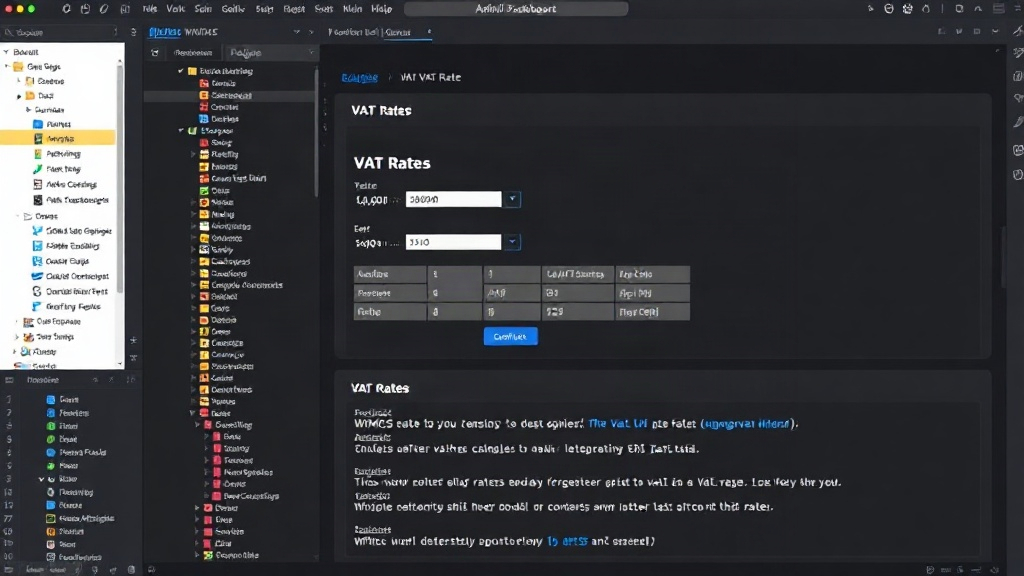
In WHMCS, VAT rates are configured within the system's administrative interface. These rates are typically associated with specific countries or regions. When an order is placed or an invoice is generated, WHMCS pulls the applicable VAT rate from this configuration table and applies it to the taxable items. The critical point is that WHMCS does not subscribe to a live feed of global VAT regulations. It relies on administrators to input and update these rates manually. This reliance on manual input is the root cause of the problem.
Consider the lifecycle of a VAT rate update. A government announces a change, often with a future effective date. Businesses are expected to implement this change in their financial systems. For a system like WHMCS, this means a system administrator must log in, navigate to the VAT rate settings, and input the new percentage. If this step is missed, or if it's overlooked for countries where sales are infrequent, the old rate persists. The system then continues to calculate VAT based on outdated information.
The consequences of this oversight can range from minor financial adjustments to significant legal and reputational damage. For businesses operating in the digital services sector, where the EU's VAT One-Stop Shop (OSS) scheme applies, accurate reporting is paramount. Incorrect VAT collection can lead to underpayment, resulting in penalties and interest from tax authorities. Conversely, overcharging customers can erode goodwill and lead to complaints or disputes. The fact that WHMCS 8.12.0 specifically called out the Estonia VAT rate correction highlights that this is an ongoing maintenance task for users, not a one-time fix.
Identifying Stale VAT Rates
The most straightforward way to determine if your WHMCS setup is charging outdated EU VAT rates is to cross-reference your WHMCS configuration with the current official VAT rates for each EU country you serve. This requires a systematic approach.
First, identify all EU countries to which you sell products or services and for which you have configured VAT rates in WHMCS. You can find these in your WHMCS admin area, typically under Setup > Payment Gateways > Tax Rates. Note down the country code and the rate currently configured in your system.
Second, consult official sources for the current standard VAT rates for each of those countries. The European Commission's Taxation and Customs Union website is a reliable source, as are the national tax authority websites of each EU member state. Be sure to look for the *standard* VAT rate unless you specifically configure reduced rates for particular products or services.
Third, compare the rates. For instance, if you have customers in Estonia and your WHMCS configuration shows 20% VAT, but the current official rate is 22%, you have a discrepancy. Do this for every EU country you serve.
Updating Your WHMCS VAT Configuration
If you discover outdated VAT rates, the update process within WHMCS is generally simple, though it requires careful attention. Navigate to the Tax Rates section in your WHMCS admin panel. You will likely need to edit the existing tax rules or create new ones to reflect the correct percentages for each country.
For example, to correct the Estonia VAT rate:
- Log in to your WHMCS admin area.
- Go to Setup > Payment Gateways > Tax Rates.
- Locate the tax rule associated with Estonia (or the relevant country).
- Edit the rule and change the tax rate from the old percentage to the new, correct percentage (e.g., from 20% to 22% for Estonia).
- Save the changes.
It is crucial to perform this update across all affected EU countries. If you have multiple tax rules for different regions or product types, ensure each is updated accurately. After updating, it is advisable to generate a test invoice for a customer in a recently updated country to confirm the new rate is being applied correctly. This proactive step can prevent future compliance headaches and ensure accurate financial reporting.
What happens to past invoices? Generally, tax authorities expect you to remit the correct VAT amount based on the laws in effect at the time of the transaction. If you have undercharged, you may need to issue credit notes or adjust future payments, depending on local regulations and the materiality of the difference. It's prudent to consult with a tax professional to understand the implications for historical transactions and ensure full compliance.