
The WhatsApp Deluge and the SaaS Trap
For small businesses, the convenience of customer communication via WhatsApp is a double-edged sword. While customers prefer messaging over clunky contact forms, scaling this to dozens or hundreds of daily conversations creates chaos. Missed messages, confusion over sales rep ownership, and inaccurate commission tracking become inevitable. The standard solution involves subscribing to a WhatsApp SaaS platform, often priced per user per month ($49-$499), which means entrusting sensitive customer data to a third-party database.
This approach, while seemingly straightforward, carries significant drawbacks. Beyond the recurring cost, businesses relinquish control over their data and are subject to the platform's feature roadmap and pricing changes. For many small businesses, this model is not only expensive but also a potential vendor lock-in scenario.
DIY WhatsApp Automation: The Google Sheets + Apps Script Alternative
A less common, yet highly effective, alternative lies in leveraging existing tools: Google Sheets and Google Apps Script. This DIY approach can replicate the core functionalities of expensive SaaS platforms, including automated replies, lead assignment, and even commission calculation, all while keeping data within the business's control. The initial hurdle might seem technical, but the fundamental process of wiring a WhatsApp webhook to a Google Sheet is achievable within a few hours.
The real challenge isn't in the basic integration; it's in the nuanced workflows that prevent common operational failures. The critical points where DIY automation often falters are not the messaging itself, but the logic that underpins effective sales and customer management. This includes ensuring that leads are properly assigned, that multiple sales reps don't inadvertently chase the same prospect, and that data is consistently updated and accessible.
Where DIY WhatsApp Automation Typically Fails (and How to Fix It)
The common pitfalls in DIY WhatsApp automation stem from a lack of robust logic for managing concurrent interactions and data integrity. One significant issue is the lack of a clear system for lead ownership. Without this, multiple team members might respond to the same lead, causing confusion and a poor customer experience. Another critical failure point is the manual, error-prone process of reconstructing commission sheets at the end of each month. Replicating the complex rules of tiered commissions in a spreadsheet can be a nightmare, often leading to inaccuracies and disputes.
The solution often involves custom scripting to build these essential features. For instance, implementing a system that assigns a lead to the first rep who responds, or using a round-robin approach, can prevent duplicate efforts. AI can be integrated to handle initial queries, freeing up human agents for more complex interactions. Furthermore, structuring the Google Sheet with clear columns for lead status, assigned rep, conversation history, and commission calculations is paramount. Apps Script can then automate the updates to these columns based on incoming messages and defined business rules.
Building a Scalable Workflow
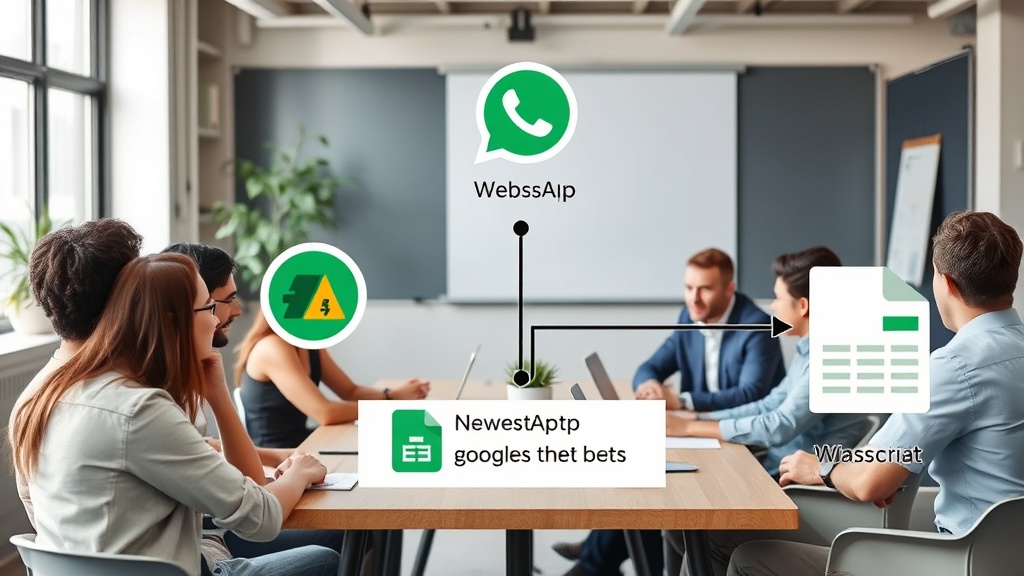
The core of a successful DIY WhatsApp automation system lies in its architecture. A typical setup involves a webhook that receives incoming messages from WhatsApp. This webhook then triggers a Google Apps Script function. This script parses the message, identifies the sender, and updates a designated Google Sheet. The sheet acts as a central CRM, tracking each lead, their conversation history, and their assigned sales representative.
For lead capture, incoming messages can be automatically parsed for contact information and intent. If a message indicates interest in a product or service, the script can create a new lead entry in the sheet. The system can then automatically assign this lead to a sales rep based on predefined rules, such as territory, workload, or lead source. This ensures that every new inquiry is immediately routed to the appropriate person, minimizing response times.
AI can play a crucial role here. Instead of a generic auto-reply, an AI model integrated via Apps Script can analyze the incoming message and provide a more relevant, personalized initial response. This could involve answering frequently asked questions, providing basic product information, or even qualifying the lead further before handing it off to a human agent. This not only improves customer satisfaction but also significantly reduces the workload on the sales team.
Tiered Commissions: The Complex Piece
Implementing tiered commission structures is where many DIY attempts falter. These structures often involve multiple levels of commission, with percentages varying based on sales volume, product type, or team performance. Manually calculating these is tedious and prone to errors. A well-structured Google Sheet, combined with sophisticated Apps Script, can automate this process.
The sheet would need columns tracking sales, associated reps, commission rates (potentially linked to a separate 'commission rules' sheet), and payout status. The Apps Script would periodically run, analyzing completed sales, cross-referencing them with the commission rules, and calculating the correct payout for each rep. This script could also handle different tiers, ensuring that reps are compensated accurately as they hit performance milestones.
Consider a scenario where a sales rep closes a deal. The Apps Script detects this update in the sheet. It then looks up the rep's performance tier, determines the applicable commission rate for that sale, and updates the rep's total commission earned for the period. For tiered structures, the script would need to dynamically adjust rates based on cumulative sales. This removes the manual calculation entirely, providing real-time visibility and accuracy.
The Unseen Cost of SaaS
While SaaS platforms offer convenience, their recurring costs can become a significant burden for small businesses, especially as they scale. The $49-$499 per seat model quickly escalates. Furthermore, businesses are tied to the platform's limitations. If a new feature is needed, they must wait for the SaaS provider to develop it, or worse, pay for an upgrade. Data portability can also be an issue; migrating years of customer interactions from a proprietary SaaS database to a new system can be a complex and costly undertaking.
The DIY approach, while requiring an initial investment of time and technical learning, offers unparalleled flexibility and cost-effectiveness. Google Sheets and Apps Script are largely free for typical small business usage. The business retains full ownership of its data, residing in a format that is universally accessible. This empowers businesses to adapt their workflows as they grow, without being constrained by third-party software limitations or pricing hikes.
Conclusion: Control Your Workflow, Control Your Growth
WhatsApp automation for small businesses in 2026 is not a luxury; it's a necessity for managing customer interactions effectively. While SaaS solutions provide a plug-and-play experience, they often come with hidden costs and a loss of control. The DIY route, using Google Sheets and Apps Script, offers a powerful, customizable, and cost-efficient alternative. By understanding where DIY automation typically breaks and implementing robust scripting for lead management, AI-powered replies, and accurate tiered commission calculations, small businesses can build scalable, resilient communication systems that support their growth without breaking the bank.