
Introduction
Unity, a powerful game engine, caters to a broad audience with a straightforward 'press play to load the current scene' workflow. While excellent for general use, this basic setup leaves game initialization logic—such as core system setup, data loading, or essential game state management—entirely to the developer. For every new project, establishing this foundational bootstrapping process can significantly slow down development, acting as a momentum killer before meaningful game logic even begins.
Relying on manually starting from a specific scene in the Unity Editor or dragging a monolithic `GameManager` prefab into every scene is inefficient and error-prone. This approach introduces dependencies that can break if scenes are reordered or prefabs are misplaced, hindering scalability and maintainability. A more robust and automated system is needed to handle the critical startup sequence of a Unity game.
Understanding the Unity Initialization Lifecycle
Unity's initialization process is tied to scene loading. When a scene is loaded, Unity executes certain methods in a specific order. Understanding this lifecycle is crucial for developers aiming to control the startup sequence. Key events include:
- Awake: Called when an instance of the script is being loaded.
- OnEnable: Called when the object becomes enabled and active.
- Start: Called on the frame when a script is enabled just before any of the Update methods are called the first time.
- SceneManager.sceneLoaded: An event that fires after a scene has finished loading.
While these built-in methods are essential for component initialization within a scene, they don't provide a centralized, reliable mechanism for global game bootstrapping that persists across scene loads or ensures a specific order of operations before any game logic executes. Developers often resort to using singletons or static classes to manage global state, but the order in which these are initialized can still be unpredictable without careful management.
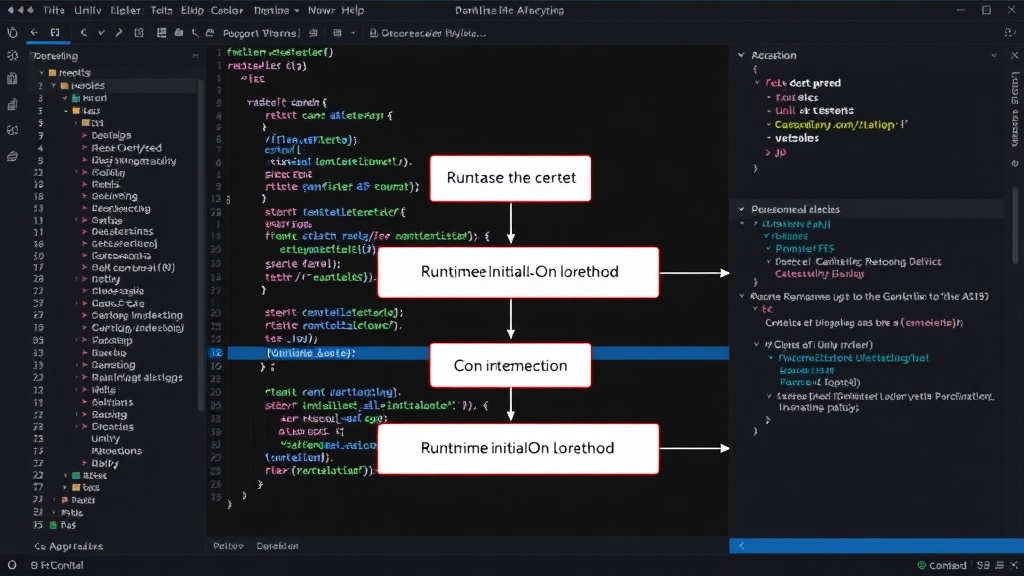
The RuntimeInitializeOnLoadMethod Attribute
Unity introduced the [RuntimeInitializeOnLoadMethod] attribute as a step towards better control over initialization. This attribute allows developers to mark static methods that Unity should automatically execute when a scene loads or when the application starts. This is a significant improvement over manual scene management or relying solely on `Awake` and `Start` methods.
The attribute can be applied to static methods within any C# script. For example:
using UnityEngine;

public class Initializer
{
    [RuntimeInitializeOnLoadMethod(RuntimeInitializeLoadType.AfterSceneLoad)]
    static void InitializeGameSystems()
    {
        Debug.Log("Game systems initializing after scene load.");
        // Instantiate managers, load configurations, etc.
    }
}
The RuntimeInitializeLoadType enum provides options like BeforeSceneLoad, AfterSceneLoad, and AfterAssembliesLoad, offering granular control over when these methods run. However, despite its utility, this attribute has limitations. Primarily, it requires careful management of script execution order, especially when multiple scripts use the attribute. Ensuring that dependencies between initialized systems are met can become complex. Furthermore, if a script containing such an attribute is not included in a build or is somehow excluded, the initialization logic will not run, leading to runtime errors.
The attribute is most effective when used for simple, self-contained initialization tasks. For complex game architectures requiring multiple dependent systems to initialize in a precise order, or for managing state that must be available before the very first scene is even loaded, it can become cumbersome to manage dependencies and ensure reliability across all build targets and configurations.
The Solution: The Bootstrap Scene
A more robust and widely adopted pattern for handling complex initialization is the 'Bootstrap Scene'. This is a dedicated, minimal scene that is the very first scene loaded by the application. Its sole purpose is to perform all necessary game setup before loading the actual main game scene.
Here's how it works:
- First Scene in Build Settings: The bootstrap scene is placed as the first entry in Unity's Build Settings. This ensures it's the initial scene loaded upon application launch.
- Minimal GameObjects: The scene contains only essential GameObjects and scripts required for initialization. This keeps load times short and reduces potential conflicts.
- Initialization Manager Script: A primary script, often named `BootstrapManager` or `GameInitializer`, resides in this scene. This script orchestrates the entire initialization process.
- Sequential Execution: The `BootstrapManager` script, using a combination of
Awake,Start, and potentiallyRuntimeInitializeOnLoadMethod(though often managing its own sequence within itsAwake/Start), loads and initializes all necessary game systems. This can include: - Setting up core managers (audio, input, scene management, etc.).
- Loading essential configuration data.
- Initializing player preferences or saving systems.
- Establishing global event systems.
- Pre-loading critical assets if necessary.
- Scene Loading: Once all initialization tasks are complete, the `BootstrapManager` script then loads the actual first game scene (e.g., the main menu or the first level) using
SceneManager.LoadSceneAsync. This ensures that when the player interacts with the main game scene, all underlying systems are ready and functional.
The bootstrap scene pattern offers several advantages:
- Centralized Control: All initialization logic is in one place, making it easier to manage, debug, and update.
- Guaranteed Order: Developers can explicitly define the order of system initialization within the `BootstrapManager` script, avoiding the potential race conditions or dependency issues that can arise with multiple
RuntimeInitializeOnLoadMethodcalls. - Clean Separation: It separates the concerns of application setup from the game's core gameplay logic, leading to cleaner project architecture.
- Early Initialization: It allows for initialization to occur even before the first frame of the main game, ensuring all systems are ready from the moment the player sees the first gameplay element.
This approach is particularly beneficial for larger projects or studios where consistency and maintainability across multiple developers and complex systems are paramount. It transforms a potentially chaotic startup process into a predictable, well-managed sequence, allowing teams to focus on building the game rather than wrestling with its foundational setup.