
Commanding USB Power: Introducing uhubctl
The ability to control power to individual USB ports on a hub is a niche but powerful capability, particularly for developers, system administrators, and hardware enthusiasts. Until recently, achieving this often required proprietary software or specific, sometimes expensive, hardware. Enter uhubctl, an open-source command-line utility that promises to democratize this control, making it accessible via simple terminal commands for a growing list of compatible smart USB hubs.
uhubctl functions by interfacing directly with the USB hub's controller chip. Many modern USB hubs, especially those marketed as "smart" or "intelligent," contain specialized chips that allow for dynamic power management. These chips can enable or disable power to individual ports, monitor current draw, and even report on device connection status. uhubctl leverages the Linux kernel's USB Device Filesystem (usbfs) and specific ioctl calls to communicate with these chips, translating user commands into actions on the hardware.
The primary use case for uhubctl is straightforward: toggling power on or off for any given USB port. This is invaluable for a variety of scenarios. Developers testing USB devices can rapidly cycle power to a device without physically unplugging and replugging it, significantly speeding up iterative testing. System administrators can remotely manage power to peripherals connected to a central hub, perhaps for power-saving initiatives or to reset unresponsive devices. For hobbyists building custom setups, it offers a level of automation and control previously difficult to achieve.
Consider a scenario where you have a Raspberry Pi connected to multiple USB devices: a webcam, a keyboard, a USB drive, and a sensor array. If one of these devices becomes unresponsive, instead of rebooting the entire system or physically reaching for the hub, a simple command like uhubctl -a 0 -p 3 could instantly cut power to port 3, and uhubctl -a 1 -p 3 could then restore it. This is akin to having a remote-controlled circuit breaker for each USB connection.
Supported Hardware and Installation
The effectiveness of uhubctl hinges on hardware compatibility. The project maintains a list of known supported chipsets and specific hub models. Common chipsets that often support this functionality include those from VIA Technologies (like the VL810, VL811, VL812, VL813, VL817 series) and various Realtek controllers. The project's GitHub repository serves as the central hub for this information, including user-submitted reports on which hubs work and which do not. It's crucial for users to check this list before purchasing a new hub with the intention of using uhubctl.
Installation is typically straightforward for users familiar with compiling software from source. The project provides a Makefile, allowing users to build the utility directly on their Linux system. The typical build process involves cloning the repository, running make, and then installing the compiled binary to a system path (e.g., /usr/local/bin). Dependencies are minimal, usually requiring only standard C development tools.
For users who prefer pre-compiled binaries or are on systems where compilation is less straightforward, community efforts may provide package manager integrations or binary releases. However, the most reliable way to ensure you have the latest version and support for your specific hardware is often to build from source.
Advanced Usage and Potential Applications
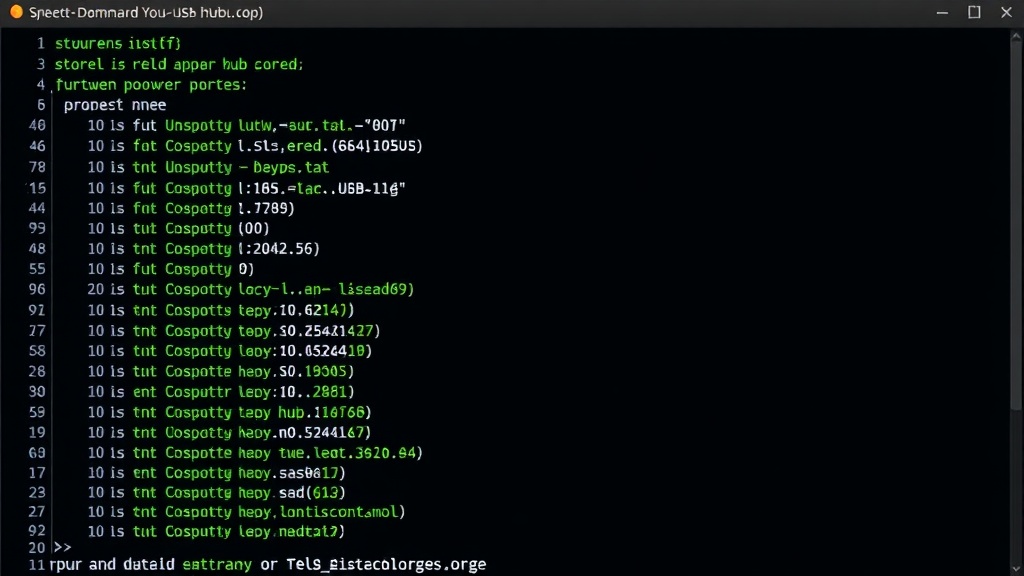
Beyond simple on/off toggling, uhubctl offers features like querying the status of all ports on a hub, identifying the connected device on each port, and even monitoring current draw if the hub's chipset supports it. This data can be integrated into custom scripts for monitoring power consumption, detecting device failures, or automating device startup sequences. For instance, a script could periodically check if a critical USB device is still drawing power. If power draw drops unexpectedly, it could trigger an alert or attempt to reset the device.
The implications for automated test farms are significant. Imagine a rack of servers each managing dozens of USB devices for testing. uhubctl can be used to orchestrate power cycles for devices under test, ensuring consistent testing conditions and allowing for automated recovery from device hangs. This reduces the need for manual intervention and allows for more continuous, higher-throughput testing.
For embedded systems and IoT projects, uhubctl can provide a low-level interface to manage power for connected peripherals. This is especially useful in power-constrained environments where peripherals should only be powered when actively needed. Developers could write applications that dynamically power up sensors or actuators via USB only when data is required, thereby saving energy.
What remains to be seen is the broader adoption of chipsets that reliably expose these controls to standard interfaces like uhubctl. While certain VIA and Realtek chips are well-supported, a more standardized approach by USB hub manufacturers could unlock even wider usability. The project's continued development and community contributions are key to expanding its hardware support and feature set.