Scraping Google Hotels for Price Data
Google Hotels aggregates pricing from major booking sites like Booking.com, Expedia, Agoda, Hotels.com, and direct hotel websites. While it offers a "track prices" feature, this functionality operates on Google's terms, dictating which sources are monitored, how history is stored, and when notifications are sent. For users who require granular data—whether for personal trip planning, rate parity checks, or building historical price charts—extracting this information into a structured format like rows is essential.
The challenge lies in accessing this data. There is no public Google Hotels API designed for reading hotel prices. The official Google Hotel APIs are primarily for hotels to submit their pricing information to Google, not for external parties to query. This article details a method to obtain exact-date hotel prices from Google Hotels in JSON format, without needing a Google API key. The process leverages a third-party tool to automate daily hotel price tracking.
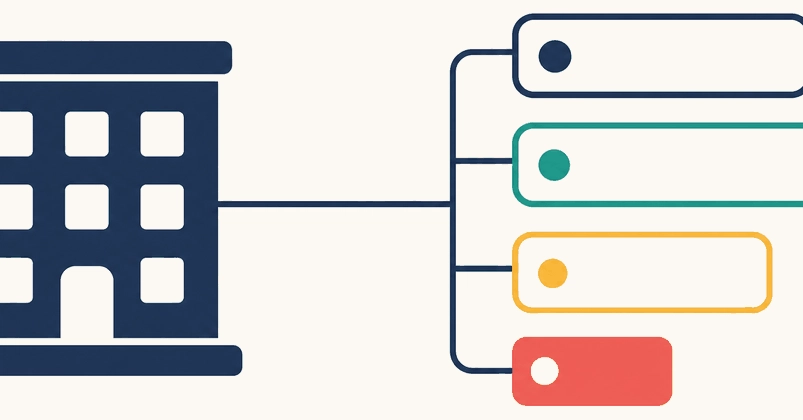
The core of this solution is the Google Hotels Prices Scraper available on Apify. This scraper can process a search query for a specific location or a predefined list of hotels, along with desired dates and occupancy details. It returns data categorized into three row types: hotel, which lists the lowest nightly rate for a given hotel; room, detailing specific room types and their prices; and deal, highlighting any special offers or discounts available.
This approach effectively circumvents the lack of a direct Google Hotels read API. By using a specialized scraping tool, users can programmatically retrieve the same pricing information that Google Hotels displays, enabling custom data collection and analysis. The output is structured in JSON, making it easily parsable for subsequent processing or storage.
Automating Price Tracking with n8n
To transform raw scraped data into a usable price tracking system, the workflow utilizes n8n, an open-source workflow automation tool. n8n allows for the creation of visual workflows that connect various services and data sources. In this context, n8n orchestrates the process of fetching data from the Apify scraper and storing it.
The workflow begins with an Apify node in n8n, configured to run the Google Hotels Prices Scraper. This node is set up with the necessary parameters, such as the destination (e.g., a city), check-in and check-out dates, and the number of adults. When the workflow is triggered—either manually or on a schedule—the Apify node executes the scraper.
Upon completion, the scraper returns a JSON object containing the hotel pricing data. n8n then processes this JSON. A crucial step involves extracting the relevant pricing information from the nested JSON structure. The scraper provides data at different levels: the base hotel information, specific room types, and any associated deals. For effective tracking, it's often necessary to flatten this data, perhaps focusing on the lowest available rate for a given hotel on a specific date.
The processed data is then typically sent to a database for storage. This could be a simple PostgreSQL database, a cloud-based solution, or even a CSV file for smaller-scale tracking. By storing the data daily, a historical record of prices is built. This history is invaluable for identifying price trends, understanding seasonal fluctuations, and making informed booking decisions.
The n8n workflow can be scheduled to run automatically, for instance, once every 24 hours. This ensures that the price tracking is continuous and requires minimal manual intervention. The flexibility of n8n allows for customization, such as adding logic to only record price changes or to trigger alerts when prices drop below a certain threshold.
Extracting and Storing Hotel Data
The output from the Apify scraper is a JSON array, where each element represents a hotel, room, or deal. A typical structure might look like this:
[
  {
    "type": "hotel",
    "hotelId": "someHotelId",
    "name": "Example Hotel",
    "lowestRate": {
      "price": 150,
      "currency": "USD",
      "bookingSite": "Booking.com"
    }
  },
  {
    "type": "room",
    "hotelId": "someHotelId",
    "roomId": "someRoomId",
    "name": "Standard Double Room",
    "price": {
      "price": 160,
      "currency": "USD",
      "bookingSite": "Expedia"
    }
  }
]
Within n8n, after the Apify node executes, the incoming data needs to be parsed. The Function node in n8n is ideal for this. It allows custom JavaScript code to manipulate the data. Developers can write a function to iterate through the array, identify the desired price points (e.g., the `lowestRate.price` for the `hotel` type, or specific room prices), and format them into a consistent structure suitable for database insertion.
For instance, a function might extract the hotel name, its ID, the date of the scrape, the lowest price found, the currency, and the booking site associated with that lowest price. This transformed data can then be passed to a Database node (e.g., PostgreSQL, MySQL) configured to insert a new row for each hotel into a pricing history table.
The database schema for this table would typically include columns such as `hotel_id`, `hotel_name`, `scrape_date`, `price`, `currency`, and `booking_site`. By consistently appending new records daily, a comprehensive historical dataset is created. This dataset can then be queried to generate price charts, analyze trends, or trigger alerts based on price movements.
Why This Approach Matters
The absence of a public Google Hotels read API forces developers and businesses to find alternative methods for programmatic access to pricing data. This Apify scraper combined with n8n provides a robust, no-code/low-code solution that bypasses the need for complex API integrations or direct web scraping setups that are prone to breaking.
For developers, this means they can build custom travel tools, competitive analysis dashboards, or internal reporting systems without extensive development effort. The ability to track prices over time offers a significant advantage for businesses operating in the travel sector, allowing for dynamic pricing strategies and better inventory management.
For founders, this approach democratizes access to valuable market intelligence. Instead of relying on expensive third-party data providers, they can build their own price monitoring systems. This is particularly relevant for startups in the travel tech space, enabling them to gain insights into competitor pricing and market dynamics. The speed at which this can be set up—touted as "10 minutes"—suggests a low barrier to entry for creating a functional prototype or a production-ready system.
The surprising detail here is not the method itself, but the fact that such a comprehensive data extraction and automation workflow can be achieved without any official Google API keys or deep programming knowledge, relying instead on specialized scraping services and visual workflow tools. This highlights a broader trend where powerful data manipulation and automation are becoming accessible to a wider audience.
Potential Use Cases and Next Steps
The immediate use case is personal travel planning: monitoring prices for a desired vacation to book at the optimal time. Beyond that, businesses can leverage this for:
- Competitive Analysis: Tracking competitor hotel rates to inform pricing strategies.
- Rate Parity Checks: Ensuring that prices across different booking channels are consistent.
- Market Research: Identifying pricing trends for specific destinations or hotel types.
- Automated Deal Alerts: Setting up notifications for price drops on target hotels.
To implement this, users need an Apify account and an n8n instance (either self-hosted or cloud-based). The Apify Google Hotels Prices Scraper is available on the Apify platform. Configuring the n8n workflow involves adding the Apify node, setting its parameters, adding a function node for data transformation, and finally, a database node for storage. Scheduling the workflow ensures continuous data collection.
The next steps would involve building a user interface or dashboard to visualize the collected price data, perhaps using tools like Grafana, Tableau, or custom web applications. Further automation could include setting up alerts via email or Slack when prices meet certain criteria.