
The Problem: Log Access Friction
Accessing system logs often means SSHing into a server, running `journalctl`, and sifting through output. This process is tedious, especially for developers who frequently need to monitor application behavior in real-time after deployments or during debugging. The desire for a more immediate, browser-based log viewer is common, but complex solutions like full-fledged dashboards or log aggregation platforms can be overkill for simple, direct monitoring.
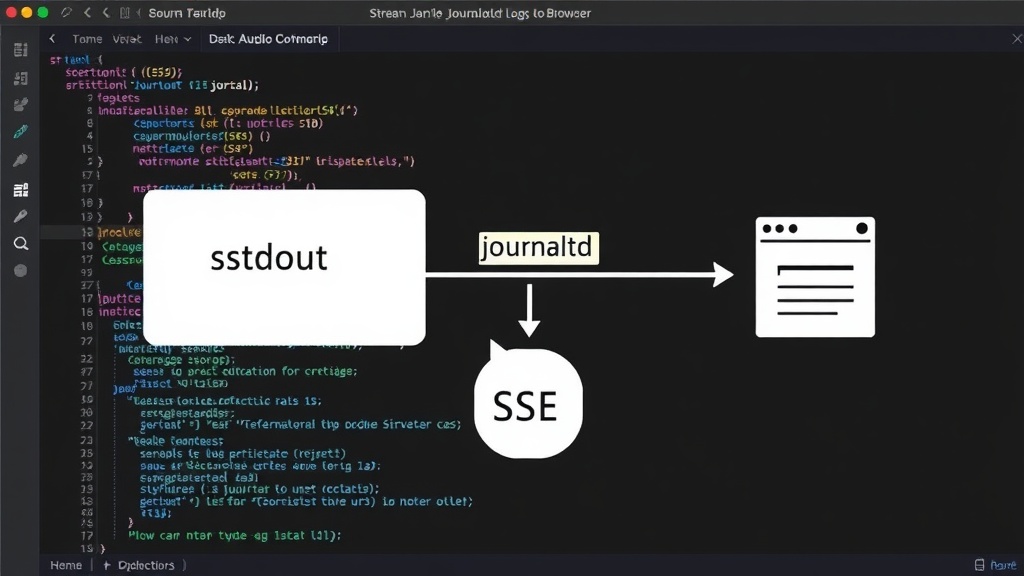
The core idea is to leverage existing system components: applications writing to standard output, systemd's journald service capturing that output, and `journalctl`'s ability to stream live data. The missing piece is the bridge to the browser, which Server-Sent Events (SSE) readily provides. This approach sidesteps the need for heavy infrastructure, focusing on a direct, lightweight connection.
Leveraging Systemd and Journald
Modern Linux systems, particularly those using systemd, manage logs through the journald service. Applications configured to write their output to stdout or stderr are automatically captured by journald. This is a fundamental behavior that requires no special configuration for most applications. The journald service acts as a central repository, storing log entries with metadata like timestamps, process IDs, and unit names.
The `journalctl` command-line utility is the primary interface for querying and viewing these logs. Crucially, `journalctl` supports a `--follow` (or `-f`) option, which behaves much like `tail -f` on traditional log files. When used, it streams new log entries to standard output as they are written to the journal. This live-streaming capability is the linchpin of the entire solution.
Server-Sent Events (SSE) as the Transport Layer
Server-Sent Events (SSE) provide a standard, efficient way for a web server to push data to a web client over a single, long-lived HTTP connection. Unlike WebSockets, SSE is unidirectional (server-to-client), making it simpler to implement when only server-initiated updates are needed. Browsers have native support for SSE through the `EventSource` API, which handles connection management, automatic reconnection on network interruptions, and parsing of event data.
The beauty of SSE in this context is its simplicity. A server process can simply read lines from the `journalctl --follow` output and write them to the HTTP response stream, correctly formatted as SSE events. Each log line becomes a distinct event, allowing the browser to receive and process them individually.
Implementation: The Server-Side
Implementing the server-side requires a web server capable of handling dynamic content and maintaining long-lived connections. Python with a framework like Flask or FastAPI, Node.js with Express, or even a simple Go HTTP server can accomplish this. The core logic involves:
- Executing the `journalctl --follow` command as a subprocess.
- Reading the standard output of this subprocess line by line.
- Formatting each line as an SSE event. An SSE event consists of `data:
` (note the double newline). - Writing these formatted events to the HTTP response stream, ensuring the `Content-Type` header is set to `text/event-stream`.
Consider the following Python snippet using Flask:
from flask import Flask, Response
import subprocess

app = Flask(__name__)

def stream_logs():
    # Adjust journalctl command as needed (e.g., target specific units)
    process = subprocess.Popen(['journalctl', '-f'], stdout=subprocess.PIPE, text=True)
    try:
        for line in process.stdout:
            yield f"data: {line.strip()}\n\n"
    except GeneratorExit:
        process.kill()
    finally:
        process.wait()

@app.route('/logs')
def logs():
    return Response(stream_logs(), mimetype='text/event-stream')

if __name__ == '__main__':
    app.run(host='0.0.0.0', port=5000)
This example demonstrates the minimal code required. The `subprocess.Popen` starts `journalctl -f`, and the generator yields each line as an SSE `data` field. The `try...except GeneratorExit` block ensures the subprocess is terminated when the client disconnects.
Implementation: The Client-Side
The client-side is remarkably straightforward due to the browser's native `EventSource` API. A simple JavaScript snippet can establish the connection and handle incoming log messages:
const eventSource = new EventSource('/logs');

eventSource.onmessage = function(event) {
    const logLine = event.data;
    // Process the log line (e.g., append to a div)
    const logContainer = document.getElementById('log-container');
    const newLine = document.createElement('p');
    newLine.textContent = logLine;
    logContainer.appendChild(newLine);
    // Optional: Auto-scroll to bottom
    logContainer.scrollTop = logContainer.scrollHeight;
};

eventSource.onerror = function(err) {
    console.error('EventSource failed:', err);
    eventSource.close(); // Close connection on error
};
This script connects to the `/logs` endpoint. The `onmessage` handler receives each log line, which can then be displayed in a designated HTML element. The `onerror` handler is crucial for managing connection failures and ensuring the connection is closed appropriately.
Configuration and Customization
While the basic setup is simple, `journalctl` offers extensive options for filtering and customization. Developers can target specific systemd units, log levels, or time ranges by modifying the `journalctl` command executed on the server. For instance, to stream logs only for a specific systemd service named `my-app.service`, the command would change to `journalctl -f -u my-app.service`.
Further refinements could include adding authentication to the `/logs` endpoint, implementing rate limiting, or providing UI elements in the browser to control filtering dynamically. However, the fundamental SSE streaming mechanism remains the same. The surprising part here is not the complexity of SSE or `journalctl`, but how seamlessly they integrate with minimal custom code to solve a common developer pain point.
Security Considerations
Streaming logs directly to a browser requires careful consideration of security. Unauthenticated access to logs could expose sensitive information, including credentials, PII, or internal system details. Therefore, it is imperative to secure the `/logs` endpoint. This can be achieved through standard web security practices such as:
- HTTP Basic Authentication or token-based authentication.
- Ensuring the connection is over HTTPS.
- Implementing strict access control lists (ACLs) on the server-side, potentially integrated with existing authentication mechanisms.
The filtering capabilities of `journalctl` can also be used to mitigate risk by only exposing necessary log data. For example, applications could be configured to log sensitive information to a separate, non-streamed file or journald target, while only streaming less sensitive operational logs.
Conclusion: A Pragmatic Solution
This method offers a pragmatic and efficient way to achieve real-time log visibility in the browser without the overhead of large-scale log management systems. By combining the native capabilities of `journald` and `journalctl` with the simplicity of Server-Sent Events, developers can quickly build a live log viewer tailored to their immediate needs. It’s a testament to how leveraging existing, well-understood technologies can lead to elegant and effective solutions.