The Challenge: Dynamic Popups on Shopify Storefronts
Developers building Shopify Theme App Extensions often face a common dilemma: how to render dynamic content, like merchant-designed popups, on the live storefront when the editing interface and its associated components (often built with React) reside within the app's admin section. The core problem is transforming JSON data, received from the admin, into functional DOM nodes on the storefront without shipping the entire admin UI or compromising the user experience with incomplete popups. This requires a robust rendering solution on the client-side of the storefront that can interpret structured data and build the necessary HTML elements and their associated behaviors.
The typical setup involves a theme app block that establishes placeholder overlay containers. These containers then load deferred assets, including the necessary JavaScript for rendering. Crucially, the popup content itself is sourced from a shop's metafields, providing a flexible way for merchants to define popup appearance and behavior. Different UI modules within the extension are responsible for handling distinct popup styles – full-page modals, lightboxes, and floating bars. A centralized rendering engine acts as the bridge, taking structured data representing sections, containers, text, images, input fields, buttons, and forms, and translating it into actual DOM elements. This engine must also manage responsive styling to ensure popups adapt to various screen sizes and correctly hook up special buttons to trigger specific popup actions or close them.
The initial, straightforward approach involved rendering each element directly into the visible overlay container as soon as it was created. This method aimed to keep the client-side code lean and avoid complex state management. However, it presented limitations, particularly when dealing with intricate popup structures or dynamic content updates that required more sophisticated lifecycle management and efficient DOM manipulation. The challenge was to create a system that was both lightweight and capable of handling complex, merchant-defined UI structures reliably.
A Custom Renderer: Beyond React
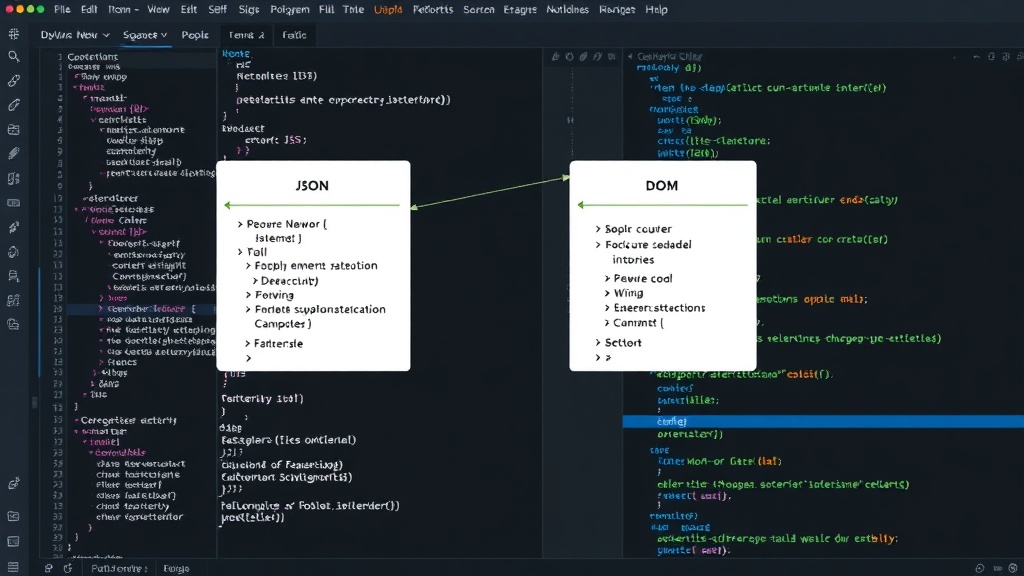
To overcome the limitations of direct rendering and avoid bundling React on the storefront, a custom, lightweight renderer was developed. This renderer operates by parsing the JSON payload and programmatically creating the corresponding DOM elements. Think of it less like a complex framework and more like a highly efficient assembly line that takes blueprints (the JSON) and builds physical components (DOM nodes) on demand. Each JSON object within the payload maps directly to a specific HTML element or a component that will be instantiated. For instance, a JSON object defining a `text` type would instruct the renderer to create a `
` or `` element with the specified content and attributes. Similarly, an `image` type would result in an `` tag with the correct `src` and `alt` attributes.
The renderer's architecture is designed for modularity and extensibility. It typically involves a core parsing function that iterates through the JSON structure. For each node in the JSON tree, it identifies the element type and invokes a corresponding factory function. These factory functions are responsible for instantiating the correct DOM element, setting its properties (like `textContent`, `src`, `href`), and applying any necessary attributes or classes. Event listeners are attached at this stage for interactive elements, such as buttons that trigger actions or close the popup.
Styling is handled through a combination of inline styles and CSS classes. The JSON payload can include style objects or class names that the renderer applies to the created elements. This allows for dynamic styling based on merchant preferences without requiring separate CSS files for each popup variation. Responsive behavior is often managed by applying specific CSS classes that leverage media queries or by dynamically adjusting element properties based on window dimensions detected client-side. For example, an image might be replaced with a smaller version on mobile, or padding might be adjusted.
Handling Complex Interactions and State
Beyond static rendering, the system must manage interactive elements. Buttons, forms, and input fields require event handling. The renderer attaches the appropriate event listeners. For a close button, this would typically involve adding a `click` listener that hides the overlay container. For forms, it might involve capturing input values and potentially submitting them to an endpoint, though in many Shopify extension contexts, form submissions would likely be handled by the main theme's JavaScript or redirected to the app's admin for processing to maintain separation of concerns.
The key to avoiding React was to implement a virtual DOM or a similar abstraction layer internally within the renderer, or more simply, to manage the DOM manipulation efficiently. Instead of relying on React's reconciliation algorithm, the custom renderer might use techniques like document fragments for batch DOM updates, minimizing reflows and repaints. When a popup needs to be updated with new data, the renderer can either re-render the entire structure or, more efficiently, identify the changed elements and update only those specific nodes. This selective update strategy is crucial for maintaining performance, especially on lower-powered devices or slower network connections.
Deployment and Performance Considerations
The assets required for this custom renderer—the parsing logic, element factories, and event handlers—are bundled and deferred. This means they are loaded only when a popup is intended to be displayed, rather than being loaded upfront with the rest of the theme's JavaScript. This strategy significantly reduces the initial load time of the storefront, which is a critical factor for SEO and user experience. The deferred assets are typically loaded asynchronously, ensuring they don't block the rendering of the main page content.
By avoiding React, the bundle size for the storefront JavaScript is kept smaller. React and its ecosystem can add a significant overhead. For a component that primarily serves to display predefined content and handle basic interactions, shipping a custom, minimal renderer is often a more performant choice. The decision to forgo React is a deliberate trade-off, prioritizing a smaller footprint and potentially faster initial rendering times on the storefront, at the cost of not leveraging a mature component library and declarative UI paradigm.
The success of this approach hinges on the renderer's ability to accurately translate the JSON into a functional and visually correct representation of the merchant's design. It requires meticulous handling of edge cases, such as missing data in the JSON, invalid element types, or complex nested structures. The team responsible for this renderer must ensure it is robust enough to handle a wide variety of merchant-defined popups, from simple text announcements to more complex layouts involving multiple interactive elements.
Broader Implications for Shopify Developers
This approach demonstrates that powerful, dynamic UI elements can be built within Shopify Theme App Extensions without resorting to heavy frontend frameworks like React on the storefront. Developers can achieve custom functionality by leveraging vanilla JavaScript, understanding DOM manipulation, and carefully structuring their data. This pattern is particularly relevant for apps that need to inject dynamic content into themes but want to minimize the performance impact on the customer-facing site. It opens up possibilities for more sophisticated customization options for merchants, driven by app logic but rendered natively within the theme.
What remains to be fully explored is the long-term maintainability of such custom renderers. As Shopify's theme architecture evolves and new frontend patterns emerge, keeping a custom renderer up-to-date and ensuring compatibility across different theme versions could become a significant undertaking. However, for scenarios where performance and bundle size are paramount, this method offers a compelling alternative to framework-heavy solutions.