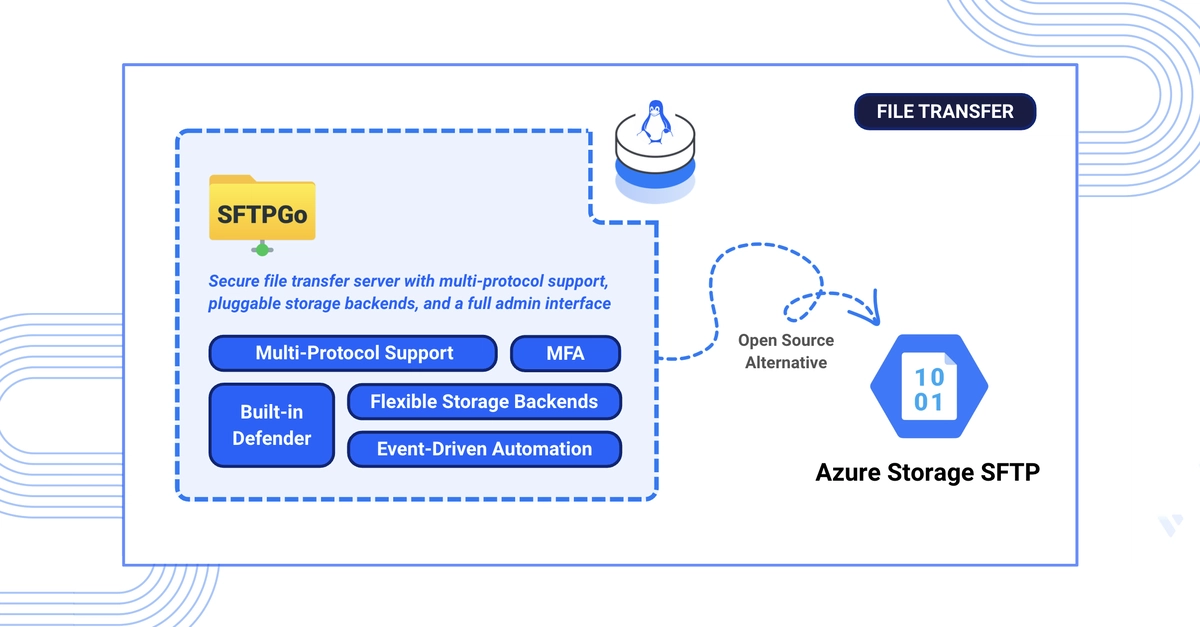
SFTPGo Emerges as a Viable Azure Storage SFTP Alternative
Azure Storage SFTP offers a managed file transfer service built on Azure Blob Storage. While convenient, its continuous billing model, charging approximately $0.30 per hour (around $220 per month) per endpoint, quickly becomes a significant operational cost. Furthermore, it tightly couples users to Azure Active Directory for authentication, limiting flexibility. SFTPGo, an open-source file transfer server, presents a compelling alternative. It supports SFTP, FTP/S, and WebDAV, boasting pluggable storage backends that include local disk, Azure Blob Storage, S3-compatible object storage, and Google Cloud Storage. Crucially, SFTPGo operates without per-endpoint charges, making it a potentially far more economical choice for many organizations.
This guide details the deployment of SFTPGo using Docker Compose and the Traefik reverse proxy. We will cover setting up robust user authentication, including support for passwords, SSH keys, and two-factor authentication (2FA). The configuration will extend to connecting SFTPGo with S3-compatible object storage, offering a flexible and scalable backend. Finally, we address the migration path for those currently using Azure Storage SFTP, providing a clear route to transition their services. The outcome is a self-hosted, feature-rich file transfer server with comparable capabilities to managed services but at a fraction of the endpoint cost.
Mapping Azure Storage SFTP Features to SFTPGo
Transitioning from Azure Storage SFTP to SFTPGo involves understanding how core functionalities map between the two services. Azure's SFTP endpoint, the primary access point for file transfers, is directly replicated by SFTPGo's SFTP server. This SFTPGo server is highly configurable, allowing administrators to set custom ports beyond the default 22, offering greater control over network access and security policies. Azure Blob Storage, the underlying data store for Azure Storage SFTP, can be mirrored by SFTPGo using its direct integration with Azure Blob Storage as a backend. This means your existing data in Azure Blob can be accessed by SFTPGo without immediate migration, providing a smoother transition.
Authentication in Azure Storage SFTP relies heavily on Azure AD. SFTPGo offers a more versatile approach. It supports traditional password-based authentication, secure SSH key-based authentication, and an additional layer of security with two-factor authentication (2FA) support. This multi-faceted authentication strategy enhances security and caters to diverse organizational security requirements. For storage, while Azure Storage SFTP is inherently tied to Azure Blob Storage, SFTPGo's architecture is designed for flexibility. It can interface with S3-compatible object storage services, Google Cloud Storage, or even local disk storage. This modularity allows organizations to choose the most cost-effective or performant storage solution, or to leverage existing investments in other cloud or on-premises storage infrastructure.
Deployment Architecture: Docker Compose and Traefik
The recommended deployment strategy for SFTPGo leverages Docker Compose for orchestration and Traefik as a reverse proxy. This combination provides a modern, containerized approach that simplifies deployment, management, and scaling. Docker Compose allows for the definition and execution of multi-container Docker applications, ensuring that SFTPGo, its associated databases (if any), and any other necessary services are deployed and configured consistently.
Traefik, as a dynamic reverse proxy and load balancer, integrates seamlessly with Docker. It automatically discovers new containers and configures routing rules, making it straightforward to expose SFTPGo's services securely over HTTPS and manage SSL certificates. For SFTP, Traefik can handle the initial port forwarding and routing to the SFTPGo container. This setup not only streamlines the initial deployment but also simplifies future updates and maintenance. By using Docker and Traefik, administrators can achieve a robust, secure, and easily manageable file transfer service that can be deployed on any Linux server, including virtual private servers from providers like Vultr, without the vendor lock-in and recurring endpoint costs associated with cloud-managed services.
Configuring SFTPGo for Production Use
Setting up SFTPGo for production involves several key configuration steps. The core of SFTPGo's functionality resides in its configuration file, typically `sftpgo.json`. This file dictates everything from the ports SFTPGo listens on to the authentication methods and storage backends. For security, it is crucial to configure SFTPGo to use HTTPS for its WebDAV interface and management UI, with Traefik handling the SSL termination. The SFTP service itself will operate over port 22 or a custom port as defined in the configuration. When using object storage like S3-compatible services, the configuration must include the endpoint URL, access key ID, and secret access key, along with bucket names and region information.
User management is another critical aspect. SFTPGo allows for the creation of users with specific permissions, home directories (which can be mapped to paths within the object storage), and authentication credentials. The flexibility to use SSH keys alongside passwords and 2FA provides a layered security approach. For migration from Azure Storage SFTP, the primary task involves reconfiguring SFTPGo to point to the same or a migrated blob storage location and recreating user accounts with their corresponding access methods. The absence of a per-endpoint charge means that once deployed, the operational cost is primarily limited to the underlying compute and storage resources, offering significant savings over time compared to Azure's managed SFTP service.
Security Considerations and Migration Path
Security is paramount when deploying any file transfer service. SFTPGo, being an open-source solution, allows for full transparency and auditing of its security features. Implementing strong password policies, enforcing SSH key usage, and enabling two-factor authentication are essential steps. Regularly updating SFTPGo and its dependencies, as well as the underlying operating system and Docker environment, is crucial for maintaining a secure posture. Traefik's role in managing SSL certificates and providing a secure entry point also contributes to the overall security of the deployment.
For organizations migrating from Azure Storage SFTP, the process can be approached in stages. First, set up SFTPGo in a staging environment, configuring it to access the existing Azure Blob Storage. This allows for testing and validation without impacting production services. Once the configuration is verified, a cutover plan can be executed. This might involve a period of parallel operation, where both services are active, or a direct switch-over during a maintenance window. Data migration might be necessary if moving to a different object storage provider, but if SFTPGo is configured to use the same Azure Blob Storage, the data remains in place, simplifying the transition. The key benefit is the elimination of the hourly endpoint fee, allowing for predictable infrastructure costs based on usage rather than service availability.