Deploying Redpanda on Ubuntu 24.04
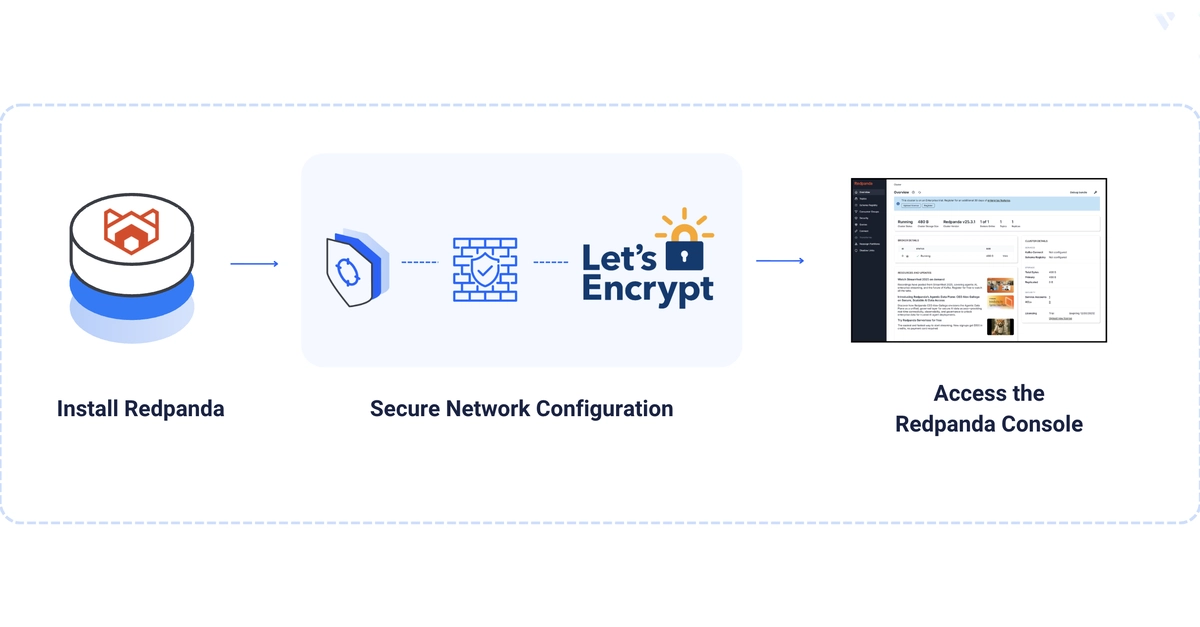
Redpanda offers a high-performance, Kafka-API-compatible streaming data platform built in C++ with no JVM or ZooKeeper dependencies. This guide details the deployment of a single-node Redpanda cluster on Ubuntu 24.04, focusing on production readiness through security hardening and performance tuning. By following these steps, you will establish a robust streaming infrastructure complete with TLS encryption, SASL/SCRAM authentication, kernel optimizations, and a secure web console.
A properly configured Ubuntu 24.04 server is the foundation. Ensure your server meets Redpanda's specified CPU and memory requirements, which can be found in the official Redpanda documentation. You'll also need a non-root user with sudo privileges for safe command execution and a registered domain name with an A record pointing to your server's IP address (e.g., redpanda.example.com).
Install Redpanda
Begin by updating your system's package list and installing necessary tools. Then, download and install the Redpanda package. The installation process typically involves adding the Redpanda repository and using apt to install the package.
# Update package list and install prerequisites
$ sudo apt update && sudo apt upgrade -y
$ sudo apt install -y curl wget gnupg

# Add Redpanda repository GPG key
$ sudo wget -O- https://packages.redpanda.com/key | sudo gpg --dearmor -o /usr/share/keyrings/redpanda.gpg

# Add Redpanda repository to apt sources
$ echo "deb [signed-by=/usr/share/keyrings/redpanda.gpg] https://packages.redpanda.com/apt/ubuntu $(lsb_release -cs) main" | sudo tee /etc/apt/sources.list.d/redpanda.list

# Update package list again and install Redpanda
$ sudo apt update
$ sudo apt install -y redpanda
Configure Redpanda for Production
Redpanda's default configuration is suitable for testing, but production deployments require tuning. The primary configuration file is located at /etc/redpanda/redpanda.yaml. You will need to modify this file to enable security features and optimize performance.
Enabling TLS and SASL
Securing your streaming platform is paramount. This involves configuring Redpanda to use TLS for encrypted communication and SASL/SCRAM for authentication. You will need to generate or obtain SSL certificates. For ease of use and automated renewal, Let's Encrypt is recommended. Ensure your domain's A record points to your server's IP address before proceeding with certificate generation.
The configuration involves setting up listeners for TLS and SASL, specifying certificate paths, and configuring authentication mechanisms. This prevents unauthorized access to your Kafka topics and data streams.
Kernel Tuning for Performance
To achieve optimal performance, the Ubuntu kernel should be tuned. This typically involves adjusting parameters related to network buffers, file system operations, and memory management. Redpanda's documentation provides specific recommendations for these settings. Applying these changes ensures that Redpanda can handle high throughput and low latency under load.
Key parameters to consider include net.core.somaxconn, net.ipv4.tcp_rmem, net.ipv4.tcp_wmem, and file descriptor limits. These settings can be modified via sysctl and persist across reboots by adding them to /etc/sysctl.conf or a dedicated file in /etc/sysctl.d/.
Securing with Let's Encrypt and Nginx
Obtaining a Let's Encrypt certificate for your Redpanda domain (e.g., redpanda.example.com) is a crucial step for enabling TLS. The certbot tool is commonly used for this purpose. Once the certificate is obtained, configure Redpanda to use these certificates for its TLS listener.
Furthermore, Redpanda Console, a web-based UI for managing your cluster, can be exposed securely. This guide suggests placing Redpanda Console behind an Nginx reverse proxy. Nginx can then be configured to enforce basic HTTP authentication, adding an extra layer of security before users can access the console. This setup ensures that only authorized personnel can view and manage the streaming platform through the web interface.
Verifying the Deployment
After configuring and starting Redpanda, it's essential to verify that the cluster is operational and secure. A simple way to do this is by using Kafka's command-line tools to produce and consume messages. This test confirms that clients can connect to the Redpanda cluster, authenticate successfully, and interact with topics.
You can use tools like kcat (formerly kafkacat) to send messages to a topic and then read them back. Ensure you specify the correct bootstrap server address, port, TLS settings, and SASL credentials when connecting your client tools. A successful round trip of messages validates the core functionality of your Redpanda deployment.
Conclusion
By following this guide, you have deployed a production-ready, single-node Redpanda cluster on Ubuntu 24.04. The cluster is secured with TLS encryption and SASL/SCRAM authentication, optimized with kernel tuning, and provides a managed web console accessible via an authenticated Nginx proxy. This setup provides a solid foundation for building real-time data pipelines and streaming applications.