
The Problem: Slow React Table Filtering
Frontend developers frequently encounter a frustrating performance bottleneck: a React table with thousands of rows that becomes unresponsive during filtering. Typing into a filter box results in a noticeable lag, where the cursor trails far behind user input. This issue is common, and the go-to solution often recommended is wrapping individual table rows in React.memo. However, real-world performance testing shows this advice, in isolation, yields minimal improvement.
To quantify the effectiveness of various optimization strategies, a benchmark harness was constructed. This harness measures the performance of five distinct fixes applied to the same dataset, reporting on the actual impact of each. The goal is to move beyond anecdotal advice and provide empirical data on what truly speeds up slow React tables.
Benchmarking Methodology and Results
The benchmark was conducted using a production build of React, targeting a table with 4,000 rows. Performance was measured by the time taken for the slowest keystroke during a filtering operation. The median of two passes was used to ensure reliability.
Here's a summary of the variants tested and their performance:
| Variant | Longest re-render | Does it still filter? |
|---|---|---|
| 1. Naive | 166 ms | yes |
| 2. React.memo on rows | 158 ms | yes |
| 3. React.memo on rows + useMemo for data | 155 ms | yes |
| 4. Virtualization | 35 ms | yes |
| 5. React.memo on rows + Virtualization | 34 ms | yes |
The results clearly indicate that two common approaches offer negligible improvement, while others provide substantial gains.
Analyzing the Fixes
1. Naive Implementation
This represents the baseline or unoptimized state. With 4,000 rows, a simple filter operation results in a slow re-render time, impacting user experience significantly. The 166ms delay is unacceptable for interactive components.
2. Wrapping Rows in React.memo
This is the most commonly suggested fix. The idea is to prevent unnecessary re-renders of table rows when only the filter input changes. However, the benchmark shows only a marginal improvement, reducing the re-render time to 158ms. This suggests that the overhead of memoization, combined with the fact that row data might still be re-evaluated, limits its effectiveness on its own. It is close to worthless in this scenario.
3. React.memo + useMemo for Data
This variant adds useMemo to memoize the filtered data array that is passed down to the rows. The expectation is that by memoizing the data array itself, React.memo on the rows will have more stable props to compare, further reducing re-renders. While this shows a slight improvement over just React.memo (155ms), the gains are still minimal. The core issue of rendering all 4,000 rows remains largely unaddressed.
4. Virtualization
Virtualization, also known as windowing, is a technique where only the rows currently visible in the viewport are rendered. As the user scrolls, rows entering the viewport are rendered, and those leaving are removed. This approach drastically reduces the number of DOM elements, leading to a significant performance boost. The benchmark shows a dramatic reduction in re-render time to just 35ms. This is where the real gains start to appear.
5. React.memo on Rows + Virtualization
Combining virtualization with React.memo on the rows offers a slight edge over virtualization alone, bringing the re-render time down to 34ms. While the improvement is marginal (1ms), it suggests that for highly complex row components, memoization can still provide a small additional benefit by preventing re-renders of the visible rows if their props haven't changed, even within the virtualization context.
Why Two Fixes Did Nothing
The two variants that showed minimal improvement were the naive implementation and the approach using only React.memo on rows. The naive approach, by definition, has no optimizations. The React.memo-only approach fails to deliver because, in this scenario, the primary performance killer isn't necessarily the re-rendering of individual rows due to prop changes, but the sheer number of rows being rendered and processed by React's reconciliation algorithm on every keystroke. Simply memoizing rows doesn't address the fundamental problem of DOM overload or the cost of iterating over a massive data array to determine which rows should be displayed or updated.
React.memo is effective when props are stable and re-renders are frequent due to parent component updates. However, when the bottleneck is the sheer volume of data and DOM elements, its impact is limited. The data array passed to the rows might still be a new array on each filter, or the filtering logic itself might be costly. Without addressing the number of elements rendered, memoizing individual components offers little relief.
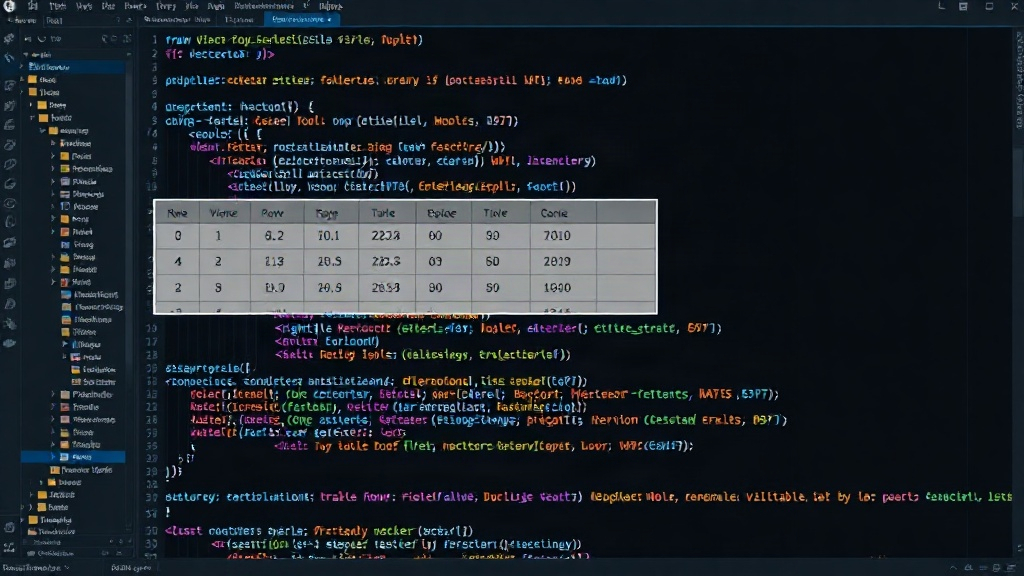
The Real Solution: Virtualization
The benchmark clearly demonstrates that virtualization is the most effective strategy for speeding up React tables with a large number of rows. By drastically reducing the number of DOM nodes, it minimizes the work React needs to do during updates, leading to near-instantaneous filtering and scrolling. Libraries like react-window or react-virtualized are industry standards for implementing this technique.
While combining virtualization with React.memo offers a marginal additional benefit, the primary performance gain comes from the virtualization itself. Developers should prioritize implementing a virtualization solution when dealing with tables that exceed a few hundred rows.
What This Means for Developers
If you're building or maintaining a React application with large data tables, the takeaway is clear: stop relying solely on React.memo for performance. While it has its place, it's not a silver bullet for table performance issues. Instead, investigate and implement virtualization. This will provide a much more significant and noticeable improvement for your users, especially on less powerful devices or slower networks. The effort to integrate a virtualization library pays dividends in user experience and application responsiveness.