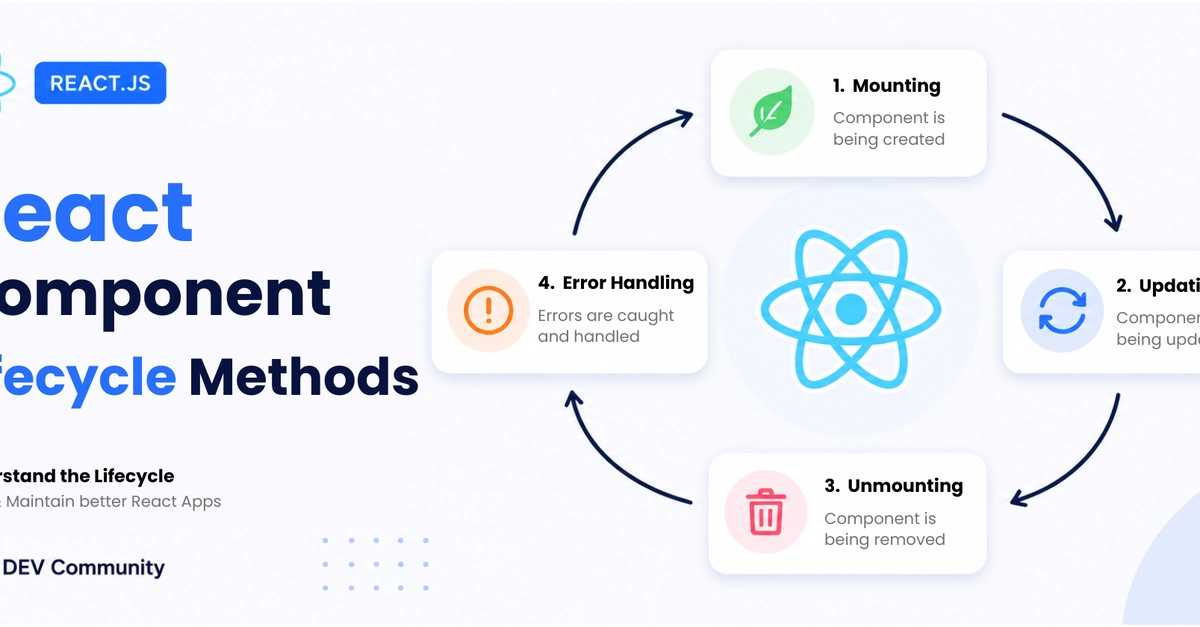
The Enduring Relevance of React Component Lifecycle
Even as React development increasingly favors function components and Hooks like useEffect, a solid grasp of the classic component lifecycle remains crucial. Many established codebases still rely heavily on class components, and the fundamental concepts behind lifecycle methods directly inform how Hooks operate. Understanding this lifecycle is not just about maintaining legacy code; it’s about internalizing how React manages component state and behavior over time, which is essential for effective debugging and performance optimization. If you've ever heard directives like "Do the API call in componentDidMount" or "Clean it up in componentWillUnmount," you're already touching upon core lifecycle principles.
The lifecycle of a React component can be broadly divided into three main phases: Mounting, Updating, and Unmounting. Each phase comprises specific methods that are called at particular points in a component's existence. This structured approach allows developers to hook into these moments to perform necessary actions, such as data fetching, DOM manipulation, or setting up subscriptions.
Mounting: Bringing Components to Life
The Mounting phase is when an instance of a component is created and inserted into the DOM. This phase has four key methods:
constructor(props): This is the first method called when the component is created. It's primarily used for initializing local state and binding event handlers. Importantly, you must callsuper(props)before any other statement in the constructor. Avoid side effects here; it's for setup only.static getDerivedStateFromProps(props, state): This method is invoked right beforerender(), both on the initial mount and for subsequent updates. Its purpose is to update the state in response to prop changes. It should return an object to update state, ornullto indicate no state update is necessary. It's a rarely used method and often indicates a potential design smell if needed frequently.render(): This is the only required method in a class component. It examinesthis.propsandthis.stateand returns one of the following: a React element, an array and fragments, a Portals, a string and numbers, or a boolean ornull. It should be a pure function of props and state, meaning it does not modify component state or interact with the DOM directly.componentDidMount(): This method is called immediately after the component is mounted (inserted into the DOM tree). This is the ideal place to perform side effects, such as making API calls to fetch data, setting up subscriptions, or interacting with the DOM. If you need to update state based on the initial render, you can callsetState()here, but be aware that this will trigger an extra re-render.
Updating: Responding to Changes
The Updating phase occurs when a component's props or state change, causing it to re-render. This phase includes several methods that allow fine-grained control over the update process:
static getDerivedStateFromProps(props, state): As mentioned, this method is also called during updates.shouldComponentUpdate(nextProps, nextState): This method is invoked before rendering when new props or state are being received. By default, it returnstrue, allowing React to proceed with the re-render. You can returnfalseto prevent an unnecessary re-render, which is a powerful optimization technique. However, use this cautiously, as it can lead to bugs if not implemented correctly.render(): Called again to produce the updated UI.getSnapshotBeforeUpdate(prevProps, prevState): This method is called right afterrender()but before the component's output is committed to the DOM. It allows your component to capture some information from the DOM (e.g., scroll position) before it potentially changes. Any value returned from this method will be passed as the third parameter tocomponentDidUpdate().componentDidUpdate(prevProps, prevState, snapshot): This method is called immediately after the updating occurs. It's another good place to perform side effects in response to prop or state changes. You can also callsetState()here, but it's crucial to wrap it in a conditional check (e.g., comparingprevPropsandprevState) to prevent an infinite loop. Thesnapshotparameter contains the value returned bygetSnapshotBeforeUpdate().
Unmounting: Cleaning Up
The Unmounting phase is when a component is being removed from the DOM. This phase has only one method:
componentWillUnmount(): This method is called right before a component is unmounted and destroyed. It's the place to perform any necessary cleanup, such as invalidating timers, canceling network requests, or removing event listeners that were set up incomponentDidMount(). Failing to clean up resources can lead to memory leaks.
Error Handling: Error Boundaries
React 16 introduced Error Boundaries, a special type of class component that catches JavaScript errors anywhere in their child component tree, logs those errors, and displays a fallback UI instead of the whole component tree crashing. An error boundary is defined as a class component that implements either or both of the lifecycle methods:
static getDerivedStateFromError(error): Renders a fallback UI after an error has been thrown.componentDidCatch(error, info): Used for more advanced logging or for sending the error to a service.
It's important to note that error boundaries only catch errors in the components below them in the tree, not within the error boundary component itself. They also do not catch errors in event handlers, asynchronous code, server-side rendering, or errors thrown in the error boundary's own rendering code.
Deprecated Methods and Hook Equivalents
Some older lifecycle methods are now deprecated and should be avoided in new code. These include:
componentWillMount(): Replaced bycomponentDidMount()and constructor logic.componentWillReceiveProps(): Replaced bystatic getDerivedStateFromProps().componentWillUpdate(): Replaced bygetSnapshotBeforeUpdate().
For developers working primarily with Hooks, the concepts map as follows:
componentDidMount()andcomponentWillUnmount()often map touseEffect(() => { ... return () => { ... } }, []). The empty dependency array ensures the effect runs only once after the initial render and cleans up on unmount.componentDidUpdate()maps touseEffect(() => { ... }, [prop1, state1]). The effect re-runs wheneverprop1orstate1changes.getDerivedStateFromProps()is a more complex scenario. In Hooks, you might achieve similar results by deriving state within the component body or usinguseMemo.
Understanding the class component lifecycle provides a robust foundation for grasping how React manages state and effects, regardless of whether you're writing class or function components.