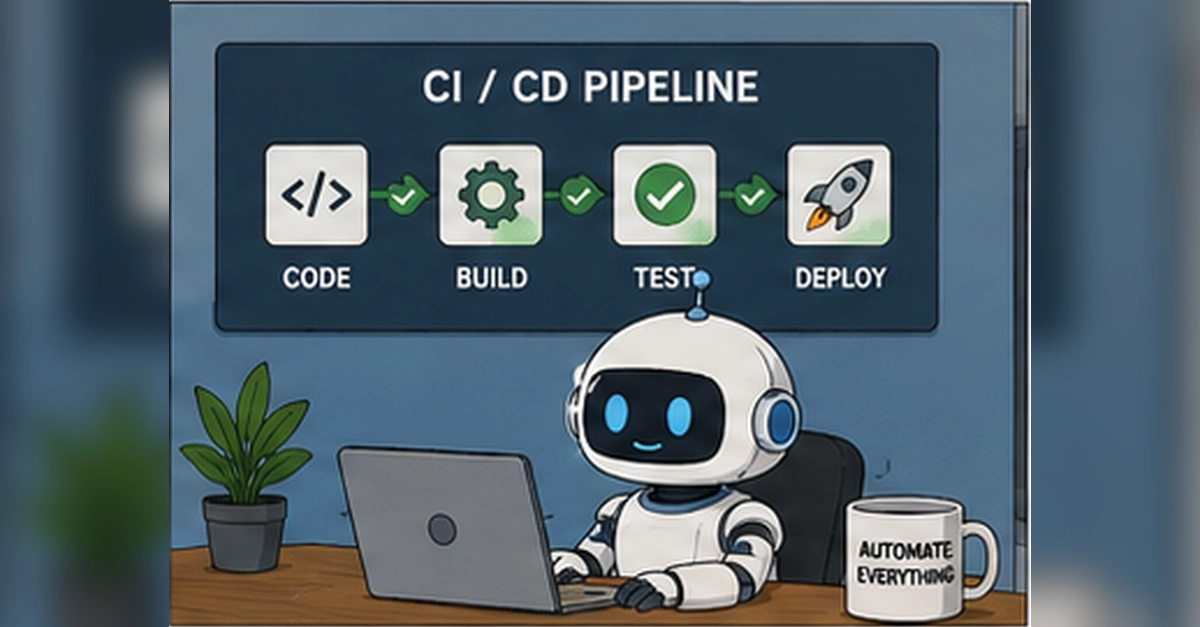
The Shifting Landscape of Browser Testing
Browser testing has quietly become more complicated. A few years ago, most teams were mainly worried about selectors, waits, flaky CI machines, and whether the test could log in reliably. Those problems still exist, but they now sit next to newer ones: AI-assisted interfaces, streaming UI states, accessibility regressions, blue-green deploys, warm browser caches, model switches, prompt presets, third-party widgets, and test repair systems that can “fix” the wrong thing if nobody is watching closely.
This evolution means that QA professionals need to adapt their strategies and toolkits. The core principles of testing remain, but the surface area of potential issues has expanded dramatically. Keeping release speed high without turning the test suite into a noisy, unreliable black box is the central challenge.
The difficulty lies in the increasing non-determinism of user interfaces. While a traditional web application might present a static DOM, modern applications often feature dynamic content loaded asynchronously, AI-generated responses that vary with each interaction, and complex state management that is hard to track. This complexity requires a more sophisticated approach to test design and execution.
Consider the impact of AI. An AI-driven feature might appear to have a consistent UI, but its underlying behavior is probabilistic. A simple button click could trigger a cascade of backend processes involving large language models, data retrieval, and content generation. Ensuring the quality of such features means testing not just the UI's presentation but also the underlying AI's accuracy, safety, and responsiveness. This is akin to testing a system that can write its own rules as it goes.
Furthermore, the rise of streaming UI states, where content updates in real-time without full page reloads, introduces new challenges for test automation. Traditional end-to-end tests that rely on page load events or specific DOM states may fail if the UI updates faster than the test can react, or if the test asserts against a state that is about to be immediately superseded.
Testing AI-Driven Product Interfaces
AI features create a different kind of testing problem because the UI often looks deterministic while the behavior behind it is not. A model switcher, safety toggle, prompt preset, or in-line AI assistant can all influence the output in ways that are difficult to predict with traditional assertions.
For AI-driven interfaces, the testing focus must shift from purely UI elements to the quality of the AI's output and its integration. This involves:
- Output Validation: Evaluating the accuracy, relevance, and coherence of AI-generated content. This often requires human judgment or sophisticated comparison metrics against known good outputs.
- Prompt Engineering Testing: Verifying that different prompts, prompt presets, and system instructions lead to expected or desired AI behaviors and outputs.
- Model Switching: Testing the seamless transition between different AI models and ensuring that the UI accurately reflects which model is active and that performance/output quality is maintained.
- Safety and Bias Testing: Probing the AI for harmful, biased, or inappropriate outputs, and ensuring that safety toggles function as intended.
- Streaming UI State Handling: Developing tests that can robustly handle AI responses that are streamed incrementally, rather than appearing all at once. This might involve waiting for specific tokens or end-of-response markers.
The challenge here is that AI models are not static. They can be updated, retrained, or even change their behavior based on subtle input variations. This means that test cases need to be adaptable and potentially include adversarial inputs to uncover edge cases. Think of it less like testing a fixed function and more like testing a highly skilled, but sometimes unpredictable, apprentice.
Navigating Streaming UIs and Dynamic States
Streaming UIs, common in applications that leverage real-time data or AI responses, present a unique set of challenges for automated testing. Traditional tests often wait for a page to load or for a specific DOM element to appear. However, with streaming UIs, content can update continuously, making it difficult for tests to assert definitive states.
Key considerations for testing streaming UIs include:
- Asynchronous Operations: Tests must be designed to handle operations that do not complete at a single point in time. This requires robust waiting strategies that go beyond simple `sleep` commands, such as polling for specific conditions or using advanced event listeners.
- Partial Updates: When only parts of the UI update, tests need to be precise in identifying which elements have changed and verifying the correctness of those specific updates, rather than relying on full page refreshes or re-renders.
- Race Conditions: The rapid and unpredictable nature of UI updates can introduce race conditions within the test itself. Ensuring test stability often involves careful synchronization and ordering of test steps.
- Visual Regression with Dynamic Content: Visual testing becomes more complex when content changes frequently. Strategies might involve capturing screenshots at specific intervals, using AI to ignore dynamic elements, or focusing visual tests on stable UI components.
The goal is to ensure that the user experience remains consistent and predictable, even as the underlying data or AI output evolves in real-time. This requires tests that are resilient to the transient nature of these updates.
Addressing Modern Deployment and Caching Strategies
Modern deployment strategies and browser caching mechanisms add another layer of complexity to QA. Blue-green deployments, canary releases, and warm browser caches can all impact the consistency and reliability of tests.
Blue-Green Deployments: These involve running two identical production environments, with traffic switched from one to the other. QA needs to ensure tests can be executed against the new environment before traffic is fully switched, and that rollback procedures are also tested. The critical question is how to ensure test stability when the underlying infrastructure is designed for rapid, zero-downtime changes.
Warm Browser Caches: Browsers cache assets to speed up subsequent page loads. While beneficial for users, this can interfere with testing, especially when testing new deployments or specific scenarios that require a clean state. Tests may need strategies to clear caches or account for cached assets, potentially by using incognito modes or specific cache-busting techniques.
Third-Party Widgets: Integrating third-party widgets (e.g., chat bots, payment gateways, analytics scripts) introduces external dependencies. Tests must account for the availability and correct functioning of these widgets, which are outside the direct control of the development team. This often means mocking these dependencies or designing tests that are resilient to their failure, while still verifying the core application functionality.
The Role of Test Repair Systems
Automated test repair systems are emerging as a way to combat test flakiness. These systems attempt to automatically fix broken tests, often by adjusting selectors, waits, or assertions. While promising, they introduce their own set of risks.
The most significant concern is the potential for a repair system to “fix” the wrong thing. If a test fails due to a genuine bug in the application, but the repair system incorrectly modifies the test to pass without addressing the bug, that critical defect could slip into production. This highlights the need for:
- Human Oversight: Test repair systems should augment, not replace, human testers. All automated repairs must be reviewed and approved by a QA engineer.
- Root Cause Analysis: The focus should remain on understanding why a test failed in the first place. Repair systems should ideally aid in diagnosis, not just provide a quick fix.
- Validation of Repairs: After a repair is applied, the test must be re-run against the application, and ideally, the original failing condition should be re-verified to ensure the repair is correct and the underlying issue is understood.
The surprise here is not that test repair exists, but the subtle danger it poses: a false sense of security. A test suite that appears stable due to automated repairs might be masking significant application defects.
Building a Modern QA Reading List
To stay ahead, QA professionals should actively seek out resources that cover these emerging challenges. The goal is to build a robust, reliable, and maintainable test suite that can keep pace with rapid development cycles. This involves continuous learning and adaptation.
The articles recommended in the original source cover specific patterns and solutions. For instance, understanding how to test AI interfaces requires a different mindset than traditional UI testing. It’s about validating probabilistic outcomes and ensuring alignment with user intent and safety guidelines. Similarly, testing streaming UIs demands flexible synchronization mechanisms. The key takeaway is that the QA role is evolving from a gatekeeper of stable interfaces to a guardian of complex, dynamic, and intelligent user experiences.
As browser and AI technologies continue to advance, the QA landscape will undoubtedly shift further. Staying informed and embracing new testing methodologies will be crucial for maintaining software quality.