
The Quest Begins (The "Why")
The frustration is universal: a user is mid-task in your web application, and suddenly the network connection falters. A blank screen, an error message – the experience breaks. This is precisely the problem developers face when their applications remain tethered to a live internet connection. The goal is to make web apps as resilient and available as their native counterparts, even when offline.
Imagine a task manager app, beautifully designed and functional. Yet, its usefulness plummets the moment a user enters a subway tunnel or a coffee shop with unreliable Wi-Fi. This dependency on a constant network connection is a critical flaw. The solution lies in adopting an offline-first Progressive Web App (PWA) strategy. This approach fundamentally shifts the paradigm, ensuring the application remains operational and responsive regardless of network availability.
The core principle of offline-first is to prioritize local data and functionality, only syncing with the server when a connection is present. This drastically improves perceived performance and user satisfaction by eliminating the dreaded "no internet" experience.
The Revelation (The Insight)
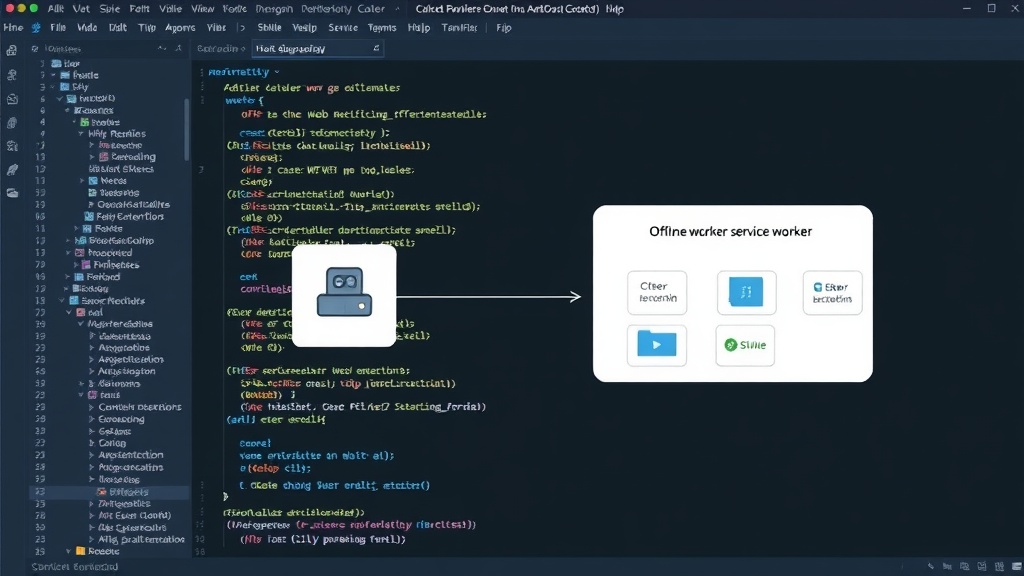
The key technology enabling this offline capability is the Service Worker. A Service Worker is a JavaScript script that runs in the background, entirely separate from the web page. It acts as a programmable network proxy, intercepting network requests from your application. This interception capability is what allows a Service Worker to decide how to handle requests: fetch from the cache, fetch from the network, or even generate a response dynamically.
When a user requests a resource (like an HTML page, an image, or an API call), the Service Worker can intercept this request. If the requested resource is already stored in the cache, the Service Worker can serve it directly from the cache, bypassing the network entirely. This is the foundation of offline functionality. For resources that are not in the cache, the Service Worker can then choose to fetch them from the network. If the network is unavailable, it can serve a fallback response, such as a custom offline page.
The lifecycle of a Service Worker is distinct from that of a web page. It is registered by the client, installed, and then activated. Once activated, it persists in the background and can control pages within its scope. This background operation is crucial for features like push notifications and background sync, which also contribute to a more native-like experience.
Caching Strategies: The Heart of Offline Functionality
Effective caching is paramount for an offline-first PWA. Developers must choose appropriate caching strategies based on the type of resource and its update frequency. Several common strategies exist:
Cache-First Strategy
This is the most straightforward approach for offline-first. When a request is made, the Service Worker first checks the cache. If the resource is found in the cache, it's served immediately. Only if the resource is not found in the cache does the Service Worker proceed to fetch it from the network. This is ideal for static assets like CSS, JavaScript files, and images that rarely change.
Pros: Excellent for offline availability, fast performance for cached assets.
Cons: Stale content if the network version is updated and the cache isn't cleared or updated.
Network-First Strategy
Here, the Service Worker attempts to fetch the resource from the network first. If the network request is successful, the response is used and potentially cached for future requests. If the network request fails (e.g., due to no connection), the Service Worker then falls back to serving the resource from the cache. This strategy is suitable for dynamic content that might change frequently but still needs to be available offline if the network fails.
Pros: Prioritizes fresh content when online, provides offline fallback.
Cons: Can be slower than cache-first if the network is latent; offline users might see stale data until the cache is updated.
Stale-While-Revalidate Strategy
This strategy serves the resource from the cache immediately (making it feel very fast) while simultaneously making a network request in the background to revalidate and update the cache for the next request. If the network request succeeds, the cache is updated. If it fails, the stale content remains. This provides a good balance of speed and freshness.
Pros: Excellent perceived performance, keeps cache reasonably up-to-date.
Cons: Requires careful implementation to avoid race conditions; initial load might be slow if cache is empty.
Cache-Only Strategy
This strategy exclusively serves resources from the cache. The network is never consulted. It's useful for critical assets that are guaranteed to be present in the cache and must be available offline without fail, or for assets that should never be updated while the user is offline.
Pros: Guarantees offline availability for essential assets.
Cons: Content will never be updated if the network version changes.
Network-Only Strategy
Conversely, this strategy always fetches from the network and never uses the cache. It's the default browser behavior and is useful for resources that absolutely must be live and cannot be cached, such as real-time stock tickers or live auction bids.
Pros: Always fetches the latest data.
Cons: No offline capability whatsoever.
Beyond Caching: Background Sync and Push Notifications
An offline-first PWA isn't just about serving cached assets. To truly mimic native app behavior, functionalities like background synchronization and push notifications are essential. Service Workers enable these features, further enhancing the user experience when connectivity is intermittent.
Background Sync
Background Sync allows the Service Worker to defer actions until the user has stable connectivity. For example, if a user sends a message or submits a form while offline, the Service Worker can queue this action. When the network connection is restored, the Service Worker can then sync this action with the server without requiring the user to actively re-submit. This ensures that user-initiated actions are not lost and are eventually processed.
Push Notifications
Push notifications, enabled by Service Workers and the Push API, allow the server to send messages to the user even when the PWA is not actively running. This is critical for re-engaging users, informing them of important updates, or alerting them to new content. For an offline-first app, push notifications can be used to signal that new data is available to sync, or to notify the user when a previously queued background task has completed.
The Developer's Toolkit
Building offline-first PWAs has become significantly easier with the advent of libraries and tools that abstract away much of the complexity of Service Worker management. Tools like Workbox, developed by Google, provide pre-built recipes and modules for common caching patterns, routing, and cache management. This allows developers to implement robust offline strategies with far less boilerplate code.
Workbox, for instance, offers modules for routing network requests, caching assets with configurable strategies, and managing cache expiration. By leveraging such tools, developers can focus more on application logic and user experience rather than the intricate details of Service Worker APIs.
The Future is Connected, and Offline
The trend towards offline-first PWAs signals a maturation of web application development. Users expect applications to be available and performant regardless of their network conditions. By embracing Service Workers and intelligent caching strategies, developers can build web experiences that are not only fast and engaging but also reliable, truly living up to the promise of the Progressive Web App.