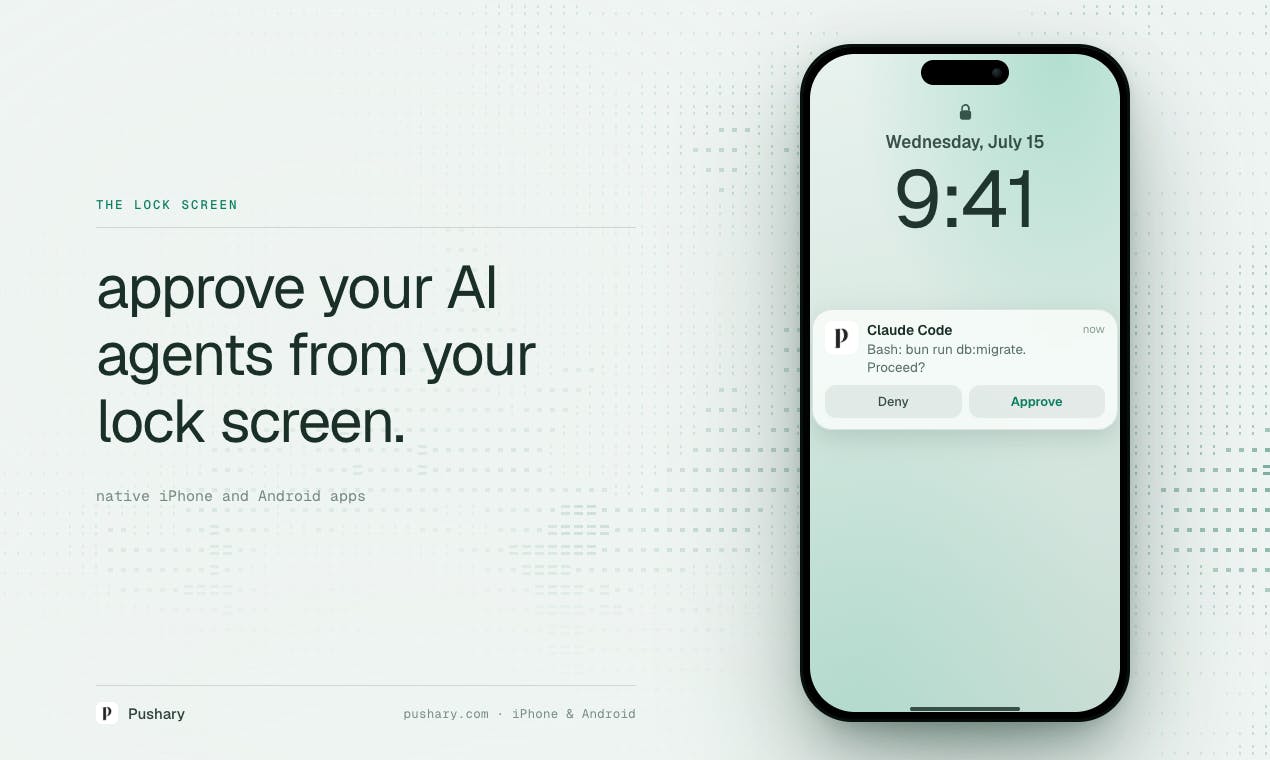
Streamlining AI Interactions with Lock Screen Approval
The proliferation of AI tools, from chatbots to image generators, has introduced a new layer of digital interaction. While these tools offer immense power and convenience, managing their requests and outputs can sometimes interrupt workflows. Pushary emerges as a novel solution, aiming to bridge the gap between AI processing and user decision-making by bringing AI request approvals directly to your smartphone's lock screen. This approach promises to reduce context switching and accelerate AI-driven tasks, allowing users to make critical decisions without unlocking their devices or navigating through multiple applications.
Pushary's core proposition is simple yet powerful: instead of receiving a notification that requires you to open an app to review and approve or deny an AI-generated response or task, Pushary surfaces these requests as interactive lock screen notifications. This means users can quickly scan the AI's prompt or output and make an immediate decision – approve, deny, or perhaps even dismiss – all without interrupting their current activity on their primary device. This is particularly useful for AI tasks that are time-sensitive or require a simple binary decision, such as approving a generated image, confirming a text snippet, or authorizing a specific action within a connected AI service.
How Pushary Works
While the technical specifics of Pushary's integration with various AI services are not detailed in the initial product announcement, the concept implies a system that acts as an intermediary. Users would likely connect their various AI accounts or services to Pushary. When an AI service requires user input or approval, it would send a request to Pushary. Pushary then formats this request into a lock screen notification that is actionable. The user's response (approve/deny) is then relayed back to the AI service through Pushary, completing the loop.
Consider the workflow for AI image generation. Typically, you'd input a prompt, wait for the AI to generate images, receive a notification that images are ready, open the AI app, review the images, and then decide which to save or refine. With Pushary, the process could be significantly condensed. You might receive a lock screen notification showing a preview or a description of the generated image. A simple tap or swipe could approve it, sending it directly to your saved files or back into a refinement queue, all without ever unlocking your phone or opening the image generation app.
This level of integration is reminiscent of how smartwatches handle notifications, allowing for quick glances and simple actions. Pushary applies this convenience to the burgeoning AI landscape. The effectiveness of Pushary will hinge on its ability to integrate with a wide range of popular AI tools and services, and its capacity to present complex AI prompts or outputs in a digestible format suitable for a lock screen notification. Developers are likely exploring APIs and webhooks from AI providers to facilitate this communication.
Potential Use Cases and Implications
The implications for productivity are significant. For professionals using AI for content creation, coding assistance, data analysis, or even creative endeavors, the ability to approve or deny AI-generated content on the fly can shave minutes off each interaction. This cumulative time saving, multiplied across numerous AI tasks throughout the day, could lead to substantial boosts in efficiency. For instance, a writer using an AI assistant for drafting could approve or reject suggested sentences or paragraphs instantly, keeping their creative flow uninterrupted. A developer using AI for code suggestions could approve or discard snippets without switching IDE tabs.
Pushary also addresses the growing concern around AI security and unintended actions. By requiring explicit approval for AI tasks directly from the lock screen, users gain an additional layer of control. This can prevent AI services from executing potentially costly or undesirable actions without explicit user consent. Imagine an AI assistant that manages your cloud resources; a lock screen approval for a significant resource allocation or deletion would add a crucial safety net.
The success of Pushary will likely depend on its extensibility and the robustness of its notification system. As AI becomes more integrated into daily workflows, tools that abstract away the friction of interaction will become increasingly valuable. Pushary's approach of bringing AI decisions to the lock screen is a clever way to tackle this, turning a passive notification into an active point of control. It positions itself as a utility that doesn't replace AI tools but enhances their usability, making AI feel less like a separate application and more like an integrated assistant.
What remains to be seen is how Pushary handles more complex AI interactions that cannot be easily summarized on a lock screen. Will it offer tiered approval options, or will it primarily focus on AI services that lend themselves to simple approve/deny actions? The current product description focuses on the core value proposition, and further details on its integration capabilities and user interface for managing multiple AI connections will be crucial for its long-term adoption.