Most mobile applications treat privacy as an afterthought, burying critical information behind a link that opens a web browser. Some render their privacy policies in-app, a slight improvement. But a select few are adopting what may be the single most impactful privacy feature: a concise summary screen designed for human consumption. This isn't just a legal formality; it's a strategic tool that yields significant dividends in user trust, regulatory compliance, and even the speed of app store submissions.
The High-Leverage Advantage of Clarity
The power of a privacy summary screen lies in its strategic positioning and clear communication. It sits at a critical juncture, influencing user decisions before sensitive data access is granted and providing a tangible signal to external stakeholders. For users, it offers immediate clarity on what data an app intends to collect and why, particularly for permissions related to camera, contacts, location, and health information. This transparency is crucial for building user confidence in an era of increasing data privacy awareness.
App Store reviewers also scrutinize these summaries. A well-crafted summary that accurately reflects the app's data practices and matches the description on the store listing can streamline the review process. Conversely, a vague or missing summary can lead to rejection, triggering a frustrating loop of resubmissions and revisions. This makes the privacy summary screen a direct factor in the time-to-market for new applications and updates.
From a regulatory standpoint, particularly under frameworks like GDPR and CCPA, clarity is paramount. While a summary screen is not a legal defense in itself, it serves as a strong compliance signal. It demonstrates a proactive approach to user privacy and provides a readily accessible document that regulators often request first when investigating data handling practices. The investment of approximately 60 minutes in designing such a screen can translate into substantial trust dividends and a smoother compliance journey.
Essential Components of an Effective Privacy Summary
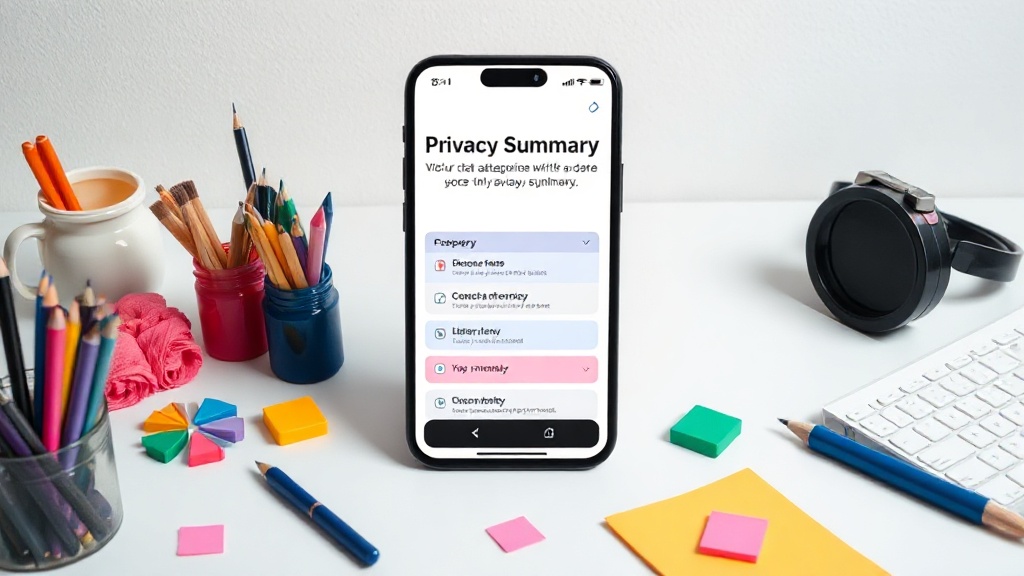
Designing an effective privacy summary requires focusing on what matters most to users and regulators. The core principle is plain language, avoiding legal jargon and technical complexities. Think of it less like a dense legal document and more like a nutrition label for your app's data practices.
Key elements to include are:
- Data Collected: Clearly list the types of personal data the app collects (e.g., name, email, location, contacts, photos, health data).
- Purpose of Collection: Explain precisely *why* each type of data is collected. Is it for core functionality, personalization, advertising, analytics? Be specific. For example, instead of "to improve services," state "to personalize your feed based on your viewing history."
- Data Sharing: Disclose if and with whom the data is shared (e.g., third-party analytics providers, advertising partners, service providers). Specify the categories of third parties.
- Data Retention: Briefly mention how long data is stored, or the criteria used to determine retention periods.
- User Controls: Inform users about their rights and how they can manage their data (e.g., access, correction, deletion, opt-out of data sale/sharing). Link to more detailed information if necessary.
- Security Measures: Briefly describe the measures taken to protect user data, without revealing sensitive security details.
The design should prioritize readability. Use clear headings, bullet points, and concise sentences. Visual cues, such as icons representing different data types, can enhance comprehension. The goal is to make the information digestible at a glance, enabling users to make informed decisions quickly.
Beyond Compliance: Building Deeper User Trust
While regulatory compliance and app store approval are significant benefits, the most profound impact of a privacy summary screen is on user trust. In an environment where data breaches and privacy scandals are frequent, users are increasingly wary of granting permissions to applications. A transparent and accessible privacy summary acts as a powerful differentiator.
When users encounter a clear, easy-to-understand summary before being asked for sensitive permissions, they are more likely to feel respected and in control. This positive first impression can significantly influence their perception of the app and the company behind it. It shifts the dynamic from a one-sided request for data to a transparent exchange, fostering a stronger, more trusting relationship.
Consider the alternative: a user is presented with a request for camera access and a link to a dense, jargon-filled privacy policy. Most will click "Allow" without reading, either out of necessity or convenience. Now, imagine the same user sees a summary stating: "We need camera access to enable video calls with your friends. We do not share your camera feed with any third parties and delete it immediately after your call ends." This level of clarity empowers the user and builds immediate confidence. It's the digital equivalent of a shopkeeper clearly explaining what they'll do with your information before asking for it.
Implementing the Privacy Summary Screen
Integrating a privacy summary screen is a design and development task that requires careful consideration. It should be presented at the appropriate moments in the user journey, typically before the first request for sensitive permissions or during the onboarding process.
The content must be accurate and kept up-to-date with the app's actual data practices. Any discrepancy between the summary and the app's behavior can erode trust and lead to compliance issues. Regular reviews of the privacy summary, alongside privacy policy updates and code changes, are essential.
Developers should consider using a structured format for the summary, perhaps a JSON object that can be programmatically rendered and easily updated. This ensures consistency and reduces the risk of manual errors. The design should also be responsive and accessible, catering to users with different needs and devices.
The initial investment of time—often estimated at around 60 minutes for a skilled designer and developer—is minimal when weighed against the potential benefits: reduced friction in app store reviews, stronger user trust, and a clearer path to regulatory compliance. It’s a small effort with disproportionately large positive outcomes, making it one of the most effective privacy-related design decisions an app can make.