Demystifying ORA-00060: Beyond the Myths
ORA-00060: deadlock detected while waiting for resource is one of the most misunderstood errors thrown by Oracle databases. Two pervasive myths cause significant damage: the belief that the entire transaction is rolled back (only one statement is affected), and that it's a database tuning problem solvable with a parameter change (it is almost always an application bug). Oracle automatically detects and resolves deadlocks, typically within seconds, by rolling back a single statement. Your crucial task is to analyze the trace file it generates, identify the colliding statements, and implement changes to prevent recurrence.
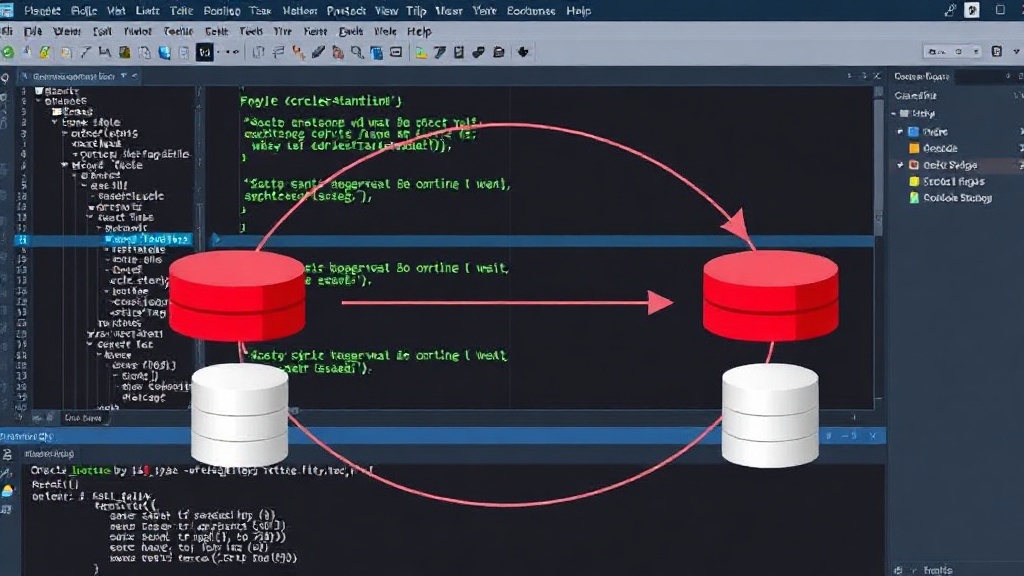
A deadlock occurs when two or more sessions are locked in a circular dependency: Session A holds a resource that Session B needs, and Session B holds a resource that Session A needs. Oracle's built-in deadlock detection mechanism intervenes by choosing one session's statement to roll back, thereby breaking the cycle. The key to resolving ORA-00060 lies not in database configuration, but in understanding application logic and data access patterns.
Understanding the Deadlock Graph and Trace File
When an ORA-00060 error occurs, Oracle generates a trace file. This file is the primary source of information for diagnosing the deadlock. It contains a wealth of data, including the SQL statements involved, the resources they were waiting for, and the order in which they acquired locks. Locating this trace file is the first step. Typically, it resides in the Oracle diagnostic_dest (ADR_HOME) directory under `diag/rdbms/
Within the trace file, pay close attention to the section detailing the deadlock graph. This graph visually represents the circular wait condition. It lists the sessions involved, the objects (tables, rows) they have locked, and the objects they are waiting to lock. By carefully examining this graph, you can pinpoint the exact SQL statements that caused the deadlock. The trace file also provides the complete SQL text for these statements, which is invaluable for understanding the application logic at play.
Common Deadlock Patterns and Their Fixes
Most deadlocks fall into a few predictable patterns:
Pattern 1: Inconsistent Locking Order
This is the most frequent cause. Two sessions attempt to update the same rows but in a different order. For example, Session A updates row 1 then row 2, while Session B updates row 2 then row 1. If Session A locks row 1 and Session B locks row 2 simultaneously, they will deadlock when they attempt to acquire the lock on the other row. The fix is to enforce a consistent locking order across all application code that accesses the same set of data. This often means ordering updates by primary key, or by a specific business key, across all transactions. Think of it like a group of people trying to exit a room through two doors: if everyone tries to go through the left door first, then the right, you'll get a traffic jam. If everyone agrees to try the left door, and only proceed to the right if the left is blocked, the flow is much smoother.
Pattern 2: Long-Running Transactions Holding Locks
A transaction that holds many locks for an extended period increases the probability of other transactions attempting to access those locked resources, thereby increasing the chance of a deadlock. While not a direct cause of the circular wait, it exacerbates the conditions. Minimizing transaction duration is good practice anyway. Break down large operations into smaller, independent transactions where possible. Ensure that transactions only contain the necessary database operations and avoid user interaction or lengthy processing within a transaction boundary.
Pattern 3: Implicit Cursor Usage with Row-by-Row Processing
Applications that process large datasets using implicit cursors and perform DML (Data Manipulation Language) operations within the loop can inadvertently create deadlock scenarios. Each iteration of the loop might acquire locks that are then held until the entire cursor is processed. If multiple such processes run concurrently, they can easily fall into the inconsistent locking order trap. Refactor such code to use bulk operations (like BULK COLLECT with FORALL in PL/SQL) which are more efficient and can manage locks more predictably. Alternatively, ensure that any row-level DML within a loop is part of a properly ordered transaction.
Pattern 4: Foreign Key Constraints Without Indexes
While not a direct deadlock cause, a missing index on a foreign key column can lead to table-level locks being acquired during DML operations on the child table. This is because Oracle must scan the parent table to ensure referential integrity. If multiple sessions are performing DML on the child table, they might end up locking parent table rows (or even the entire parent table) in an inconsistent order, leading to deadlocks. Ensure that all foreign key columns are indexed.
Preventing Future Deadlocks
Proactive measures are far more effective than reactive troubleshooting. The primary strategy is to ensure consistent data access patterns and transaction management:
- Standardize Order of Operations: Define and enforce a strict order for accessing and modifying data across your application. If multiple statements modify the same set of rows, they must do so in the same sequence.
- Keep Transactions Short: Minimize the duration and scope of database transactions. Commit or rollback promptly after completing a logical unit of work. Avoid user interaction or long computations inside transactions.
- Index Foreign Keys: Always create indexes on foreign key columns to prevent table locks during referential integrity checks.
- Review Application Logic: Regularly review code that performs DML operations, especially in concurrent environments. Look for potential race conditions and inconsistent locking.
- Use Row Locking Wisely: Understand that Oracle typically uses row-level locking. While efficient, it requires careful management in concurrent scenarios. Avoid unnecessary locking hints unless you fully understand their implications.
By understanding the nature of ORA-00060 errors as application-level issues rather than database performance problems, developers can effectively diagnose, resolve, and prevent these disruptive deadlocks, ensuring smoother operation of their Oracle databases.