A new open-source tool, Onboard-CLI, has emerged, aiming to simplify the daunting task of understanding complex codebases. Developed by Animesh, the tool leverages a combination of Abstract Syntax Trees (ASTs) and Large Language Models (LLMs) to provide developers with a visual representation of their code's structure and relationships. This approach offers a novel way to navigate and comprehend code, particularly for large or unfamiliar projects.
Traditional methods for code visualization often rely on static analysis or manual documentation, which can be time-consuming and may not capture the dynamic interdependencies within a project. Onboard-CLI seeks to bridge this gap by parsing code at an abstract level and then using AI to infer and present logical connections. The tool is presented as a command-line interface (CLI) application, making it accessible to developers already accustomed to terminal-based workflows.
Understanding the Core Technology
The foundation of Onboard-CLI rests on two key technologies: Abstract Syntax Trees (ASTs) and Large Language Models (LLMs). ASTs are tree-like data structures that represent the syntactic structure of source code. When a compiler or interpreter processes code, it first generates an AST. This representation breaks down code into its fundamental components – variables, functions, classes, expressions, and statements – and their hierarchical relationships. By analyzing the AST, tools can gain a deep understanding of the code's logic without needing to execute it.
Onboard-CLI utilizes this AST-based parsing to create a structured map of the codebase. This map identifies entities like functions, classes, and variables, and crucially, the relationships between them – for example, which functions call which other functions, or which classes inherit from others. This detailed structural information is then fed into an LLM.
The LLM's role is to interpret this structural data and translate it into a more human-readable and insightful visualization. Instead of just showing raw connections, the LLM can help infer the purpose of certain code blocks, identify potential areas of complexity or redundancy, and present these insights in a way that aids comprehension. This could manifest as a generated summary of module dependencies, an explanation of data flow between components, or even suggestions for refactoring based on observed patterns.
How Onboard-CLI Visualizes Code
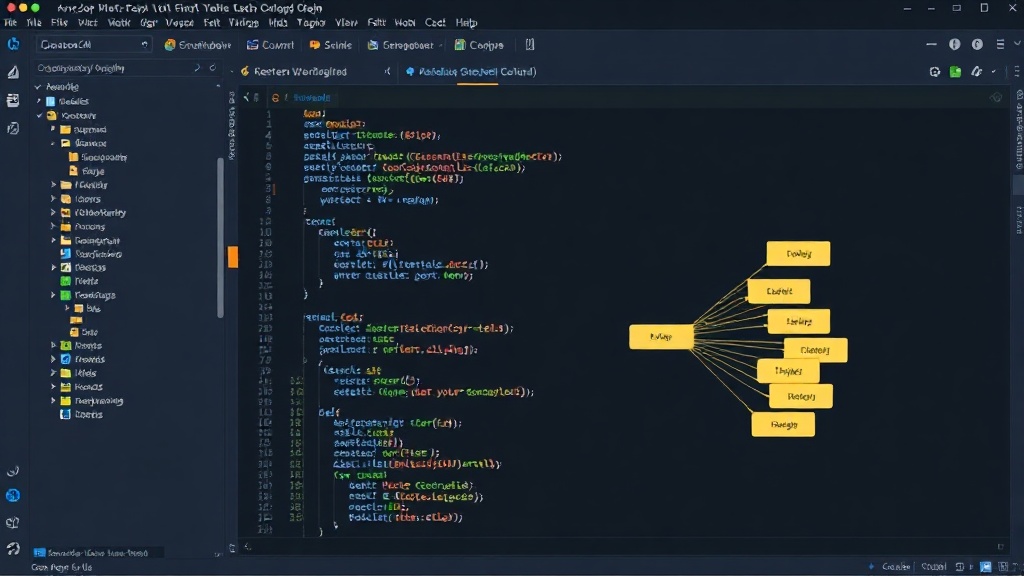
The primary output of Onboard-CLI is a visualization of the codebase. This visualization aims to answer critical questions for developers onboarding to a new project or refactoring an existing one: How are different parts of the code connected? What are the main modules or services? Where does data flow? What are the critical dependencies?
By processing the AST, Onboard-CLI can generate dependency graphs. These graphs represent code modules, classes, or functions as nodes, and the relationships between them (e.g., function calls, imports, inheritance) as edges. The LLM enhancement can enrich these graphs by adding contextual information. For instance, an edge might be annotated with the type of interaction (e.g., 'calls', 'uses', 'inherits') or even a brief natural language explanation derived from the code content and LLM analysis.
The CLI nature of the tool means that developers can integrate it into their existing workflows. Running commands like `onboard-cli analyze --path .` could generate a report or an interactive visualization. The output format is not explicitly detailed in the initial announcement, but common formats for code visualization include Graphviz DOT files, JSON representations for custom front-ends, or even direct terminal-based graphical representations.
The LLM Advantage
The integration of LLMs is what truly sets Onboard-CLI apart from traditional static analysis tools. While ASTs provide the raw structure, LLMs can add a layer of semantic understanding. They can:
- Summarize complex modules: Provide high-level overviews of what a particular directory or set of files is responsible for.
- Identify potential issues: Flag code patterns that are often associated with bugs, performance problems, or security vulnerabilities, based on the LLM's training data.
- Explain code functionality: Generate natural language descriptions of what specific functions or classes do, based on their implementation and surrounding context.
- Suggest refactoring: Offer insights into how code could be simplified, made more modular, or improved for readability.
This AI-driven analysis transforms a static code map into an intelligent assistant for code comprehension. It moves beyond simply showing 'what' is connected to helping developers understand 'why' and 'how' things are connected, and 'what' the implications might be.
Potential Use Cases and Target Audience
Onboard-CLI targets a broad audience within the software development community. Its primary use cases include:
- Developer Onboarding: New team members can quickly grasp the architecture and key components of a project, significantly reducing ramp-up time.
- Code Audits and Reviews: Security professionals and senior engineers can use the tool to identify potential risks, complex areas, or deviations from best practices.
- Refactoring and Modernization: Developers undertaking significant code changes can use the visualizations to understand the impact of their modifications and plan their work effectively.
- Technical Debt Management: Identifying areas of high complexity or poor structure that contribute to technical debt.
By providing a clear, LLM-enhanced view of a codebase, Onboard-CLI aims to make software development more efficient and less error-prone. The project is open-source, inviting community contributions to further refine its capabilities.
The Unanswered Question: Scalability and Accuracy
While the concept is compelling, a crucial question remains: how well does Onboard-CLI scale with extremely large codebases, and how accurate are the LLM's interpretations? The computational cost of parsing ASTs for millions of lines of code can be substantial. Furthermore, LLMs, while powerful, can sometimes hallucinate or misinterpret context, especially when dealing with highly specialized or domain-specific code. The effectiveness of Onboard-CLI will ultimately depend on its ability to manage these challenges and provide reliable, actionable insights without overwhelming the user with false positives or excessive processing times.