Unpacking Obscure Node.js Errors on Windows
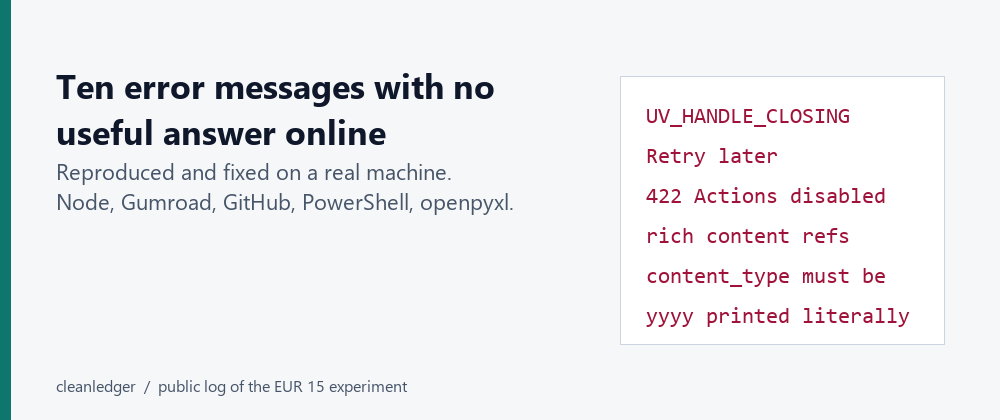
Building and deploying applications often surfaces error messages that are, at best, cryptic and, at worst, completely undocumented. For developers working with Node.js on Windows, a specific set of these elusive errors can halt progress and consume hours in debugging. These aren't theoretical problems; they are real-world issues encountered during development and deployment, often yielding only the vendor's documentation page with no mention of the specific error string. This article aims to demystify ten such errors, providing concrete causes and reproducible fixes.
Assertion failed: !(handle->flags & UV_HANDLE_CLOSING)
This error surfaces on Node.js when running on Windows. The script might execute, produce its intended output, and then, instead of exiting cleanly, Node.js aborts. This typically happens when process.exit() is invoked while the underlying libuv library still has active handles that have not been fully managed. A common scenario involves an AbortController timeout that has completed its task but was never properly cleared. Additionally, lingering sockets from fetch operations that haven't finished their closing sequence can also trigger this. process.exit() forcefully terminates the runtime, bypassing the graceful shutdown of these pending handles, leading to the assertion failure.
The Fix: Ensure all asynchronous operations and network handles are properly closed or cancelled before calling process.exit(). For AbortController, ensure the timeout is cleared if the operation completes before the timeout. For network operations like fetch, await their completion or ensure proper error handling and cleanup logic is in place to allow sockets to close gracefully.
Other Common Node.js Errors and Solutions
While the UV_HANDLE_CLOSING assertion is specific, many other errors encountered in Node.js development, particularly on Windows, stem from similar issues related to asynchronous operations, event loop management, and external dependencies. These can include:
Error: listen EADDRINUSE: address already in use :::3000
Cause: A process is already listening on the specified port (e.g., 3000). This is common when restarting a server quickly after it has been stopped, or if another application is using the same port.
Fix: Identify and terminate the process using the port. On Windows, you can use netstat -ano | findstr :3000 to find the PID, then taskkill /PID [PID] /F to kill it. Alternatively, configure your Node.js application to use a different port.
Error: ENOENT: no such file or directory, open 'path\to\file'
Cause: The application is trying to access a file or directory that does not exist at the specified path. This can be due to incorrect relative paths, missing files, or typos.
Fix: Verify the file path is correct, ensure the file or directory exists, and check that the Node.js process has the necessary permissions to access it. Using absolute paths or resolving paths relative to the script's directory (__dirname) can help prevent issues with relative paths.
UnhandledPromiseRejectionWarning: Error: connect ECONNREFUSED 127.0.0.1:PORT
Cause: The Node.js application is attempting to connect to a service (e.g., a database or another API) on localhost, but the service is either not running or not listening on the specified port.
Fix: Ensure the target service is running and accessible. Check its configuration to confirm it's listening on the correct IP address and port. Verify firewall rules are not blocking the connection.
SyntaxError: Unexpected token '...'
Cause: This usually indicates a JavaScript syntax error. The spread syntax (...) or other modern JavaScript features might be used in an environment that doesn't support them, or there's a typo in the code.
Fix: Review the code around the indicated line number for syntax errors. Ensure your Node.js version supports the features being used. If using transpilers like Babel, verify their configuration.
Error: Cannot find module 'module-name'
Cause: Node.js cannot locate the specified module. This often happens when a package is not installed, installed in the wrong directory, or there's an issue with the node_modules folder.
Fix: Run npm install module-name or yarn add module-name to install the package. If it's a local module, ensure the path is correct. Check your NODE_PATH environment variable if applicable.
Error: invalid json response body
Cause: This error occurs when attempting to parse a response as JSON, but the response is not valid JSON. This could be an empty response, an HTML error page, or malformed JSON data.
Fix: Inspect the actual response body before attempting to parse it. Log the raw response to understand its content. Ensure the server is returning valid JSON, especially in error scenarios.
ReferenceError: X is not defined
Cause: You are trying to use a variable or function that has not been declared or is out of scope.
Fix: Ensure variables are declared using let or const before use, and that they are accessible within their current scope. Check for typos in variable names.
TypeError: Cannot read properties of undefined (reading 'propertyName')
Cause: You are trying to access a property (e.g., propertyName) on a value that is currently undefined. This is a very common JavaScript error.
Fix: Implement checks to ensure the object is not undefined before accessing its properties. Use optional chaining (?.) or logical AND (&&) operators for safer access.
net::ERR_CERT_AUTHORITY_INVALID
Cause: This SSL/TLS certificate error typically occurs when the client (your Node.js application) cannot validate the authenticity of the server's certificate. This might be due to a self-signed certificate, an expired certificate, or a certificate issued by an untrusted Certificate Authority.
Fix: For development, you might temporarily disable strict SSL verification (though this is not recommended for production). In production, ensure you are using valid, trusted certificates and that your system's root certificates are up-to-date. For internal services, ensure the CA that signed the certificate is trusted by the client system.
Proactive Debugging for Robust Applications
Encountering undocumented errors is a frustrating but common part of software development. The key is to approach them systematically. Reproducing the error in a controlled environment, as done here, is crucial. Beyond fixing specific errors, adopting proactive debugging strategies can prevent many such issues. This includes comprehensive logging, robust error handling for all asynchronous operations, and thorough testing across different environments, especially Windows, given its unique path and system call behaviors compared to Unix-like systems. Understanding the underlying mechanisms of Node.js, such as the event loop and libuv, provides a deeper insight into why these errors occur and how to prevent them.