The Cost of Defaulting to Storybook
Most Angular component library developers default to Storybook. This choice isn't usually the result of a competitive analysis, but rather an acknowledgment that Storybook is the de facto standard. It boasts extensive addons, established CI recipes, and abundant Stack Overflow support. Opting for an alternative often means justifying the decision to your team or stakeholders.
The daily cost of this default is subtle but pervasive. It manifests as a parallel file tree of *.stories.ts files that frequently diverge from the actual component code they are meant to describe. Furthermore, it introduces a second build toolchain that operates alongside the Angular CLI, each with its own configuration, cache, and independent upgrade schedule. The ubiquitous preview iframe, while useful for isolation, also adds a layer of indirection, potentially obscuring the true rendering behavior of a component in its native environment.
This overhead accumulates. Developers spend time synchronizing stories, managing dual build processes, and debugging issues that might stem from the Storybook environment rather than the component itself. For teams focused on rapid component development and library maintenance, this friction can become a significant drag on productivity.
ng-prism: A Native Approach
ng-prism offers a different philosophy. Instead of creating a separate configuration and rendering environment, it integrates directly with the Angular component lifecycle. The core idea is to place the showcase configuration directly within the component's metadata. This means the component itself declares how it should be showcased, eliminating the need for external story files that can easily become outdated.
The tool leverages the TypeScript compiler to extract the necessary information for rendering. This approach avoids the need for a separate build toolchain. When you build your Angular project, ng-prism's configuration and rendering logic are compiled alongside your components. The output is then rendered directly into your application's document, rather than being confined within an iframe. This direct rendering eliminates the isolation issues and overhead associated with iframe-based previews.
Key Features and Architecture
ng-prism’s architecture is designed for seamless integration and developer efficiency. The configuration resides with the component, simplifying the development workflow. The build process leverages existing Angular CLI infrastructure, meaning no new build tools or complex configurations are required. The direct rendering approach ensures that what you see in the showcase is precisely how the component will behave in your application.
Version 22.2 of ng-prism introduced several significant features:
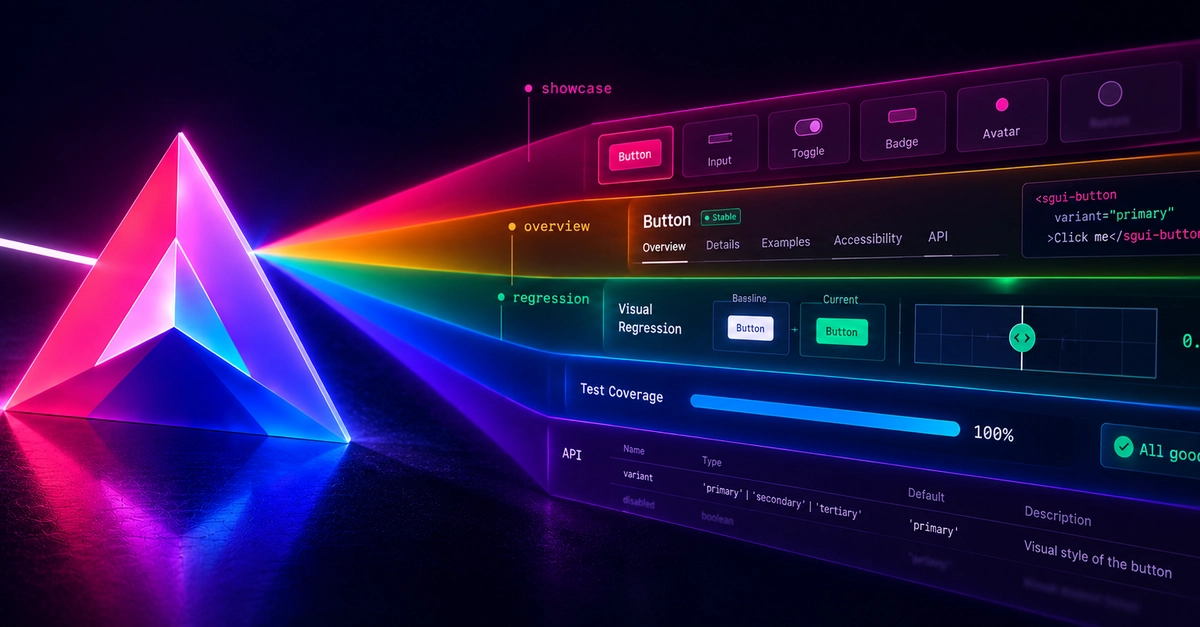
- Visual-Regression Panel: This panel allows developers to easily compare component states and catch unintended visual changes. By integrating this directly into the showcase, teams can maintain visual consistency across the component library without relying on external, often complex, CI setups for visual testing.
- Overview Contact Sheet: A new overview panel provides a quick, scannable view of all components and their states. This acts like a visual index, enabling developers to navigate and understand the entire library at a glance. Think of it as a well-organized contact sheet for your UI elements, making discovery and reference much faster.
- UI Rebuilt Around a Single Density Scalar: The user interface has been redesigned with a focus on a single density scalar. This approach simplifies UI management, allowing for consistent spacing, sizing, and visual hierarchy across all components. It moves away from multiple, potentially conflicting, density settings towards a unified system.
Developer Experience and Workflow
The primary benefit of ng-prism is the enhanced developer experience. By embedding showcase configuration into the component, developers maintain a single source of truth. When a component is updated, its showcase configuration is updated simultaneously. This eliminates the common problem of drifting documentation or showcase examples.
The elimination of a separate build toolchain streamlines the development process. Angular developers can continue using their familiar tooling, the Angular CLI, without introducing new dependencies or complex configurations specific to a component showcase tool. This reduces cognitive load and onboarding time for new team members.
Rendering directly into the document, rather than an iframe, offers a more accurate representation of how the component will function within the application. This reduces the likelihood of