The Promise of Instant Feedback
Next.js 16's `useOptimistic` hook promised a seamless user experience, offering instant UI updates without the jarring lag of traditional data fetching. The author implemented this on a task list, where toggling a checkbox would immediately reflect the change on the screen. The checkbox would flip, and the task would gain a strikethrough. This provided the exact snappy feel developers strive for, eliminating the half-second delay that can make applications feel sluggish. Initial demos, even to oneself, appeared flawless. This approach bypasses the need for loading spinners or placeholder states, presenting a finished state to the user the moment an action is initiated.
The core idea behind optimistic UI updates is to predict the outcome of an action and update the interface accordingly, assuming the server operation will succeed. This creates a perception of speed and responsiveness. For a simple toggle operation like marking a task complete, this is particularly effective. The user performs an action, sees the result instantly, and the system works in the background to confirm the state with the server. If the server confirms success, nothing further is needed. If it fails, the UI can be rolled back to its previous state, often with a subtle indication of the error.
However, the real world of user interaction is rarely as linear as a controlled demo. Users, especially impatient ones or those accustomed to rapid-fire interactions, can click buttons multiple times in quick succession. This is precisely where the elegant simplicity of optimistic UI can encounter unforeseen complexities. The expectation is that each click is a distinct, independent event. But when actions happen faster than the underlying system can process or reconcile them, especially with asynchronous operations like server updates, race conditions can emerge.
The Stress Test: Rapid Clicks Expose a Flaw
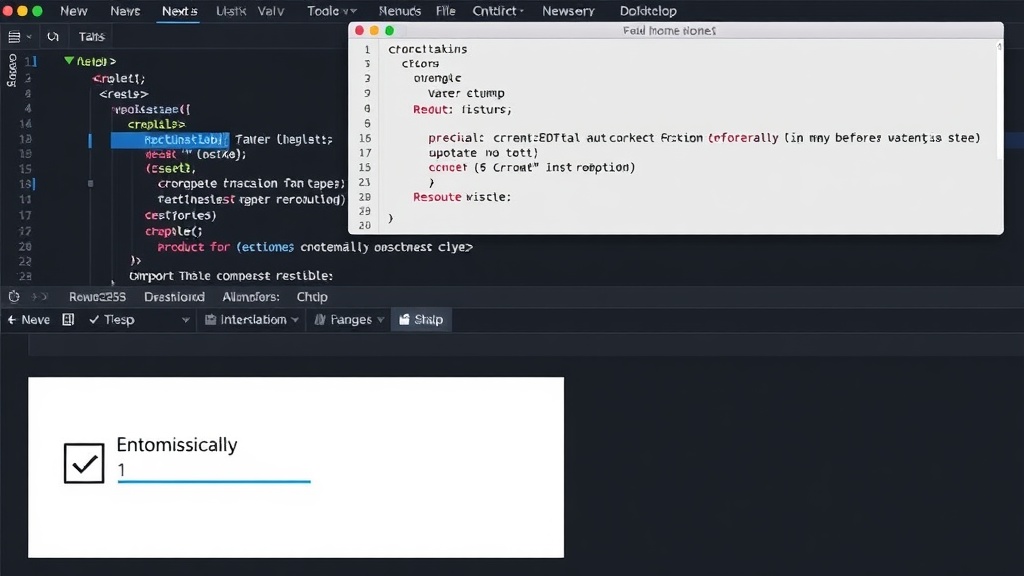
The author’s realization came during a self-imposed stress test: clicking the checkbox rapidly, five times in quick succession. This is a common user behavior, especially on mobile or with users accustomed to double-clicking or quickly toggling options. The expectation is that the UI should handle this gracefully, perhaps by ignoring subsequent clicks once the action is already in progress or by queuing the updates. However, in this case, the rapid clicks triggered multiple optimistic updates that conflicted with each other and the eventual server response.
The `useOptimistic` hook, while powerful, relies on correctly managing the state transitions. When a user clicks a task to mark it as complete, the UI optimistically updates. If the user immediately clicks it again to mark it as incomplete, another optimistic update occurs. If this happens before the server has acknowledged the first update, the system can become desynchronized. In this specific scenario, the rapid clicks led to a state where the task was marked complete, then incomplete, then complete again, and so on, all within the optimistic layer before the actual server state could be definitively established. This created a visual flicker and an inconsistent state, undermining the very responsiveness the feature was designed to provide.
The problem isn't inherent to `useOptimistic` itself, but rather in how it interacts with rapid, overlapping asynchronous operations. The hook is designed to prepend or append state changes, but it doesn't inherently prevent multiple such changes from being dispatched for the same item in very quick succession if the UI events are firing faster than the state can be processed or batched. This is a classic race condition: the outcome depends on the unpredictable timing of events. The first click might initiate a server request. The second click might initiate another request *before* the first one has completed or been acknowledged by the server. The UI, following the optimistic path, might then reflect the state changes from these overlapping requests in an unintended order.
Reconciling Optimism with Reality
Addressing this requires a more robust state management strategy than simply relying on the immediate optimistic update. One common approach is to debounce or throttle user input for actions that trigger asynchronous operations. Debouncing would ensure that a function is only called after a certain period of inactivity, effectively ignoring rapid, repeated clicks. Throttling would limit the rate at which the function can be called, ensuring it only executes at specified intervals. For a task list, this might mean that only the *last* click within a short window actually triggers an update, or that updates are processed sequentially rather than concurrently.
Another strategy involves managing pending operations. When a user clicks to toggle a task, the system could flag that task as 'pending update'. Subsequent clicks within a short interval could be ignored or queued. Once the server responds, the 'pending' flag is removed, and the UI is updated with the confirmed server state. If the server update fails, the optimistic change is reverted, and an error is displayed. This ensures that the UI accurately reflects the system's state, even under duress.
The author’s experience highlights a critical lesson for developers leveraging optimistic UI patterns: the perceived perfection in a controlled environment can quickly fracture when exposed to the chaotic reality of user behavior. While `useOptimistic` is a powerful tool for enhancing perceived performance, it must be paired with careful consideration of edge cases, particularly those involving high-frequency user interactions and asynchronous operations. The goal remains a smooth, responsive experience, but achieving it requires anticipating and handling scenarios where user actions outpace system processing, ensuring that optimism does not lead to unexpected bugs.
What nobody has addressed yet is how to elegantly handle the rollback and error display for optimistic updates when a race condition *does* occur and the server response indicates a state that contradicts the final optimistic state. Simply reverting might not be intuitive if the user performed multiple toggles.