The Limits of Static Audio Assets
Traditional game and application audio relies on a simple, linear flow: an event triggers, an audio asset is selected, and it plays. This architecture is perfectly adequate for many scenarios. When a player picks up an item, completes a mission, or a build succeeds, a predefined sound clip suffices. However, this approach falters when sound needs to reflect runtime state, leading to an unmanageable explosion of audio files. Imagine needing a unique WAV for every subtle variation of a warning sound, or for the precise decibel level of a character’s health dropping. This quickly becomes an unsustainable maintenance nightmare.
Consider a health warning system. Instead of having `health_low_1.wav`, `health_low_2.wav`, `health_critical_1.wav`, `health_critical_2.wav`, and so on, procedural audio allows the application to generate these sounds on the fly. The sound can dynamically adjust its pitch, volume, or even its waveform based on the exact health percentage, the player’s current speed, or environmental factors. This isn't just about saving storage space; it's about creating richer, more responsive, and more immersive audio experiences.
Procedural Audio: Generating Sound Dynamically
Procedural audio fundamentally shifts the paradigm. Instead of storing pre-recorded audio assets, it generates sound in real-time based on algorithms and input parameters. This approach treats sound as a data-driven phenomenon, where the “audio asset” is actually a set of rules or code that dictates how sound should be produced.
The core idea is to represent sound not as a fixed waveform, but as a synthesis process. This process can be influenced by various factors:
- State: The current status of the application or game (e.g., player health, inventory count, system error level).
- Parameters: Numerical values that control aspects of the synthesis (e.g., frequency, amplitude, decay rate, filter cutoff).
- Algorithms: The logic that defines how parameters change over time or in response to events, and how these changes translate into audible sound.
This allows for an almost infinite variation of sounds from a relatively small codebase. For instance, a simple sine wave can be modulated to create a notification ping. By varying the frequency, duration, and adding a subtle attack/decay envelope, you can generate distinct sounds for different types of notifications without needing separate files. A low-frequency, sustained tone might indicate a critical system error, while a higher-pitched, short blip could signify a new message.
Implementing Procedural Audio in .NET
While .NET doesn't have a built-in, high-level procedural audio engine akin to dedicated middleware, its rich ecosystem and access to low-level APIs make it entirely feasible to implement. The process typically involves:
1. Audio Synthesis
At its heart, procedural audio requires a synthesis engine. This engine takes parameters and generates raw audio data (typically PCM samples). Common synthesis techniques include:
- Additive Synthesis: Building complex waveforms by summing simpler ones (e.g., sine waves).
- Subtractive Synthesis: Starting with a rich waveform (like a sawtooth or square wave) and filtering out unwanted frequencies.
- Frequency Modulation (FM) Synthesis: Using one oscillator to modulate the frequency of another.
- Wavetable Synthesis: Using short, pre-defined waveforms stored in a table.
For .NET developers, this might mean leveraging libraries that provide access to these synthesis methods. Libraries like NAudio are invaluable here. NAudio provides low-level audio playback and manipulation capabilities, including the ability to generate audio samples programmatically. Developers can create custom ISampleProvider implementations that generate audio data on demand, effectively acting as a procedural sound source.
For example, to generate a simple sine wave tone:
public class SineWaveProvider : ISampleProvider
{
    public WaveFormat WaveFormat { get; }
    public double Frequency { get; set; }
    public double Amplitude { get; set; }
    private double _phase;
    private readonly double _radiansPerSample;

    public SineWaveProvider(int sampleRate, double frequency, double amplitude = 0.5)
    {
        WaveFormat = WaveFormat.CreateIeeeFloatWaveFormat(sampleRate, 1);
        Frequency = frequency;
        Amplitude = amplitude;
        _radiansPerSample = 2 * Math.PI * Frequency / WaveFormat.SampleRate;
    }

    public int Read(float[] buffer, int offset, int sampleCount)
    {
        for (int i = 0; i < sampleCount; i++)
        {
            var sample = (float)(Amplitude * Math.Sin(_phase));
            buffer[offset + i] = sample;
            _phase += _radiansPerSample;
            if (_phase > 2 * Math.PI)
            {
                _phase -= 2 * Math.PI;
            }
        }
        return sampleCount;
    }
}
This `SineWaveProvider` can then be hooked up to a WaveOutEvent or similar playback mechanism in NAudio to produce sound. By changing the Frequency property dynamically, you can alter the pitch of the generated tone in real-time.
2. Parameter Control and Event Handling
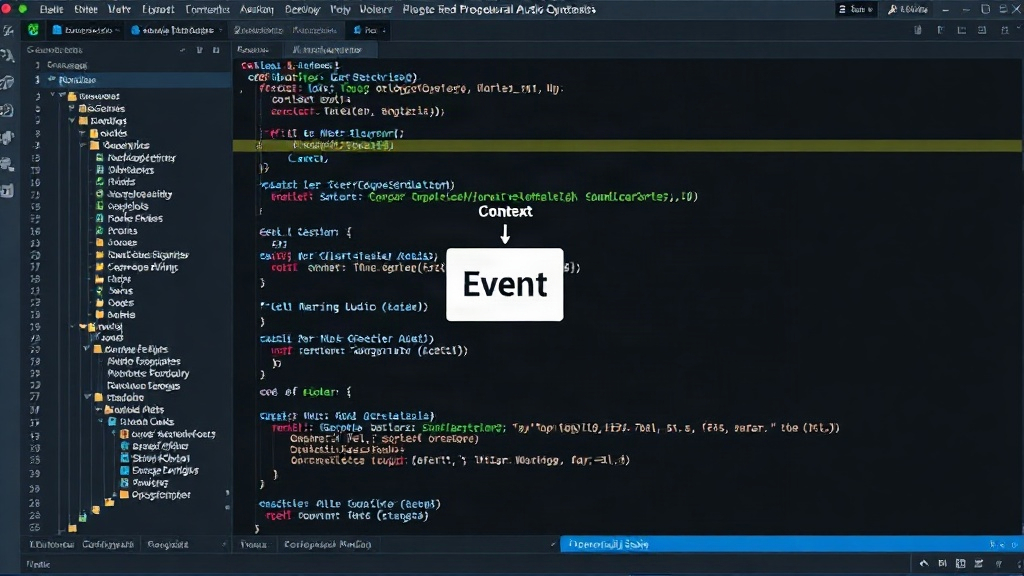
The real power of procedural audio comes from its responsiveness. This requires a robust event handling system and a clear way to map application states and events to synthesis parameters. In .NET, this involves:
- Event Aggregators/Messaging Systems: For decoupled communication between different parts of the application.
- State Machines: To manage complex application states and trigger appropriate audio responses.
- Data Binding: To link UI elements or game state variables directly to audio parameters.
For instance, a player’s health could be a property that other systems observe. When the health value changes, an event is fired. An audio manager then listens for this event and adjusts the parameters of an active “health warning” sound generator. If health drops below 20%, the generator might increase its pitch and volume and introduce a rhythmic pulse. If it drops below 5%, it might switch to a more urgent, dissonant tone.
3. Integration with Game Engines or Frameworks
For game development, integrating procedural audio into engines like Unity or Godot requires bridging the gap between the C#/.NET environment and the engine’s audio subsystems. This often involves custom plugins or native interop. However, for application audio, direct integration with playback libraries like NAudio is usually sufficient.
Use Cases Beyond Gaming
While games are a natural fit for procedural audio due to their dynamic nature, the applications extend far beyond. Consider:
- Accessibility Tools: Generating auditory feedback for visually impaired users, where sounds can convey complex information about UI states or system status.
- Monitoring and Alerting Systems: Creating distinct, informative audio cues for different types of system alerts, network status changes, or performance anomalies. Think of a server monitoring application where the hum of the servers changes pitch or intensity to indicate load.
- Interactive Installations: Creating responsive soundscapes for art installations that react to visitor presence or environmental data.
- Educational Software: Providing auditory feedback for user interactions, helping to reinforce learning through sound.
The ability to generate sound from state means that any application with dynamic data can potentially benefit from a more engaging and informative audio layer. It’s about making software audible in a meaningful way.
The Future of .NET Audio
As .NET continues to evolve, particularly with advancements in cross-platform development and performance, the potential for sophisticated procedural audio implementations grows. Libraries like NAudio provide a solid foundation, but the ecosystem could benefit from higher-level abstractions or dedicated procedural audio frameworks. For now, developers willing to dive into the synthesis algorithms and audio sample generation can unlock a new dimension of interactivity and user experience, moving beyond static sound clips to a truly dynamic, state-aware auditory landscape.