MoonProxy: The Complete Guide to FRP Intranet Penetration
From setup to real-world use cases. For developers and self-hosters.
Compatible with MoonProxy v1.2.0+
Why FRP + MoonProxy?
FRP (Fast Reverse Proxy) is a widely-used open-source tunneling tool, boasting over 80,000 GitHub stars. However, its command-line interface (CLI) workflow presents a significant barrier for non-technical users. MoonProxy addresses this by encapsulating FRP's frpc (client) into a native desktop application. This provides a visual configuration interface, one-click start/stop functionality, and real-time traffic monitoring, democratizing access to powerful reverse proxy capabilities.
When considering alternatives like ngrok, Cloudflare Tunnel, or Tailscale, FRP coupled with MoonProxy offers a compelling balance of control, cost, and flexibility. Ngrok's free tier is restrictive, and its paid plans can become expensive. Cloudflare Tunnel, while robust, is closed-source, primarily handles HTTP(S) traffic, and can lead to vendor lock-in. Tailscale excels at mesh networking but isn't designed for traditional port forwarding scenarios. FRP and MoonProxy, on the other hand, empower users with full control over their configurations and traffic, hosted on their own infrastructure.
Understanding FRP Concepts
To effectively use MoonProxy, a basic understanding of FRP's core concepts is beneficial. FRP operates on a client-server model. The FRP server (frps) runs on a public-facing machine with a static IP address. It listens for incoming connections from FRP clients (frpc). The FRP client runs on a machine within a private network (e.g., your local machine or a server behind a NAT firewall). It establishes a connection to the FRP server and forwards traffic from specific local ports to the server, making them accessible from the internet.
Key FRP configurations involve defining proxy types. The most common are:
- TCP (Reverse Proxy): Forwards TCP traffic. This is ideal for exposing services like SSH, databases, or custom TCP applications. MoonProxy allows you to specify the local port to forward and the remote port on the FRP server that will receive the traffic.
- UDP (Reverse Proxy): Forwards UDP traffic. Useful for services that rely on UDP, such as some gaming servers or VoIP applications.
- HTTP/HTTPS (Reverse Proxy): Forwards HTTP/HTTPS traffic. This allows you to expose web servers or APIs running on your local network to the internet. FRP can handle host-based routing, enabling multiple websites to be served from a single FRP server using different domain names.
- Socks5 Proxy: Creates a SOCKS5 proxy that tunnels traffic through the FRP server. This is useful for anonymizing traffic or bypassing network restrictions.
MoonProxy abstracts these configurations into user-friendly fields, eliminating the need to manually edit complex configuration files. Users can define the FRP server's address and port, select the proxy type, specify local and remote ports, and configure advanced options like authentication tokens and compression settings through a graphical interface.
Setting Up FRP Server (frps)
Before you can use MoonProxy, you need a running FRP server. This typically involves:
- Obtaining the FRP binary: Download the appropriate binary for your server's operating system and architecture from the official FRP GitHub releases page.
- Configuring
frps.ini: Create a configuration file (e.g.,frps.ini) on the server. A minimal configuration might look like this:[common] bind_port = 7000 # Port the FRP server listens on # authentication_method = token # token = your_secure_token # dashboard_port = 7500 # Optional: For FRP dashboard access # dashboard_user = admin # dashboard_pwd = your_admin_password - Running the FRP server: Execute the FRP server binary with the configuration file:
./frps -c frps.ini. It's recommended to run this as a service (e.g., usingsystemd) for persistence.
The FRP server binds to the specified bind_port, awaiting client connections. The token is crucial for security, ensuring only authorized clients can connect.
Using MoonProxy for Client Configuration
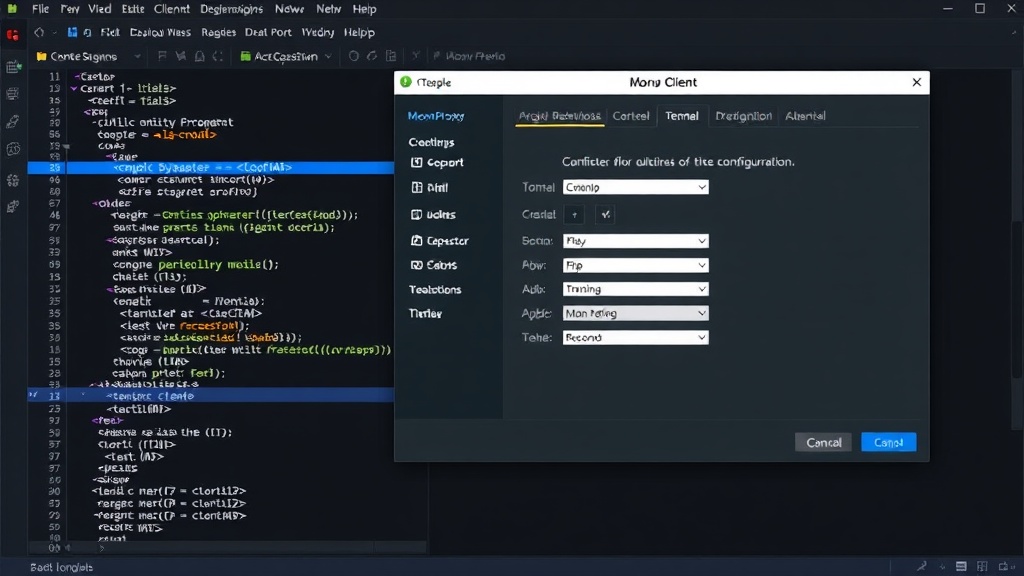
MoonProxy simplifies the client-side setup considerably. Once installed, the application presents a clean interface:
Adding a New Proxy Task
To create a new proxy connection, you'll typically:
- Input Server Details: Enter the IP address or domain name of your FRP server and the
bind_portit's listening on (e.g., 7000). - Set Authentication: Provide the authentication token if one is configured on the server.
- Define Proxy Type and Ports: Select the type of proxy (TCP, UDP, HTTP, etc.). Specify the
local_port(the port on your machine running MoonProxy that hosts the service) and theremote_port(the port exposed on the FRP server). For HTTP proxies, you'll also configuresubdomainorcustom_domainsto route traffic correctly. - Configure Advanced Options: MoonProxy exposes settings like compression, protocol, and load balancing, allowing for fine-tuned control without manual file editing.
Once configured, each proxy task can be saved and managed within MoonProxy. This means you can set up multiple different tunnels for various services simultaneously.
Managing and Monitoring Connections
MoonProxy's primary advantage is its visual management. Users can:
- Start/Stop Proxies: With a single click, enable or disable any configured proxy task.
- Monitor Traffic: Real-time graphs and statistics display incoming and outgoing traffic for each active tunnel, providing immediate insight into network activity.
- View Logs: Access logs directly within the application to troubleshoot connection issues or monitor FRP server responses.
This graphical approach transforms a complex CLI process into an intuitive workflow, making FRP accessible to a much wider audience. If you've ever struggled with command-line syntax for port forwarding or needed to quickly expose a local web server for testing, MoonProxy offers a streamlined solution.
Real-World Use Cases
The combination of FRP and MoonProxy unlocks numerous practical applications:
- Exposing Local Web Servers: Developers can easily show work-in-progress websites or APIs to clients or collaborators without complex network configuration or deploying to a public server.
- Remote Access to Services: Gain access to internal databases, development servers, or even a Raspberry Pi running at home from anywhere with an internet connection.
- Testing and Debugging: Simulate real-world network conditions or test applications that require external access.
- Secure Tunneling: Create secure tunnels for sensitive data transfer or to bypass restrictive network firewalls.
MoonProxy's ease of use, combined with FRP's robust functionality, makes it an invaluable tool for developers, IT professionals, and self-hosters who need reliable and controllable network tunneling solutions.