
The Hidden Privacy Risk in Mobile Photo Uploads
When users upload photos from their mobile devices, they expect a degree of privacy. However, a critical vulnerability exists in how many applications handle photo uploads, particularly concerning the stripping of EXIF (Exchangeable image file format) metadata, which often includes sensitive GPS location data. The danger lies not in the immediate foreground upload, but in the background retry queue, which can preserve and re-upload the original, un-sanitized file if the initial upload fails.
Imagine a user selects a photo. This photo might contain not only the image itself but also embedded information such as the precise GPS coordinates of where it was taken, the capture time, and the device's orientation at the moment of capture. While the user interface might display a clean preview, suggesting all sensitive data has been removed, the underlying application logic may not be as robust. If the initial upload to the server is interrupted—due to a poor network connection, application crash, or user closing the app—many systems fall back to a retry mechanism. This retry queue, intended for reliability, can inadvertently become a vector for privacy breaches. If the sanitization process (stripping metadata) is not correctly applied to the file that is *then* placed in the retry queue, the original file, complete with its sensitive EXIF data, can be re-transmitted to the server upon the next upload attempt.
This poses a significant privacy risk. Users may believe their location data is protected once they've selected a photo for upload, especially if they see a cleaned preview. However, the original file could still be uploaded later, potentially revealing private locations, home addresses, or other sensitive geotagged information to the application provider or even unintended third parties, depending on the server's data handling policies.
Building Robust Privacy Safeguards
To combat this, developers must implement rigorous privacy fixtures throughout the upload pipeline. A key strategy involves creating synthetic JPEG and HEIC samples specifically for testing. These test files should never contain actual personal photos. Instead, they should be crafted with known, unambiguous metadata. This includes setting a specific, unmistakable fixture marker within the metadata, a fake GPS location like 0.0, 0.0, and a predictable orientation. By using these controlled samples, developers can precisely verify that their sanitization process works as intended under various conditions.
The sanitization process should follow a strict sequence:
- Select the original file.
- Normalize its orientation to a standard setting (e.g., upright).
- Strip all metadata, including GPS coordinates, timestamps, and camera specifics.
- Write the sanitized content to a temporary file.
- Enqueue the path to this *sanitized* temporary file for upload.
- Initiate the upload of the sanitized file.
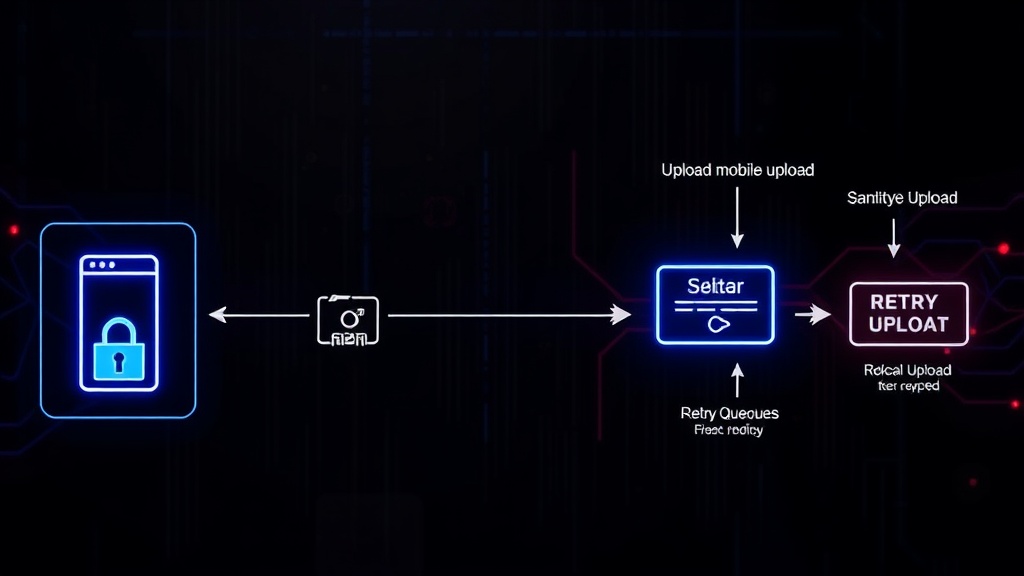
This ordered approach ensures that only the cleaned version of the file ever makes it into the upload queue. The critical point is that the retry queue must reference the *sanitized* file, not the original. Developers can verify this by intercepting the bytes being uploaded in both the foreground and background retry scenarios. The foreground upload should contain zero GPS or time data. Crucially, when a background retry occurs, the application must confirm that the queue is referencing and uploading the *sanitized* file, not the original one that contained the sensitive metadata.
Testing the Integrity of the Upload Pipeline
The integrity of this process hinges on thorough testing. A robust testing strategy involves simulating various failure conditions that would trigger the retry queue. This includes network interruptions during the initial upload, simulating app crashes, and testing scenarios where the app is closed and reopened after an initial failed upload.
For each test case, developers must verify two primary conditions:
- Foreground Upload: The initial, successful upload (or the first attempt before failure) must pass the condition that the intercepted bytes contain no GPS or time metadata. This confirms the immediate sanitization is effective.
- Background Retry: When the background retry mechanism engages, the system must pass the condition that the queue references the *sanitized* file. This is the most critical check, ensuring that the fallback mechanism does not re-introduce the privacy risk. This can be tested by examining the file path or content referenced by the retry mechanism before an upload is attempted.
The surprising detail here is not the complexity of metadata, but how easily a seemingly robust retry mechanism can become a liability. It’s easy to focus on the primary upload path, but the fallback logic, intended for user convenience and reliability, often receives less scrutiny and becomes the weak link. What nobody has fully addressed yet is the scale of this problem across the mobile app ecosystem and the potential for widespread, inadvertent location data leakage.
What This Means for Developers and Users
For developers, this highlights the necessity of a security-first mindset, even in seemingly straightforward features like photo uploads. It’s not enough to remove metadata; the *process* by which metadata is removed and how subsequent actions (like retries) interact with the sanitized data must be meticulously designed and tested. Implementing synthetic data fixtures and defining clear pass conditions for both foreground and background operations are essential steps.
For users, this underscores the importance of understanding that privacy is not always an on/off switch. While many apps claim to protect user data, the implementation details can introduce vulnerabilities. Users should be aware that metadata stripping might not always be foolproof, especially when network conditions are unstable. If you handle sensitive photos, consider using third-party tools to strip metadata *before* uploading to any application, as an extra layer of protection.