
The Unseen Cost of Messy ML Experiments
Machine learning development is inherently iterative. Data scientists and ML engineers constantly tweak hyperparameters, experiment with different model architectures, and evaluate performance on diverse datasets. Without a systematic approach, this process quickly devolves into chaos. Vital information about which parameters led to which results, or which model version performed best, gets lost. This isn't just an inconvenience; it's a significant drain on productivity, a barrier to reproducibility, and a hidden cost that can cripple even promising projects. Imagine trying to find a specific needle in a haystack, but the haystack is constantly growing and changing, and you don't even know what the needle looks like. That's the reality for many ML teams operating without a proper experiment tracking system.
The core problem stems from the lack of a standardized way to record and manage the myriad details associated with each experiment. This includes not only the final model artifact but also the code version used, the specific hyperparameters, the dataset used for training and evaluation, the environment in which it was run, and the resulting performance metrics. Without this metadata, reproducing a past result becomes a Herculean task, if not impossible. Furthermore, sharing findings and collaborating effectively across teams becomes fraught with miscommunication and duplicated effort.

Introducing MLflow: A Unified Platform for the ML Lifecycle
MLflow emerges as a powerful, open-source solution designed to address these challenges head-on. It's not just a logging tool; it's a comprehensive platform that spans the entire machine learning lifecycle, from experimentation to deployment. Developed by Databricks, MLflow is built around four key components, each designed to tackle a specific aspect of ML project management:
MLflow Tracking
This is the heart of experiment management. MLflow Tracking allows you to log parameters, code versions, metrics, and output files associated with your ML runs. Every time you train a model or run an experiment, MLflow records the details in a backend store. This store can be a local file system, a database, or a managed service. The beauty of MLflow Tracking lies in its simplicity and flexibility. You can instrument your existing Python, R, or Java code with just a few lines, and MLflow automatically captures the essential information. This includes:
- Parameters: Key-value pairs representing hyperparameters, configurations, or any other tunable settings.
- Metrics: Numerical values that track model performance over time, such as accuracy, loss, precision, or recall. These can be logged as single values or as time-series data.
- Artifacts: Any output from your run, including trained models, data files, plots, or even entire directories. MLflow stores these as objects, making them easily retrievable.
- Source Code: The specific version of the code that produced the run, typically captured via Git commit hash.
- Environment: Information about the software environment, including package versions, to ensure reproducibility.
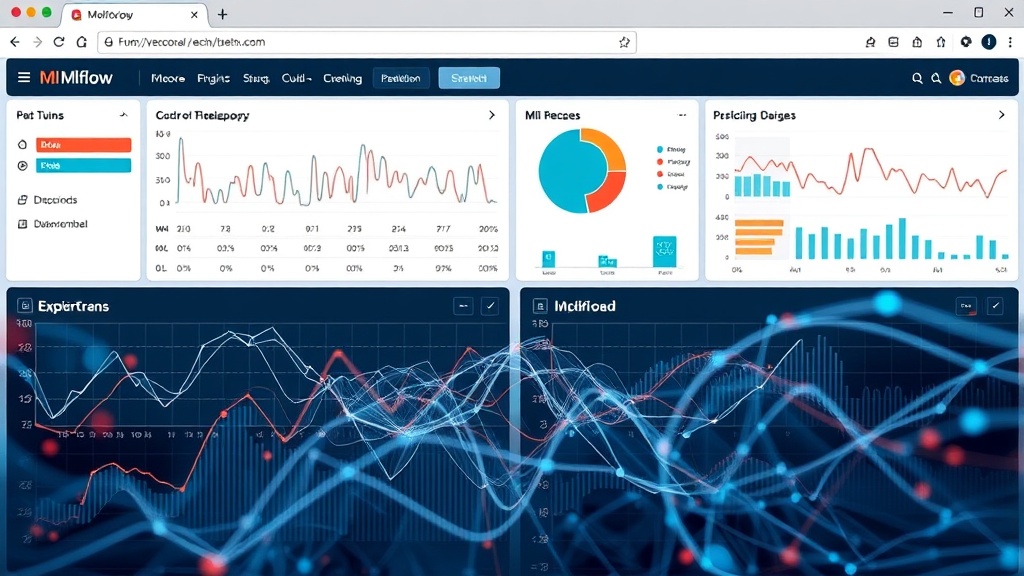
The MLflow UI provides a visual interface to compare runs, visualize metric changes, and inspect artifacts. This makes it incredibly easy to sift through dozens or even hundreds of experiments to find the most promising candidates.
MLflow Models
Reproducibility is critical, but so is deploying models reliably. MLflow Models provides a standardized format for packaging ML models that can be used in a variety of downstream tools. This format includes an MLmodel file that describes the model, its dependencies, and how to run it. This abstraction layer decouples the model from the specific training environment, making it portable. MLflow supports packaging models from popular frameworks like scikit-learn, TensorFlow, PyTorch, and XGBoost. It also allows for custom model formats. This standardization simplifies deployment pipelines, enabling consistent inference across different platforms, whether it's batch scoring, real-time serving with Flask or FastAPI, or even deployment on cloud services like AWS SageMaker or Azure ML.
MLflow Projects
Reproducibility extends beyond just the model artifact to the entire computational environment. MLflow Projects provides a convention for packaging your ML code in a reusable and reproducible way. A project is defined by a MLproject file, which specifies the code, dependencies (usually via a conda.yaml file), and entry points for running the project. This ensures that anyone can run your code with the exact same dependencies and configurations, regardless of their local setup. This is invaluable for collaboration and for ensuring that research findings can be independently verified.
MLflow Recipes (Preview)
While the core components provide a solid foundation, MLflow is continuously evolving. MLflow Recipes, currently in preview, aims to standardize common ML workflows such as feature engineering, model training, and model evaluation. It provides templates and best practices, further streamlining the process and reducing the boilerplate code required for standard tasks. This component is geared towards accelerating the development of production-ready ML systems.
Implementing MLflow in Your Workflow
Integrating MLflow into an existing ML project is straightforward. For MLflow Tracking, you typically start by initializing an MLflow run:
import mlflow

with mlflow.start_run():
    # Log parameters
    mlflow.log_param("learning_rate", 0.01)
    mlflow.log_param("epochs", 100)

    # Train your model...
    model = train_my_model(params)

    # Log metrics
    accuracy = evaluate_model(model)
    mlflow.log_metric("accuracy", accuracy)

    # Log the model artifact
    mlflow.sklearn.log_model(model, "model")
This simple snippet captures the essence. For MLflow Projects, you'd define a MLproject file and potentially a conda.yaml for dependencies. The MLflow Models format is often generated automatically when you log a model using the framework-specific loggers (e.g., mlflow.sklearn.log_model).
The MLflow UI, accessible by running mlflow ui in your terminal in the directory where your experiment logs are stored, provides an interactive dashboard. Here, you can view all your runs, filter them by parameters or metrics, and compare their performance side-by-side. This visual comparison is a powerful tool for understanding trade-offs and identifying the optimal configurations.
Beyond Reproducibility: The Broader Impact
While reproducibility is a primary benefit, MLflow offers more. For founders, it means faster iteration cycles, more confident decision-making based on reliable data, and reduced time-to-market for new ML-powered features. For data scientists, it frees up cognitive load, allowing them to focus on innovation rather than administrative tasks. Security professionals can benefit from the auditable trail of experiment parameters and code versions, enhancing model governance and compliance. For creators, it means being able to share their work with collaborators or the wider community with confidence that others can replicate their results.
What remains unaddressed by MLflow itself, however, is the organizational culture shift required to adopt such a tool effectively. Simply installing MLflow is not enough; teams must commit to consistently logging their experiments and adhering to project conventions. The success of MLflow, like any tooling, hinges on its adoption and consistent use by the people who matter most: the ML practitioners themselves.