The Setup: Ambitious Features, Fragile Dependencies
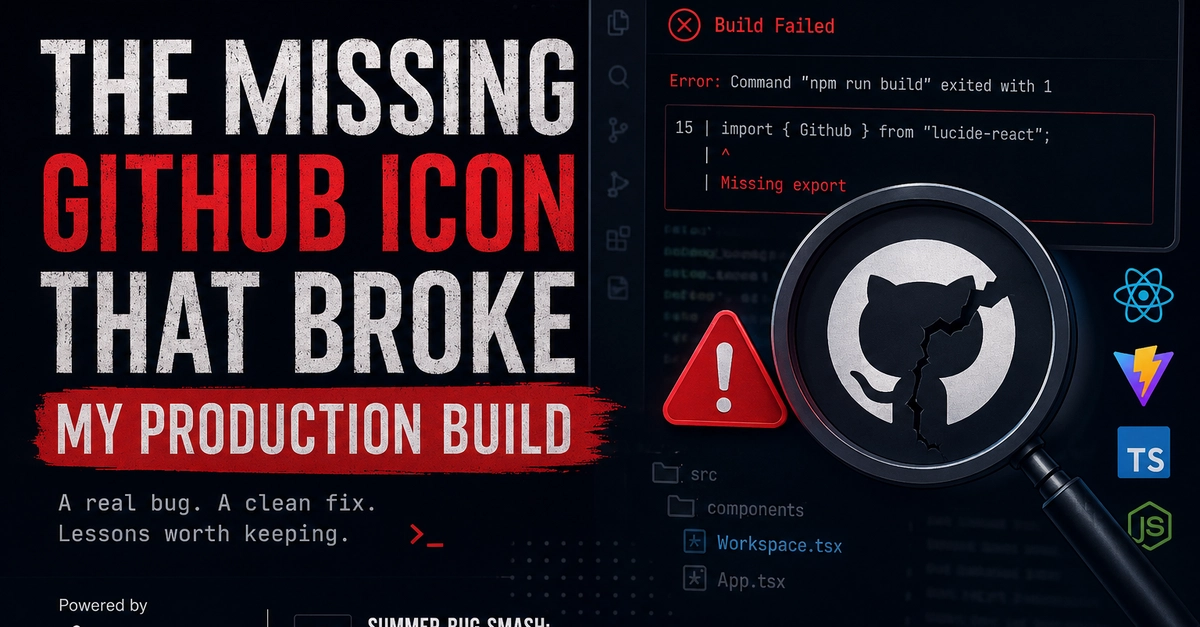
KingxTech's K-XpertAI, an ambitious project aiming to create an AI agent capable of managing live project workspaces, encountered a critical failure during deployment. The application, built with React 19 and Vite on the frontend, and TypeScript/Express on the backend hosted on Cloud Run, had just received a significant UI overhaul. This included a new code editor, a file tree with integrated GitHub import/export functionalities, and a terminal tab. The developer, Alkhassim Lawalumar, pushed these changes to GitHub, expecting a seamless deployment via Vercel. Instead, the build process halted abruptly with a cryptic error: Error: Command "npm run build" exited with 1.
This error, while common in its output, masked a surprisingly subtle cause. The failure wasn't due to a complex logic flaw or a critical backend issue. It stemmed from the absence of a single, seemingly innocuous UI element: a GitHub icon. The icon, intended for the file tree's import/export buttons, was missing from the project's assets. Its disappearance triggered a cascade of build failures, rendering the entire application un-deployable.
The Root Cause: A Missing Asset's Ripple Effect
The investigation revealed that the build script, specifically Vite's configuration, was attempting to process and bundle all assets, including the missing GitHub icon. When Vite could not locate this required asset, it threw an error during the build phase. This is a common pitfall in modern frontend development, where build tools are configured to be highly sensitive to the presence and integrity of all project files. A missing image, a misplaced font file, or an incorrectly referenced SVG can easily halt the entire compilation process.
The specific configuration that likely exacerbated the issue was Vite's handling of static assets. While Vite is known for its speed and efficient HMR (Hot Module Replacement), its build process for production bundles is more stringent. It attempts to resolve all imported assets, and if an import fails, the build fails. In this case, the GitHub icon was likely imported directly or indirectly via a component that was always present in the buildable code, even if the functionality it represented wasn't actively used during runtime in certain scenarios. This meant the build process *had* to find it, regardless of its runtime utility.
Debugging the Unseen: The Developer's Detective Work
Lawalumar's debugging process involved a systematic approach. Starting with the general build error, he progressively narrowed down the possibilities. The first step was to examine the Vercel build logs, which provided the initial npm run build failure message. Lacking specific details, the next logical step was to run the build command locally. This allowed for more interactive debugging and the use of local development tools.
When the local build also failed with the same error, Lawalumar began to suspect an asset-related issue. He reviewed recent code changes, focusing on the UI updates related to the file tree and GitHub integration. The introduction of new components and the modification of existing ones were prime candidates. He meticulously checked file paths, import statements, and the integrity of the asset files themselves. The absence of the GitHub icon, which was intended to be part of an SVG sprite or a direct import, was eventually identified.
The surprising detail here is not the complexity of the bug, but its sheer simplicity. A missing icon, a common oversight in design handoffs or asset management, managed to bring down a sophisticated AI development tool's production deployment. This underscores how tightly coupled frontend components and their assets have become, and how build tools, while powerful, can be unforgiving of minor omissions.
The Fix and Broader Implications
The solution was straightforward: re-adding the missing GitHub icon file to the project's asset directory and ensuring its path was correctly referenced in the relevant component. After this, the local build succeeded, and the subsequent Vercel deployment also passed without issues.
This incident, while resolved quickly, serves as a crucial reminder for developers working with modern frontend frameworks and build tools like Vite. It highlights several key takeaways:
- Asset Management is Critical: Treat all assets, even small icons, as first-class citizens. Ensure they are version-controlled, correctly path-referenced, and present in the build pipeline.
- Build Tool Sensitivity: Understand how your build tool (Vite, Webpack, etc.) handles assets. Some tools might tolerate missing assets more gracefully than others, but production builds often require strict adherence.
- Component Isolation and Testing: While difficult to achieve perfectly, strive for component isolation. Test components independently where possible, and ensure build-time checks are robust enough to catch missing dependencies early.
- Dependency Auditing: Regularly audit project dependencies, including assets. Tools that can analyze the dependency graph of your project can help identify potential issues before they impact builds.
For Lawalumar and the KingxTech team, this was a valuable, albeit disruptive, learning experience. It emphasizes the need for rigorous asset management and a deep understanding of the build process. The seemingly simple act of forgetting to include a GitHub icon nearly derailed a production deployment, a testament to the intricate, interconnected nature of modern software development.
What Happens Next?
The immediate aftermath saw the successful deployment of K-XpertAI. However, the incident raises questions about the robustness of frontend build processes when faced with minor asset omissions. While Vite's strictness ensures a clean production build, it also means that simple mistakes can have outsized consequences. Future iterations of such projects might benefit from more sophisticated pre-commit hooks or CI/CD pipeline checks that specifically validate asset integrity before initiating a build. The developer's journey from a cryptic error to identifying a missing icon is a microcosm of the challenges and triumphs inherent in building complex applications. It’s a story that resonates with anyone who has ever wrestled with a build process that refused to cooperate, only to find the culprit was something surprisingly small.