Understanding Branch-Aware Storage
For developers already storing files in Amazon S3, the concept of storage that dynamically branches alongside your database might sound like a significant undertaking. The term "migration" often conjures images of complex, time-consuming projects. However, in the case of Neon's branch-aware object storage, the reality is far less daunting.
The core appeal lies in its compatibility. Neon's object storage speaks the S3 API. This means that the existing code you've written, including your AWS SDK calls and presigned URLs, continues to function without modification. The primary changes involve how you configure your client to point to the new storage location and where the bucket originates from. These are small, mechanical differences rather than architectural overhauls. The actual data transfer is a straightforward copy loop that can be executed once to move your existing S3 data.
Before embarking on this transition, it's crucial to identify the specific object operations your application relies upon. Common operations like PutObject, GetObject, listing bucket contents, and generating presigned URLs are typically well-supported. However, it's wise to flag any less common S3 features your application might depend on to ensure feature parity. This guide aims to provide a practical walkthrough, detailing what remains identical, the precise configuration adjustments required, a script to facilitate object copying, and an honest assessment of S3 features that may not have direct equivalents in the new system. Armed with this information, you can make an informed decision before committing to the migration.
The Migration Process: What Changes and What Stays the Same
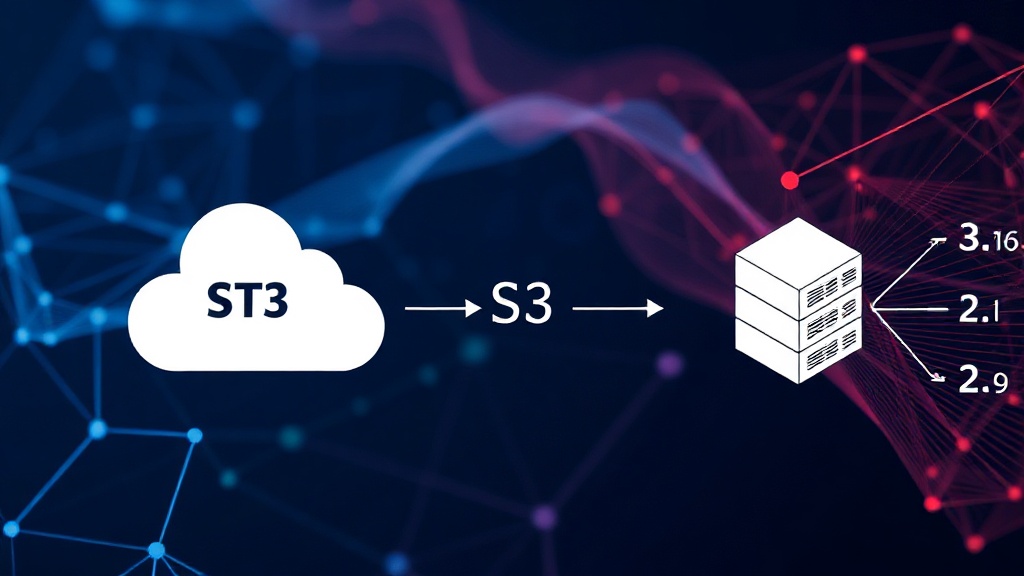
The beauty of migrating to a system that speaks the S3 API is that the bulk of your application logic remains untouched. Your existing codebase, which is likely interacting with S3 through the standard AWS SDKs, will continue to work as expected. This includes any logic that generates or consumes presigned URLs for direct object access, a common pattern for enabling secure, temporary file sharing or uploads.
The mechanical differences are confined to the client's configuration. Instead of pointing your S3 client to an AWS endpoint, you will configure it to point to Neon's object storage endpoint. This typically involves updating a configuration variable or environment setting that specifies the storage endpoint URL. Similarly, the identifier for your storage "bucket" will change from an AWS S3 bucket name to the equivalent identifier within the Neon system. These are typically simple find-and-replace operations within your application's configuration files.
The actual data transfer requires a one-time operation. This involves setting up a script that iterates through your S3 bucket, copying each object to the corresponding location in Neon's storage. Tools like aws s3 sync can be adapted for this purpose, or you can write a custom script using the AWS SDK to read from S3 and the Neon SDK (or S3-compatible API) to write to the new location. The key is to perform this copy operation when your application's write traffic is minimal to ensure data consistency.
Configuration Adjustments: A Practical Example
Let's consider a typical scenario where you might be using the AWS SDK for Python (Boto3). Your existing configuration to connect to S3 might look something like this:
import boto3

s3_client = boto3.client(
    's3',
    aws_access_key_id='YOUR_ACCESS_KEY',
    aws_secret_access_key='YOUR_SECRET_KEY',
    endpoint_url='https://s3.amazonaws.com'
)

# Example operation
s3_client.put_object(Bucket='my-original-s3-bucket', Key='path/to/file.txt', Body=b'content')
To switch this to Neon's branch-aware storage, you would modify the client initialization. Assuming Neon provides an S3-compatible endpoint and you have obtained your API credentials (access key and secret key) from Neon:
import boto3

neon_s3_client = boto3.client(
    's3',
    aws_access_key_id='NEON_ACCESS_KEY',
    aws_secret_access_key='NEON_SECRET_KEY',
    endpoint_url='https://your-neon-storage-endpoint.com'
)

# The operation remains the same, but targets the new bucket/path
neon_s3_client.put_object(Bucket='my-neon-bucket', Key='path/to/file.txt', Body=b'content')
The critical change here is the `endpoint_url` and the values for `aws_access_key_id` and `aws_secret_access_key`. The bucket name might also change, depending on how Neon structures its storage. The actual method call, put_object, remains identical, highlighting the benefit of API compatibility.
Object Copy Script Example
To facilitate the data transfer, a simple Python script leveraging Boto3 can be employed. This script would iterate through objects in your S3 bucket and upload them to your Neon storage bucket.
import boto3

# --- S3 Configuration ---
s3_source_client = boto3.client(
    's3',
    aws_access_key_id='YOUR_S3_ACCESS_KEY',
    aws_secret_access_key='YOUR_S3_SECRET_KEY',
    endpoint_url='https://s3.amazonaws.com'
)
source_bucket = 'my-original-s3-bucket'

# --- Neon Configuration ---
neon_target_client = boto3.client(
    's3',
    aws_access_key_id='NEON_ACCESS_KEY',
    aws_secret_access_key='NEON_SECRET_KEY',
    endpoint_url='https://your-neon-storage-endpoint.com'
)
target_bucket = 'my-neon-bucket'

# --- Copy Process ---
print(f"Starting copy from S3 bucket '{source_bucket}' to Neon bucket '{target_bucket}'...")

paginator = s3_source_client.get_paginator('list_objects_v2')
for page in paginator.paginate(Bucket=source_bucket):
    if 'Contents' in page:
        for obj in page['Contents']:
            key = obj['Key']
            try:
                print(f"Copying s3://{source_bucket}/{key} to neon://{target_bucket}/{key}")
                # Copy object from S3 to Neon
                copy_source = {
                    'Bucket': source_bucket,
                    'Key': key
                }
                neon_target_client.copy_object(
                    Bucket=target_bucket,
                    Key=key,
                    CopySource=copy_source
                )
            except Exception as e:
                print(f"Error copying {key}: {e}")

print("Object copy process completed.")
This script iterates through all objects in the specified S3 bucket, using the copy_object method to transfer them to the target Neon bucket. It includes basic error handling to report any issues during the copy process. For very large buckets, consider running this script in a robust environment that can handle long execution times and potential network interruptions, or explore more advanced data migration tools provided by Neon if available.
S3 Features Requiring Due Diligence
While Neon's object storage aims for high S3 API compatibility, it's essential to acknowledge that not every single S3 feature might have a direct, one-to-one equivalent. Before committing to a full migration, you should verify your application's reliance on the following S3 capabilities:
- Object Versioning: If your application relies on S3's built-in object versioning to retain historical versions of files, you need to confirm if Neon offers a similar mechanism.
- Lifecycle Management: S3's lifecycle policies automate the transition of objects between storage classes or their expiration. You must check if Neon provides comparable rules for managing object storage costs and retention.
- Replication: If you use S3 replication to automatically copy objects to other regions or buckets for disaster recovery or compliance, investigate Neon's cross-region or cross-bucket replication capabilities.
- Event Notifications: S3 can trigger event notifications (e.g., to SQS, SNS, Lambda) upon object creation or deletion. Verify if Neon supports similar eventing mechanisms.
- Access Control Lists (ACLs): While the S3 API is largely adopted, granular ACL management might differ. Understand how Neon handles object-level permissions if your application uses custom ACLs extensively.
- Storage Classes: S3 offers various storage classes (Standard, Intelligent-Tiering, Glacier, etc.) optimized for different access patterns and costs. Confirm Neon's storage options and their cost implications.
By proactively auditing your current S3 usage against these features, you can identify potential gaps and plan necessary workarounds or adjustments, ensuring a smoother transition to branch-aware storage.
The Advantage of Branch-Awareness
The primary benefit of adopting branch-aware storage, as offered by platforms like Neon, extends beyond simple S3 compatibility. The "branch-aware" aspect means that storage operations are intrinsically linked to database branches. When you create a new database branch in Neon, the associated object storage can also branch. This provides a powerful mechanism for isolated development and testing environments.
Imagine a developer working on a new feature. They can create a database branch, and simultaneously, a corresponding storage branch can be provisioned. Any files uploaded or modified within this development context are isolated to that branch. This prevents test data or experimental files from polluting production storage or interfering with other developers' work. When the feature is merged back into the main branch, the associated storage can also be merged or cleaned up accordingly. This tight coupling between data and storage branches simplifies environment management and reduces the risk of data corruption or accidental overwrites in complex development workflows.
For teams that leverage database branching for CI/CD pipelines, feature development, or A/B testing, this integrated approach to object storage offers significant advantages. It streamlines the provisioning and teardown of isolated environments, making development workflows more efficient and less error-prone. The ability to treat storage as a first-class citizen alongside database branches transforms how developers can manage application state and assets in ephemeral or feature-specific environments.