
The macOS SSH Landscape for Developers
Developers accustomed to PuTTY on Windows often face a workflow disruption when transitioning to macOS. The familiar graphical interface and connection management of PuTTY are absent by default. This isn't a sign of a deficient ecosystem, but rather a reflection of macOS's Unix-like foundation, which prioritizes command-line efficiency and configuration files for many system-level tasks.
The reality for macOS developers is that the most powerful and flexible SSH client is often the one built right in. For many, the native Terminal application, combined with the underlying OpenSSH client, provides a robust solution. This approach eschews a dedicated GUI application in favor of leveraging powerful configuration files and scripting.
A typical workflow involves using the Terminal for direct server access. Hostnames, usernames, ports, and authentication methods are managed centrally in the ~/.ssh/config file. This single file acts as a master control panel for all your remote connections. Aliases can be defined, simplifying connections to complex hostnames or specific ports. Key-based authentication, a crucial security practice, is also managed seamlessly through this configuration.
Consider the simplicity of connecting to a server named 'staging' that resides on a non-standard port with a specific username. Instead of typing a long command each time, you can add an entry to ~/.ssh/config:
Host staging
    HostName staging.example.com
    User devuser
    Port 2222
    IdentityFile ~/.ssh/id_rsa_staging
After saving this configuration, a simple ssh staging command in the Terminal initiates the connection, automatically applying all the specified settings. This not only saves time but also drastically reduces the potential for typos and connection errors.
Furthermore, this configuration-centric approach allows for powerful automation. Scripts can be written to dynamically generate or modify entries in the ~/.ssh/config file, enabling complex connection management scenarios. This is particularly useful for developers working with large numbers of servers or frequently changing environments.
Third-Party GUI Clients for Familiar Workflows
While the built-in SSH client is powerful, some developers still prefer a graphical user interface for managing multiple sessions, organizing connections visually, or simply for a more familiar experience. Fortunately, the macOS ecosystem offers several excellent third-party alternatives that bridge this gap.
Termius
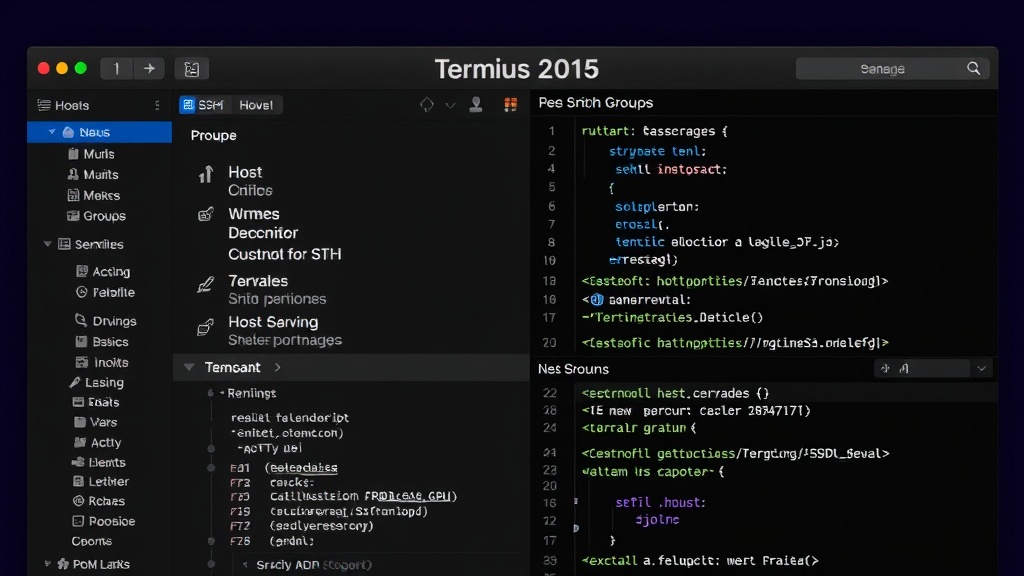
Termius is a popular cross-platform SSH client that offers a polished graphical interface for managing hosts, organizing them into groups, and storing connection details. It supports SSH, Telnet, and Mosh protocols. A key feature is its synchronization capability across devices, allowing developers to maintain a consistent set of connections and configurations whether they are on macOS, Windows, Linux, or mobile.
Termius provides robust features for SSH key management, port forwarding, and a snippet manager for frequently used commands. Its visual interface makes it easy to initiate new connections, monitor active sessions, and quickly switch between them. For users migrating directly from a GUI-centric tool like PuTTY, Termius offers a comfortable transition with enhanced features tailored for modern development workflows.
iTerm2
iTerm2 is a highly customizable terminal emulator for macOS that goes far beyond the capabilities of the default Terminal application. While it is a terminal emulator and not strictly an SSH client in the same vein as PuTTY, it integrates seamlessly with the macOS OpenSSH client. This means you can use all the power of ~/.ssh/config within iTerm2, but with a significantly enhanced user experience.
iTerm2 boasts features such as split-pane support, allowing multiple terminal sessions within a single window. It offers advanced search capabilities, autocomplete, triggers, and extensive color scheme support. For developers who want the power of the command line but with enhanced usability and customization, iTerm2 is an exceptional choice. Its integration with the native SSH client means that all your existing ~/.ssh/config setups will work immediately, providing a familiar foundation with a superior interface.
Other Notable Options
Several other clients cater to specific needs:
- SecureCRT: A long-standing commercial option known for its stability and feature set, offering a comprehensive GUI for SSH and Telnet. It's a robust choice for enterprise environments.
- Royal TSX: Another commercial application that consolidates various protocols (SSH, RDP, VNC, etc.) into a single, organized interface. It excels at managing a wide array of remote connections.
- Tabby (formerly Terminus): An open-source, cross-platform terminal emulator with SSH support. It aims to be a modern, extensible alternative with features like SSH agent forwarding and plugin support.
Choosing the Right Tool
The best SSH client for a developer on macOS depends heavily on their workflow and preferences. If you are comfortable with the command line and appreciate configuration flexibility, the native OpenSSH client managed via ~/.ssh/config in the built-in Terminal or iTerm2 is likely sufficient and highly efficient. This approach minimizes dependencies and maximizes control.
For those who prefer a visual approach to managing connections, or who need cross-platform synchronization, Termius presents a compelling, modern GUI solution. Its feature set is comprehensive, making it a strong contender for developers who want to replicate the GUI experience of tools like PuTTY but with modern enhancements.
Ultimately, the goal is to establish secure, efficient, and repeatable remote connections. Whether through a minimalist config file or a feature-rich GUI, macOS offers developers excellent options to meet their needs.