
Introduction: The Growing Need for Optimized LLM Networking
As Large Language Models (LLMs) become increasingly integrated into enterprise workflows and consumer-facing applications, the demands on network infrastructure are escalating. These models, whether for inference or fine-tuning, require significant bandwidth, low latency, and robust connectivity. Traditional networking solutions often struggle to efficiently handle the unique traffic patterns of LLMs, which can involve large data transfers and real-time query processing. This is where specialized configurations and hardware become crucial. MikroTik routers, known for their flexibility, powerful feature set, and cost-effectiveness, present a compelling option for network engineers looking to build optimized environments for LLM deployment.
This article delves into how MikroTik routers can be configured to effectively manage LLM network traffic. We will explore specific settings, protocols, and strategies that can enhance performance, security, and reliability. While LLMs themselves are complex, their underlying network requirements can be understood and managed with the right approach. Think of your network as a highly organized postal service. For LLMs, instead of just delivering letters, you're delivering massive digital libraries and expecting them back in seconds. A standard postal service might get overwhelmed. You need a specialized logistics system, and that's what we're building with MikroTik.
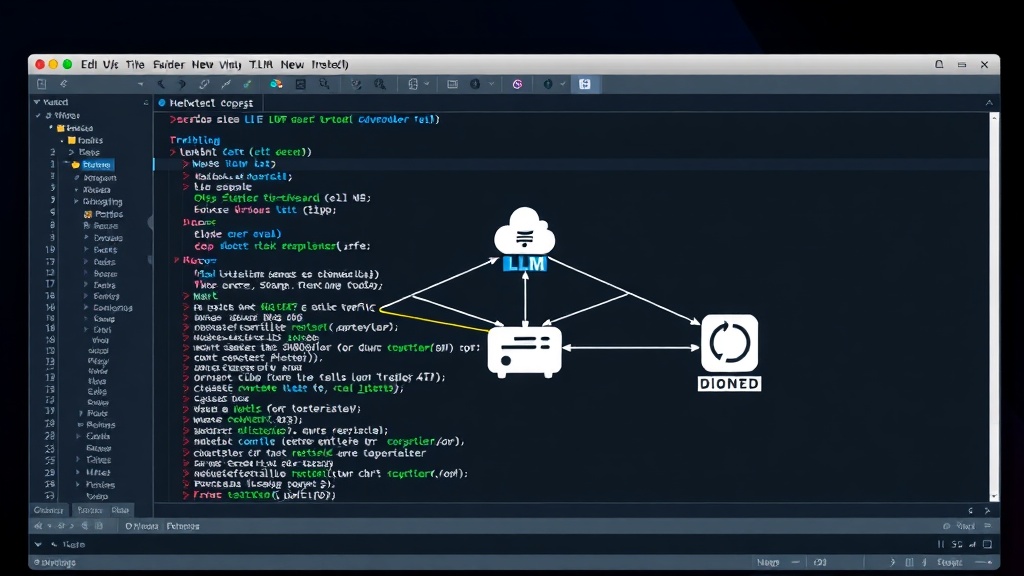
Leveraging MikroTik's Advanced Features for LLM Traffic
MikroTik's RouterOS offers a vast array of features that can be tailored for LLM networking. The key lies in understanding which features map to the specific needs of LLM workloads.
Quality of Service (QoS) for LLMs
LLM inference, in particular, benefits greatly from low latency and consistent throughput. QoS policies are essential to prioritize this traffic over less critical data. MikroTik's Hierarchical Token Bucket (HTB) queuing discipline is a powerful tool for this purpose. By implementing HTB, network administrators can:
- Prioritize LLM Inference Traffic: Assign higher priority queues to packets originating from or destined for LLM inference servers. This ensures that latency-sensitive requests are processed before bulk data transfers or less urgent queries.
- Bandwidth Limiting and Shaping: Prevent LLM training jobs or large data transfers from consuming all available bandwidth. Shaping ensures that bandwidth is allocated predictably, maintaining a baseline for critical inference tasks.
- Traffic Classification: Utilize firewall rules to identify and classify LLM traffic based on IP addresses, ports, or even application-layer protocols if applicable. This classification is the foundation for applying appropriate QoS policies.
A typical HTB configuration might involve creating a top-level class for the total available bandwidth, with child classes for different traffic types. For instance, a class for 'LLM Inference' would receive a guaranteed minimum bandwidth and a higher ceiling, while a class for 'LLM Training Data Transfer' might have a lower guarantee but a higher ceiling for bursts.
Advanced Routing and Load Balancing
For environments running multiple LLM instances or serving a large user base, load balancing is critical for distributing traffic evenly and improving resilience. MikroTik routers can perform sophisticated load balancing using various methods:
- Layer 4 Load Balancing: Distribute incoming LLM inference requests across a pool of LLM servers based on source/destination IP and port. This is straightforward and effective for many scenarios.
- ECMP (Equal-Cost Multi-Path) Routing: If multiple paths exist to LLM clusters or data centers, ECMP can distribute traffic across these paths, increasing aggregate throughput and providing redundancy.
- Advanced Load Balancing Algorithms: Beyond simple round-robin, MikroTik supports algorithms like least connection, which directs new traffic to the server with the fewest active connections. This is particularly useful for LLM inference where connection duration can vary significantly.
Implementing load balancing requires careful consideration of session persistence. For LLMs, stateless inference is ideal, but if state is maintained, sticky sessions might be necessary to ensure a user's interaction remains with the same model instance. MikroTik's load balancing configuration can be set up to handle this.
Firewalling and Security for LLM Data
The data processed by LLMs, especially in enterprise settings, can be highly sensitive. Robust firewalling and security measures are non-negotiable. MikroTik's firewall capabilities include:
- Stateful Packet Inspection (SPI): Track the state of active network connections and make decisions based on the context of the traffic. This is fundamental for blocking unsolicited incoming traffic.
- Address Translation (NAT/NAPT): Hide internal IP addresses of LLM servers, reducing the attack surface.
- Intrusion Detection/Prevention (IDS/IPS): While not as advanced as dedicated security appliances, MikroTik's tools can offer basic detection of suspicious patterns. For more robust security, integration with external IDS/IPS solutions is recommended.
- VPN Support: Securely connect remote inference endpoints or data sources using VPN tunnels (e.g., OpenVPN, IPsec).
A common security pattern involves a tiered network design. Public-facing inference endpoints could be in a DMZ, with strict firewall rules allowing only necessary ports and protocols to internal LLM compute clusters. All traffic to and from these sensitive zones should be logged extensively.
Optimizing Latency and Throughput for LLM Workloads
Beyond QoS and load balancing, several other MikroTik configurations can directly impact LLM performance.
Jumbo Frames and MTU Settings
LLM workloads often involve transferring large amounts of data. Increasing the Maximum Transmission Unit (MTU) size, commonly known as jumbo frames (typically 9000 bytes), can reduce the overhead associated with packet processing and increase effective throughput for large transfers. This requires consistent MTU settings across the entire path: the LLM servers, the network interfaces, and the MikroTik router interfaces connecting them. Crucially, ensure that any intermediate devices or cloud provider network segments also support the chosen MTU. Mismatched MTU settings are a common cause of connectivity issues and performance degradation.
Network Interface Bonding (LAG/LACP)
For high-bandwidth connections to LLM servers or switches, link aggregation can be employed. MikroTik supports Link Aggregation Control Protocol (LACP), allowing multiple physical network interfaces to be bundled into a single logical interface. This provides increased bandwidth and failover capabilities. If one link in the bundle fails, traffic is automatically rerouted over the remaining links, ensuring continuous operation of critical LLM services.
Advanced Traffic Monitoring and Analysis
Understanding network behavior is key to optimization. MikroTik provides several tools:
- Bandwidth Test (Speed Test Server): Built-in tools to test throughput between MikroTik devices or between clients and the router.
- Traffic Monitor: Real-time monitoring of traffic passing through specific interfaces.
- NetFlow/sFlow: Export flow data to external collectors for deep packet analysis and visualization of traffic patterns. This is invaluable for identifying bottlenecks or unusual LLM data flows.
- Packet Sniffer: Capture raw packet data for in-depth troubleshooting.
By regularly monitoring traffic patterns, administrators can proactively identify potential issues before they impact LLM performance. For instance, observing unexpected spikes in traffic during non-peak hours might indicate unauthorized data exfiltration or inefficient model polling.
Practical Considerations and Potential Challenges
While MikroTik offers powerful tools, implementing them effectively requires careful planning and execution. The complexity of RouterOS can be a learning curve for those unfamiliar with it. Thorough documentation and testing are essential.
One significant challenge is ensuring consistency. If you are managing a distributed LLM deployment across multiple data centers or cloud regions, maintaining identical configurations across all MikroTik routers is paramount. Automation tools and configuration management systems become indispensable here.
Another consideration is the sheer scale of LLM data. While MikroTik can handle significant throughput, the underlying physical infrastructure – cabling, switch backplanes, and server NICs – must also be capable. Network engineers must work collaboratively with system administrators and ML engineers to ensure the entire stack is optimized.
Conclusion: MikroTik as a Flexible LLM Networking Backbone
MikroTik routers provide a remarkably versatile and cost-effective platform for building and managing the network infrastructure required by modern LLMs. By skillfully applying features like QoS, advanced routing, robust firewalling, and traffic monitoring, organizations can ensure their LLM deployments are performant, secure, and reliable. The ability to fine-tune these configurations allows network engineers to adapt to the evolving demands of AI workloads. While the learning curve exists, the payoff in terms of control and optimization for LLM networking makes MikroTik a strong contender for any organization serious about deploying AI at scale.