Introducing Kikplate Generate: Schema-Driven Project Plates
Kikplate, a platform for project templates hosted on GitHub repositories, has unveiled a significant enhancement: generate. This new feature transforms how project starters are defined and utilized, shifting from static templates to dynamically rendered project structures based on a typed schema. This evolution promises to make project initiation more intelligent and tailored to specific developer needs.
At its core, Kikplate provides "plates" – project templates backed by real GitHub repositories. Developers can pull these templates down using a Command Line Interface (CLI) in seconds. The innovation lies in how these plates now describe themselves and how the CLI leverages this description to construct a working project on a developer's machine. The generate feature is built around a typed schema embedded within the plate manifest. The CLI reads this schema and renders every templated file accordingly, a process managed by a newly renamed CLI binary.
From kikplate.yaml to plate.yaml: Evolving the Manifest
The foundational change involves the manifest file. Previously, plates used a kikplate.yaml file to define their structure and templating logic. The new system introduces plate.yaml, which incorporates a more robust, typed schema. This schema acts as the blueprint for the project, detailing the expected inputs and how they should be used to generate files.
This schema-driven approach allows for greater flexibility and intelligence in project generation. Instead of simply copying files, the CLI can now interpret metadata and user-provided information to customize the output. This means developers can specify configurations, dependencies, or even feature flags directly through the schema, leading to a project setup that is precisely what they need from the outset.
The generate Command and Schema Interaction
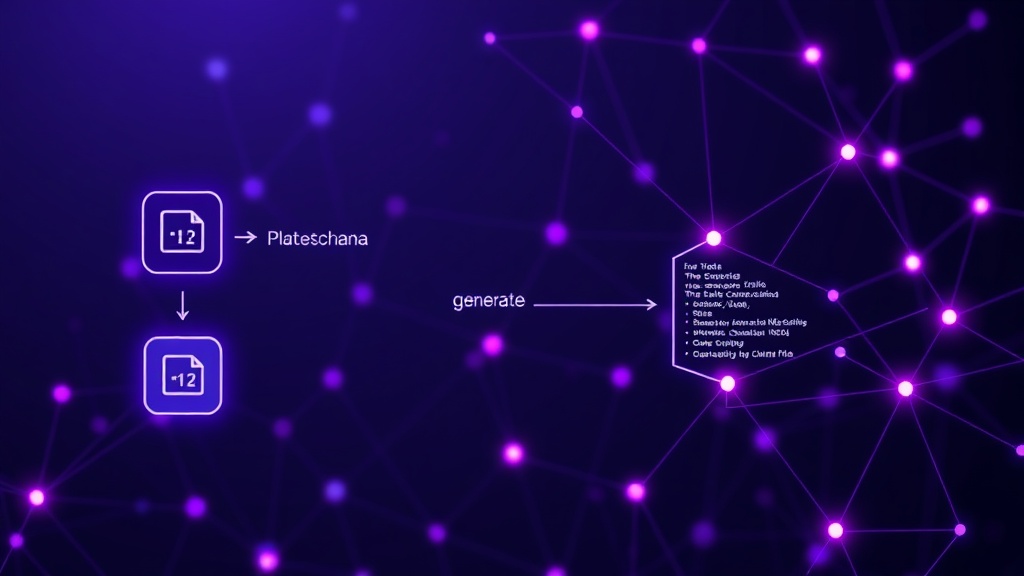
The new generate command is the primary interface for this enhanced functionality. When a developer invokes kikplate generate [plate-name], the CLI fetches the specified plate and its associated schema. It then prompts the user for any required information defined in the schema. This could range from project names and versions to specific technology choices or API keys.
The CLI then processes these inputs against the schema and renders all templated files within the repository. This process is not merely a find-and-replace operation; it's a sophisticated generation engine that understands data types, required fields, and conditional logic defined in the schema. This ensures that the generated project is not only correctly structured but also accurately configured based on user input.
Several flags are available to customize the generation process. For instance, users can pre-fill certain schema fields via command-line arguments, bypass interactive prompts for automated setups, or specify output directories. This level of control is crucial for integrating Kikplate into automated workflows and CI/CD pipelines.
Walkthrough: Generating a Real Plate
To illustrate the power of generate, consider a hypothetical plate for a web application. This plate's plate.yaml might define a schema that includes:
projectName(string, required): The name of the application.frontendFramework(enum, required): Options like 'React', 'Vue', 'Angular'.backendService(string, optional): e.g., 'Node.js', 'Python/FastAPI', or 'none'.databaseType(enum, optional, conditional): Options like 'PostgreSQL', 'MongoDB', 'SQLite', dependent onbackendServicebeing specified.enableAuth(boolean, default: false): Whether to include authentication scaffolding.
When a user runs kikplate generate my-web-app, the CLI would first present these options. If the user selects 'React' for the frontend and 'Node.js' for the backend, the schema might then prompt for a database type. If the user chooses 'PostgreSQL', the CLI would ensure that all necessary configurations, Docker files, and dependency entries related to PostgreSQL are included in the generated project. If authentication is enabled, it would also scaffold the relevant user models, routes, and UI components.
This dynamic generation ensures that the developer receives a project starter that is precisely configured for their chosen stack and features, minimizing manual setup and configuration errors. The templating engine within Kikplate supports various templating languages, allowing plates to be built with flexibility in mind.
Migration and Future Implications
Kikplate acknowledges that existing plates will need to migrate from the old kikplate.yaml to the new plate.yaml format. The documentation outlines a clear process for this, typically involving updating the manifest file to include the schema definition and potentially adjusting templating logic to align with the new schema-driven approach. The CLI binary itself has been renamed to reflect the new paradigm.
The introduction of schema-driven generation positions Kikplate beyond a simple project templating tool. It moves towards an intelligent scaffolding system that understands project composition and configuration. This has significant implications for developer productivity, enabling faster iteration cycles and reducing the cognitive load associated with setting up new projects. It also opens doors for more complex and specialized project starters that can adapt to a wider range of use cases.
What remains to be seen is the extent to which third-party developers will adopt the schema-driven format. The success of this feature hinges on the community embracing the new manifest structure and creating sophisticated plates that leverage its full potential. The ability to define complex interdependencies within the schema will be key to unlocking truly intelligent project generation.