The 'Works on My Machine' Problem in CI
Continuous Integration (CI) pipelines often fall prey to the classic "Works on My Machine" dilemma. Developers fine-tune their local environments, leveraging modern toolchains and containers. Meanwhile, CI build servers can become sprawling "snowflakes" littered with globally installed packages, or bloated custom VMs that are slow to configure and maintain. This disconnect leads to flaky builds and wasted developer time. The goal here is to build a modern, isolated, and fully reproducible CI lab environment that mirrors local development as closely as possible.
Architecture: Jenkins, DevPod, and Mise
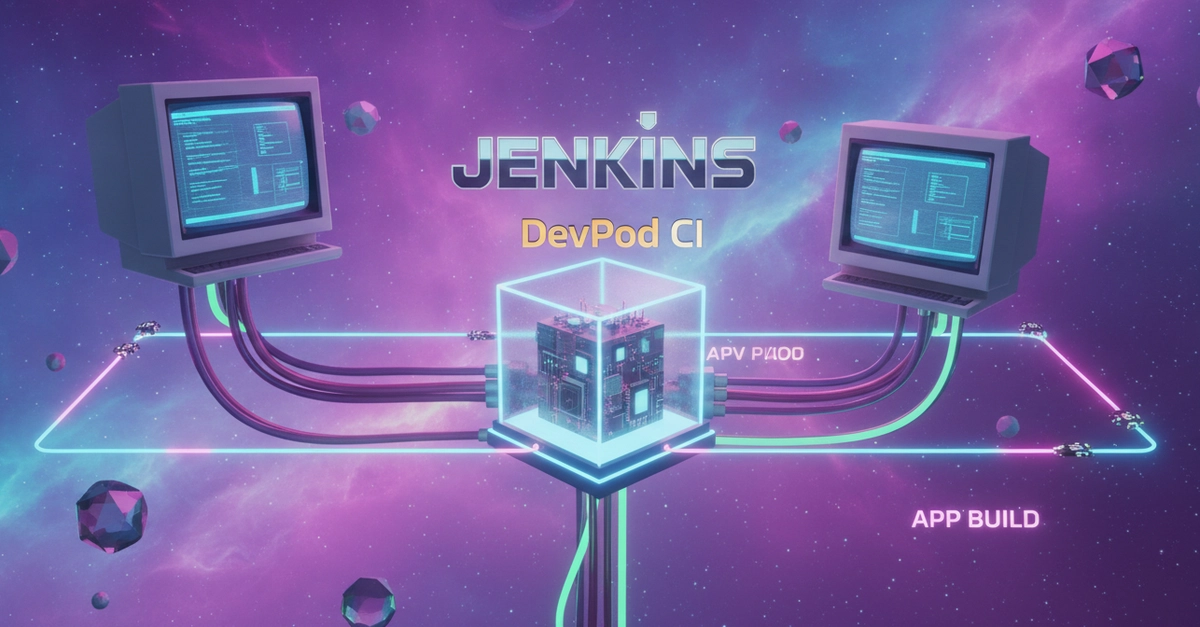
This project constructs a robust CI setup using three key components:
- Jenkins Controller: This serves as the central orchestrator, scheduling and managing build jobs. It provides the familiar interface for defining and running CI workflows.
- DevPod (Containers via SSH): DevPod agents connect to the Jenkins controller via SSH. Crucially, DevPod enables the creation of isolated, reproducible build environments on these agents. Each build job can run within its own ephemeral container, ensuring a clean slate and eliminating dependency conflicts between jobs.
- Mise: This declarative polyglot toolchain manager (configured via
mise.toml) is the secret sauce for runtime consistency. Mise deterministically manages dependencies like Python, Java, Node.js, and others. By defining required runtimes in a central configuration file, Mise ensures that the exact same tool versions are available on both the developer's local machine and the CI agents, directly addressing the "Works on My Machine" issue at the toolchain level.
Setting Up the Jenkins Controller
The Jenkins controller can be set up using Docker, which is a common and convenient method. This involves defining a docker-compose.yml file to spin up the Jenkins instance with necessary configurations and plugins. Essential plugins for this setup typically include the SSH Agent plugin, which allows Jenkins to securely connect to and manage remote build agents via SSH.
The core of the Jenkins setup involves configuring jobs that can trigger remote builds. This typically means setting up SSH credentials within Jenkins to authenticate with the DevPod agents. The Jenkinsfile, written in Groovy, will define the build steps, and crucially, specify the agent configuration to ensure the job runs on a DevPod agent rather than the controller itself.
Configuring DevPod Agents
DevPod agents are the workhorses that execute the actual builds. Each agent is a machine (physical or virtual) where DevPod is installed. These agents expose an SSH server that Jenkins can connect to. The key advantage of DevPod here is its ability to provision isolated environments on demand. When Jenkins requests a build, it can instruct DevPod to spin up a new container (e.g., using Docker) for that specific build job.
The configuration on the DevPod agent side involves ensuring the SSH server is running and accessible. Jenkins will use the SSH credentials to log in and execute commands. The DevPod CLI commands will be used within the Jenkins pipeline scripts to create, start, and stop build environments. This isolation prevents dependencies installed for one job from affecting another, providing a clean and reproducible execution context for every CI run.
Integrating Mise for Toolchain Management
Mise is critical for ensuring that the correct versions of all necessary development tools are available and activated within the build environment. A mise.toml file is created in the project's root directory. This file declaratively lists all required runtimes (e.g., python = "3.10", java = "17", node = "18") and their specific versions. Developers use Mise locally to install and manage these tools, ensuring their development environment matches the CI configuration.
Within the Jenkins pipeline, the first step after provisioning the DevPod agent's build environment is to ensure Mise is installed and then execute mise install. This command reads the mise.toml file and installs all specified runtimes if they aren't already present. Subsequent commands in the pipeline will then automatically use the versions managed by Mise. This declarative approach eliminates the manual installation and version management headaches that often plague CI setups, ensuring consistency across all environments.
The Jenkinsfile: Orchestrating the Build
The heart of the CI pipeline is the Jenkinsfile. This script defines the stages of the build process. A typical pipeline might include stages for:
- Checkout SCM: Fetching the latest code from the version control system.
- Setup Environment: Using DevPod to provision a new build container and then using Mise to install necessary runtimes.
- Build: Compiling the code, running linters, and performing other build-time tasks.
- Test: Executing unit tests, integration tests, and potentially end-to-end tests.
- Artifacts: Packaging build outputs or deploying them to a staging environment.
The Jenkinsfile will leverage the SSH Agent plugin to connect to the DevPod agent and execute commands within the provisioned container. For example, a build step might look like:
stage('Build') {
    agent { label 'devpod-agent' } // Or specific agent label
    steps {
        container('docker') { // If using Docker executor in DevPod
            sh 'mise install'
            sh 'make build'
        }
    }
}
The container('docker') directive assumes DevPod is configured to use Docker for its isolation. The sh 'mise install' command ensures the toolchain is ready before the actual build command, like make build, is executed.
Ten Real Errors and Lessons Learned
Building such a system inevitably involves encountering issues. The author detailed several critical errors:
- SSH Connection Failures: Often due to incorrect credentials, firewall issues, or the SSH daemon not running on the agent. Ensuring consistent SSH configuration and network accessibility is paramount.
- Mise Path Issues: Sometimes, Mise-installed binaries aren't in the system's PATH within the container. Explicitly sourcing Mise's environment or ensuring the correct PATH configuration in the build script solves this.
- DevPod Agent Registration Problems: Jenkins might fail to detect or connect to a registered DevPod agent. This can be due to network configuration, agent health, or incorrect agent labels in the Jenkinsfile.
- Containerization Quirks: If DevPod uses Docker, issues with Docker daemon access, image pull failures, or container networking can arise. Ensuring the Docker environment on the agent is healthy and accessible is key.
- Plugin Conflicts in Jenkins: Certain Jenkins plugins might conflict, leading to unexpected behavior or build failures. Keeping plugins updated and understanding their dependencies is important.
- Groovy Syntax Errors in Jenkinsfile: Small typos or incorrect syntax in the Jenkinsfile can halt the entire pipeline. Careful review and using Jenkins' script editor are helpful.
- Mise Version Mismatches: Developers using one version of Mise locally and CI using another can lead to subtle configuration issues. Ensuring Mise itself is version-managed or consistently installed is vital.
- Timeouts on Long Builds: Jenkins jobs can time out if builds take too long. Optimizing build steps, using more powerful agents, or adjusting Jenkins timeout settings are solutions.
- Inconsistent File Permissions: When copying files between Jenkins and DevPod agents, or within containers, permission issues can occur. Ensuring consistent user contexts or explicitly setting permissions can fix this.
- Dependency Hell (Revisited): Even with Mise, complex dependency graphs can sometimes lead to resolution failures. Fine-tuning the
mise.tomland understanding transitive dependencies is necessary.
What nobody has adequately addressed yet is the operational overhead of managing multiple DevPod agents and ensuring their underlying infrastructure remains stable and secure, especially at scale.
Conclusion: A More Reliable CI Future
By combining Jenkins for orchestration, DevPod for isolated build agents, and Mise for declarative toolchain management, it's possible to create a highly reproducible and reliable CI pipeline. This setup directly combats the "Works on My Machine" problem by ensuring consistency from the developer's laptop to the CI server, reducing build failures and improving developer productivity.