
The Evolution of Asynchronous JavaScript
JavaScript, by its nature, is single-threaded. This means it can only do one thing at a time. However, many operations, like fetching data from a server, reading files, or setting timers, take time to complete. If JavaScript waited for these operations to finish, the entire application would freeze, leading to a terrible user experience. This is where asynchronous programming comes in.
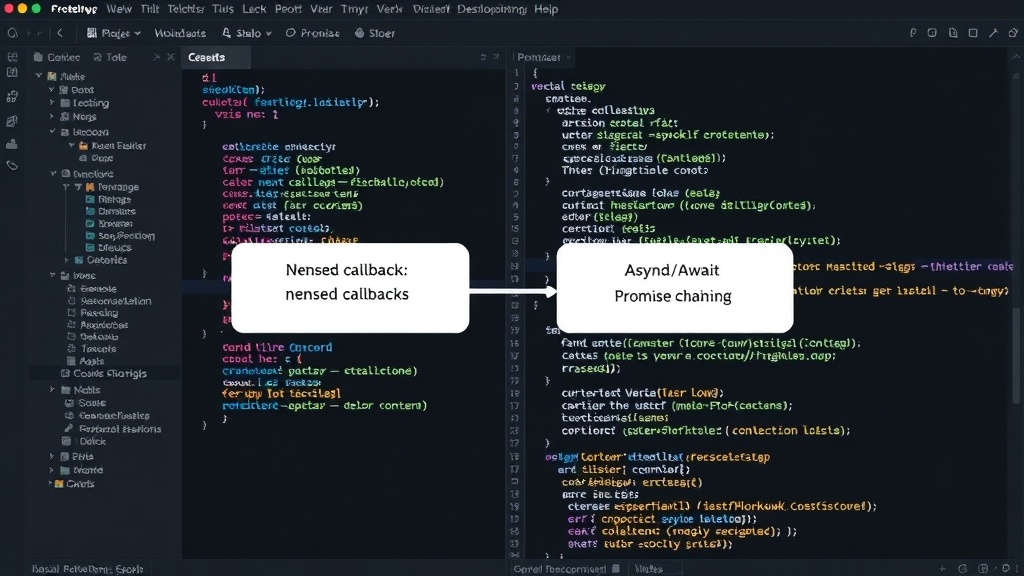
Historically, JavaScript developers relied on callbacks to manage asynchronous operations. A callback is a function passed into another function as an argument, which is then invoked inside the outer function to complete some kind of routine or action. While functional, this approach led to deeply nested functions, often referred to as "callback hell" or the "pyramid of doom." This made code difficult to read, debug, and maintain. Imagine a series of nested `if` statements, but for function calls – it quickly becomes unmanageable.
To address the shortcomings of callbacks, JavaScript introduced Promises in ES2015 (ES6). A Promise represents the eventual result of an asynchronous operation. It can be in one of three states: pending, fulfilled, or rejected. Promises allow you to chain asynchronous operations using the `.then()` and `.catch()` methods, leading to a flatter, more readable code structure compared to callbacks. This was a significant improvement, but chaining multiple Promises could still become verbose, especially when dealing with complex sequential asynchronous tasks.
Recognizing the need for an even more streamlined syntax, ECMAScript 2017 (ES8) introduced async and await. These keywords provide a syntactic sugar over Promises, allowing developers to write asynchronous code that looks and behaves more like synchronous code, making it significantly easier to reason about and manage.
Understanding Async Functions
The async keyword is used to declare an asynchronous function. When you declare a function with async, it implicitly returns a Promise. If the function explicitly returns a value, that value will be wrapped in a resolved Promise. If the function throws an error, it will return a rejected Promise.
Consider a simple asynchronous function:
async function fetchData() {
  // This function implicitly returns a Promise
  return "Data fetched successfully!";
}

fetchData().then(result => {
  console.log(result); // Output: Data fetched successfully!
});
This example demonstrates that even a simple async function returns a Promise. The real power of async functions comes when they are used in conjunction with the await keyword.
The Power of the Await Keyword
The await keyword can only be used inside an async function. It pauses the execution of the async function until the Promise it is called on settles (either resolves or rejects). Once the Promise settles, the await expression returns the resolved value of the Promise or throws the rejected reason.
Let's look at how await simplifies working with Promises. Suppose you have a function that returns a Promise, like:
function delay(ms) {
  return new Promise(resolve => setTimeout(resolve, ms));
}

async function showMessageAfterDelay() {
  console.log("Starting...");
  await delay(2000); // Pause execution for 2 seconds
  console.log("Message displayed after 2 seconds.");
}

showMessageAfterDelay();
In this example, await delay(2000) pauses the execution of showMessageAfterDelay. The code inside showMessageAfterDelay will not proceed to the next line until the delay Promise resolves after 2000 milliseconds. This makes the code read sequentially, as if it were synchronous. Without await, you would need to use `.then()` on the `delay` Promise, which would make the code less linear.
Handling Errors with Async/Await
Error handling is a critical aspect of asynchronous programming. With Promises, errors are typically handled using the `.catch()` method. async and await integrate seamlessly with JavaScript's standard error handling mechanism: the try...catch block.
When an await expression is used with a Promise that rejects, it throws an error. This thrown error can be caught using a try...catch statement, just like synchronous code. This provides a unified way to handle both synchronous and asynchronous errors.
Here's how you would handle errors:
async function getUserData(userId) {
  try {
    const response = await fetch(`https://api.example.com/users/${userId}`);
    if (!response.ok) {
      throw new Error(`HTTP error! status: ${response.status}`);
    }
    const data = await response.json();
    return data;
  } catch (error) {
    console.error("Failed to fetch user data:", error);
    // You can re-throw the error or return a default value
    throw error;
  }
}

getUserData(123)
  .then(user => console.log("User data:", user))
  .catch(err => console.error("Error caught in caller:", err));
In this pattern, the try block contains the asynchronous operations that might fail. If any await encounters a rejected Promise or if an explicit error is thrown (like the `!response.ok` check), the catch block will execute, allowing you to log the error, display a user-friendly message, or take other corrective actions. This is a significant improvement in readability and error management compared to deeply nested `.catch()` chains.
Async/Await vs. Promises
It's important to understand that async and await do not replace Promises; they are built on top of them. An async function always returns a Promise, and await works by pausing execution until a Promise resolves. The primary benefit of async/await is syntactic. They transform Promise-based asynchronous code into a more linear, synchronous-looking structure, which significantly enhances code readability and maintainability.
Key Differences and Benefits:
- Readability:
async/awaitmakes asynchronous code look synchronous, eliminating callback hell and complex `.then()` chains. - Error Handling: Standard
try...catchblocks can be used for both synchronous and asynchronous errors, simplifying error management. - Debugging: Stepping through
async/awaitcode in a debugger is often more intuitive than debugging Promise chains. - Simplicity: For sequential asynchronous operations,
async/awaitis considerably more straightforward than composing multiple Promises.
However, developers still need to understand Promises to effectively use async/await. For instance, handling concurrent asynchronous operations might still involve using Promise.all() within an async function for optimal performance, rather than awaiting them sequentially.
The introduction of async and await represents a mature evolution in JavaScript's asynchronous programming capabilities. They provide a powerful, elegant, and developer-friendly way to handle asynchronous operations, making complex tasks more manageable and codebases cleaner.