
The Custom Vocabulary Myth in iOS 26
A widespread misconception has taken hold among iOS developers: that Apple has removed custom vocabulary support with the release of iOS 26. This belief stems from the perceived disappearance of this crucial feature, particularly for applications that rely on accurate transcription of proper nouns, technical jargon, or specific terminology. However, the reality is more nuanced. Custom vocabulary has not been eliminated; rather, its implementation has shifted, leading many to incorrectly conclude it's gone.
The confusion appears to originate from changes within Apple's Speech framework. Previously, developers could easily influence the recognition engine by biasing towards known terms using properties available on the SFSpeechRecognizer class. This allowed for a degree of customization that was essential for domain-specific applications. When this property seemed absent in the latest iterations, the assumption was that the functionality itself had been deprecated.
The truth is that custom vocabulary is still very much alive and well. The key lies in understanding the new architecture and where to apply these customizations. Apple has consolidated and reorganized speech recognition capabilities, moving certain functionalities to different modules to streamline the framework and improve performance. For developers accustomed to the old way of doing things, this shift requires a re-evaluation of their implementation strategies.
Understanding the Speech Framework Reorganization
Apple's Speech framework has undergone significant evolution, and the changes introduced in iOS 26 represent a deliberate effort to refine its capabilities. The primary tool for speech recognition, SFSpeechRecognizer, now works in conjunction with other components, particularly the SpeechAnalyzer. This analyzer is the central hub for processing audio input and applying various recognition models and customizations.
The misconception that custom vocabulary is lost arises from developers looking for the old SFSpeechRecognizer properties that are no longer directly exposed or function as they did. Instead, the control over vocabulary and recognition bias has been moved to a more sophisticated and granular level within the SpeechAnalyzer module. This change allows for more powerful and flexible customization, but it requires developers to adopt a new approach.
Think of it less like finding a specific switch on an old appliance and more like understanding a new control panel. The old switch might have been simple, but the new panel offers more precise adjustments, even if its layout is unfamiliar at first. Developers need to familiarize themselves with the SpeechAnalyzer's capabilities to leverage its full potential.
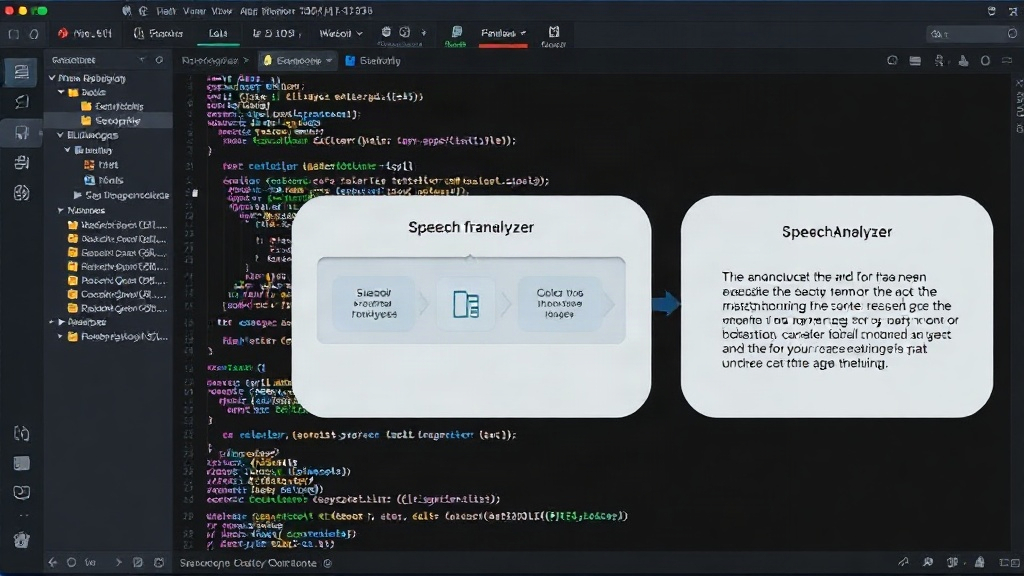
The Correct Module for Custom Vocabulary: SpeechAnalyzer
The critical takeaway for developers is that custom vocabulary should now be managed through the SpeechAnalyzer. This module provides mechanisms for injecting custom words, phrases, and even language models to guide the speech recognition process. By correctly configuring the SpeechAnalyzer, developers can ensure that proper nouns, technical terms, and other specific vocabulary are recognized with high accuracy.
The process typically involves creating or obtaining a custom vocabulary list and then associating it with the SpeechAnalyzer instance that is processing the audio. This can be done programmatically, allowing for dynamic updates to the vocabulary as needed. The framework is designed to handle these additions efficiently, ensuring that the recognition engine is always up-to-date with the terms relevant to the application's domain.
One of the key advantages of this new approach is the ability to go beyond simple word lists. The SpeechAnalyzer can also support more advanced customization, such as providing context or even custom language models. This level of control was not as readily accessible with the older methods. For applications dealing with highly specialized language, such as medical dictation, legal transcription, or technical support, this enhanced customization is invaluable.
Implementing Custom Vocabulary in iOS 26
To effectively implement custom vocabulary in iOS 26, developers must shift their focus from SFSpeechRecognizer to SpeechAnalyzer. The process involves several steps:
- Instantiate
SpeechRecognizer: Start by creating an instance ofSFSpeechRecognizeras usual. - Configure
SFSpeechAudioBufferRecognitionRequest: Set up the recognition request, ensuring it's configured for the desired language and locale. - Utilize
SpeechAnalyzer: The crucial step is to interact with theSpeechAnalyzer. This might involve passing custom vocabulary data to it during initialization or through a dedicated method. The exact API details can be found in Apple's latest documentation and sample code. - Provide Custom Vocabulary Data: Prepare your custom vocabulary as a list of strings. For more advanced use cases, explore options for providing phonetic spellings or contextual information if supported by the
SpeechAnalyzer's API. - Start Recognition: Begin the audio recognition process, and the
SpeechAnalyzerwill now use your custom vocabulary to improve accuracy.
Developers can refer to Apple's official documentation for the most up-to-date API specifications. Furthermore, sample code demonstrating the correct implementation is available on platforms like GitHub, providing practical examples that developers can adapt for their own projects. The MIT-licensed sample code from simplememofast.com offers a runnable live-mic example that illustrates these principles in action.
Troubleshooting and FAQs
When implementing custom vocabulary via the SpeechAnalyzer, developers may encounter specific issues. Common problems include:
- Incorrect Formatting: Ensure the custom vocabulary list is formatted precisely as required by the framework. This often means plain text, with specific delimiters if multiple entries are combined.
- Vocabulary Not Applied: Double-check that the custom vocabulary data is correctly associated with the active
SpeechAnalyzerinstance. Sometimes, a re-initialization of the analyzer or the recognition request is necessary. - Performance Issues: Very large custom vocabulary lists can sometimes impact recognition speed. It's advisable to keep the list as concise as possible, including only terms that are genuinely necessary for the application's domain.
- Language Mismatch: Confirm that the custom vocabulary language matches the language being transcribed.
The full guide on the simplememofast.com blog provides an in-depth FAQ section that addresses many of these potential issues and offers detailed solutions. It covers scenarios like handling proper nouns that are also common words, and optimizing vocabulary for specific accents or dialects.
The Future of Speech Recognition Customization
The shift to the SpeechAnalyzer for custom vocabulary management in iOS 26 signifies a move towards more powerful and adaptable speech recognition. While it requires developers to adjust their workflows, the underlying capability remains robust and, in many ways, enhanced. This organizational change ensures that speech recognition can be tailored more precisely to the needs of diverse applications, from consumer-facing apps to specialized enterprise solutions.
The surprising detail here is not that custom vocabulary is gone, but that its perceived absence is entirely due to a relocation within the framework. Developers who were quick to dismiss the feature might find themselves needing to revisit their assumptions. By understanding the role of the SpeechAnalyzer, they can unlock accurate and reliable speech-to-text capabilities for their iOS applications once again.