Transforming AI Agents with Interactive UI
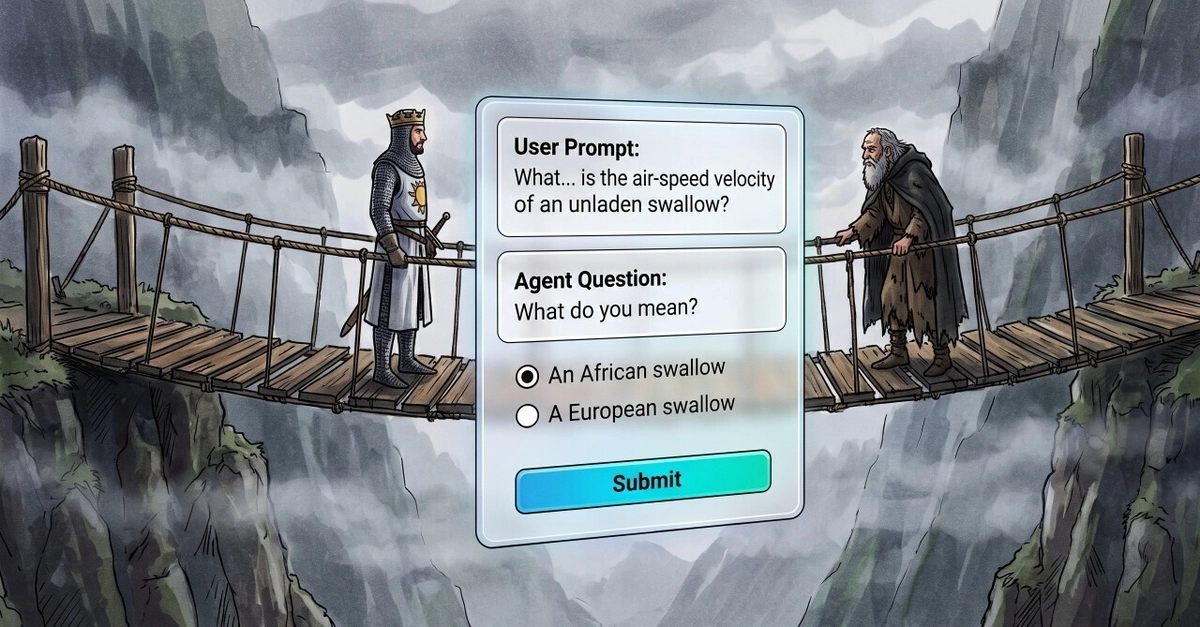
Google's Antigravity framework is evolving beyond passive text processing. By embedding native chat UI components directly into your agent's SKILL.md instructions, you can transform a standard AI agent into an active, engaging collaborator. This approach moves away from simple text parsing towards a more interactive experience, akin to a technical interviewer that guides users through complex tasks with a delightful user experience. This article is the first in a five-part series focused on mastering agent tools that reduce orchestration tax and foster autonomous collaboration.
Leveraging Google Antigravity Interactive UI Primitives
The core of this enhancement lies in Google Antigravity's interactive UI primitives. These are not just decorative elements; they are functional components that allow your agent to present structured choices, gather specific inputs, and maintain context throughout a conversation. Think of it less like a chatbot and more like a highly specialized assistant that knows exactly what information it needs and how to ask for it in the clearest possible way. This is achieved by defining UI elements directly within the agent's skill definition file (SKILL.md).
The primary primitives discussed include:
- Selection Lists: Presenting users with a finite set of options to choose from. This is crucial for guiding the user towards a desired outcome without overwhelming them with freeform text input.
- State Hydration: Ensuring that user selections are not lost. When a user makes a choice, the agent must retain this information and use it for subsequent steps. This 'round-trip' state management is vital for complex workflows.
- Grounding: Connecting user selections to the agent's underlying knowledge or capabilities. This ensures that the choices made are meaningful and relevant to the task at hand.
Designing Effective Finite Selection Lists
A key challenge in interactive UI design is avoiding cognitive overload. Presenting too many options can be as detrimental as presenting too few. The Antigravity framework offers guidance on structuring these finite selection lists to prevent overwhelming developers or causing visual clutter. The principle is to break down complex decision points into smaller, manageable steps.
Practical design rules include:
- Progressive Disclosure: Show only the most relevant options initially, revealing more as the user progresses or specifies their needs.
- Clear Labeling: Each option must have a concise and unambiguous label that accurately reflects its purpose.
- Contextual Relevance: Options should be dynamically generated or filtered based on the current state of the conversation.
- Limited Depth: Avoid excessively deep hierarchies of choices. If a decision tree becomes too complex, consider reframing the problem or using a different interaction pattern.
By adhering to these principles, developers can create intuitive workflows that guide users efficiently. This structured approach ensures that the agent can effectively gather the necessary information without frustrating the end-user. The goal is to make the interaction feel natural and supportive, turning a potentially complex technical process into a smooth, guided experience.
The 'Active Technical Interviewer' Metaphor
The article frames the enhanced agent as an 'active technical interviewer.' This metaphor is powerful because it highlights the shift from a passive information retriever to an active participant in the problem-solving process. An interviewer doesn't just wait for answers; they ask targeted questions, probe for details, and guide the conversation to elicit the required information. Similarly, an Antigravity agent with interactive UI components can:
- Proactively seek clarification: Instead of returning an error when input is ambiguous, the agent can present specific options for the user to choose from.
- Guide complex configurations: For tasks requiring multiple parameters, the agent can walk the user through each setting step-by-step, ensuring all necessary information is captured correctly.
- Provide immediate feedback: Based on user selections, the agent can offer context or explain the implications of their choices, fostering understanding.
This interactive capability is particularly valuable in developer-focused tools. Imagine an agent that helps configure a complex cloud service. Instead of presenting a dense form, the agent could ask a series of guided questions, presenting choices for regions, instance types, security settings, and more, all within a chat interface. This dramatically lowers the barrier to entry for complex technical tasks.
The 5-Part Series Overview
This article is the first in a comprehensive 5-part engineering guide. The series aims to equip readers with the skills to master agent tools that significantly reduce orchestration tax. Future installments will cover:
ask_question: Advanced prompting and response handling.generate_image: Integrating image generation into agent workflows.define_subagent+invoke_subagent: Building and orchestrating modular agent capabilities.send_messageandmanage_subagents: Communication and control mechanisms for complex agent systems.
By mastering these tools, developers can elevate their AI agents from simple command-line interfaces to sophisticated autonomous collaborators capable of complex, interactive tasks. The focus on interactive UI workflows in this initial part sets the stage for building agents that are not only powerful but also exceptionally user-friendly.