
A New Interface for Git History Manipulation
Editing the history of a Git repository can be a delicate operation. Traditionally, this involves commands like git rebase -i, git commit --amend, or more complex scripts. These methods, while powerful, often have a steep learning curve and can be error-prone for those not intimately familiar with Git's internal workings. Today, a new tool called Git-knife aims to simplify this process by presenting Git history in a user-friendly, spreadsheet-like interface.
Git-knife, a project recently showcased on Hacker News, allows developers to directly edit commit messages, author names, email addresses, and commit dates within a tabular view. This approach abstracts away much of the complexity associated with manual Git history rewriting, making it more accessible. The goal is to provide a visual and intuitive way to correct mistakes, tidy up commit logs, or even reattribute work before pushing changes to a shared repository.
The tool is positioned as a "Show HN" project, indicating it's likely a personal endeavor or a new open-source contribution seeking community feedback. The core proposition is to treat Git commits not just as sequential entries, but as data points that can be manipulated in a grid, much like rows and columns in a spreadsheet application. This paradigm shift could significantly lower the barrier to entry for performing common history cleanup tasks.
Core Functionality: Spreadsheet-Style Editing
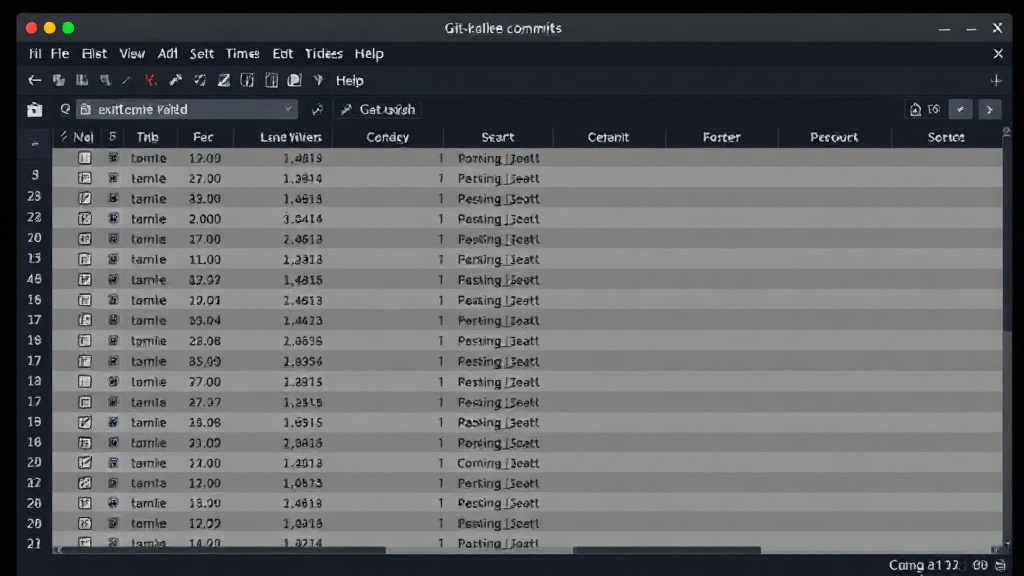
Git-knife's primary appeal lies in its familiar interface. Instead of memorizing command-line flags and navigating interactive rebase prompts, users are presented with a table where each row represents a commit. Key fields such as the commit hash, author name, author email, committer name, committer email, date, and the commit message itself are displayed in columns. This visual representation immediately makes it clear what information is available for editing.
Users can directly click into cells and modify the text for commit messages or change names and email addresses. The ability to edit dates is particularly useful for correcting timestamps that might be wrong due to system clock issues or accidental misconfiguration. The tool likely handles the underlying Git commands necessary to apply these changes, such as generating a new commit object with the updated metadata and then rewriting the history to point to this new object.
This approach mirrors how some advanced IDEs offer Git integration, but Git-knife seems to focus specifically on the granular editing of historical data, potentially offering more power and flexibility than built-in GUI tools. The project aims to be a standalone utility that developers can integrate into their workflow for pre-push history grooming.
Why Edit Git History?
While Git's philosophy encourages immutable history, there are legitimate and common reasons for wanting to edit it. The most frequent use case is correcting typos in commit messages or updating author information if a commit was accidentally made under the wrong user. For instance, a developer might realize after committing that their name or email is set to a generic configuration rather than their specific identity, or that a crucial detail was missed in the commit message.
Another scenario involves cleaning up a messy commit history before merging a feature branch into a main branch. This could include squashing multiple small, incremental commits into a single, more coherent one, or reordering commits to tell a clearer story of development. While tools like git rebase -i facilitate this, Git-knife's visual approach aims to make these operations less intimidating. Developers can see the entire sequence of changes and modify them in one go, rather than iteratively applying changes through command-line prompts.
Furthermore, for personal projects or when collaborating on private repositories, there's less concern about the impact of rewriting history. It can be a powerful way to maintain a clean, professional, and understandable project log. However, it's crucial to remember that rewriting shared history that others have already based their work on can cause significant problems. Git-knife, like any history rewriting tool, should be used with caution, especially on public or collaborative branches.
Potential Implications and Considerations
The introduction of tools like Git-knife highlights a persistent need for more user-friendly Git interfaces. As Git's complexity continues to grow with new features and workflows, the demand for abstractions that simplify common tasks will likely increase. This tool could appeal to developers who find the command-line interface for history manipulation cumbersome or those who prefer a visual, spreadsheet-like workflow.
However, the inherent risks of rewriting Git history remain. Developers using Git-knife must understand the potential consequences. If a user rewrites history that has already been pushed and shared, it can lead to divergence and confusion for collaborators. The tool needs to provide clear warnings and guidance on best practices. The surprising detail here is not the existence of a tool to edit Git history, but the specific metaphor of a spreadsheet, which might resonate more broadly than the typical command-line or GUI approaches.
What nobody has addressed yet is how Git-knife integrates with more complex Git operations such as interactive rebasing that involves picking, dropping, editing, and reordering multiple commits simultaneously. Understanding the extent of its capabilities in advanced scenarios will be key to its adoption by seasoned Git users. For newcomers, it offers a much gentler introduction to the concept of modifying commit metadata.
Conclusion
Git-knife presents an innovative approach to managing Git commit history by leveraging the familiar paradigm of a spreadsheet. By allowing direct, visual editing of commit messages, authors, and dates, it aims to demystify a powerful but often complex area of Git usage. While the tool offers significant convenience for correcting mistakes and tidying logs, users must exercise caution when rewriting history, particularly in collaborative environments. Its success will depend on its ease of use, the robustness of its underlying Git operations, and its ability to guide users toward safe and effective history manipulation.