
Git-bug: A New Paradigm for Issue Tracking
The development world is awash in issue trackers. Jira, GitHub Issues, GitLab Issues, Asana, Trello – the list is long and only growing. Yet, despite the proliferation of tools, a fundamental challenge persists: keeping issue tracking data synchronized with the source code it describes, especially in a distributed, offline-first workflow. Git-bug emerges as a novel solution, aiming to embed bug tracking directly into the Git version control system itself. This approach promises to fundamentally alter how developers manage bugs, issues, and tasks by treating them as first-class citizens within their Git repositories.
Traditional bug trackers often operate as separate entities, requiring manual synchronization, API integrations, or complex workflows to link issues to code commits. This separation can lead to data drift, missed updates, and a general disconnect between the development work and the tracking of that work. Git-bug's core proposition is to eliminate this friction by storing all bug data as Git objects. This means bugs are versioned, diffable, and can be branched, merged, and pulled just like code.
How Git-bug Works: Versioned Issues
At its heart, Git-bug stores bug information in plain text files within a designated `.git-bug/` directory in your repository. These files are not just simple text descriptions; they are structured data, allowing for rich metadata such as assignees, labels, statuses, priorities, and comments. When you create a bug, Git-bug generates a new Git object representing that bug. This object is then committed to the repository.
The implications of this are profound. Every change to a bug – its creation, updates, status changes, comments – becomes a Git commit. This provides a complete, immutable history for every issue. If a developer needs to work offline, they can still create, update, and manage bugs. When they reconnect, these changes are naturally synchronized with the rest of the team’s repository, much like code changes.
Think of it less like a separate ticketing system and more like a highly organized, version-controlled personal assistant who remembers every detail about every problem you've ever discussed, and keeps that record alongside your code. If you branch your code to work on a feature, you can branch your bugs too. If you merge code, you can merge bug fixes and discussions. This tight coupling ensures that the state of the bugs always reflects the state of the code they pertain to.
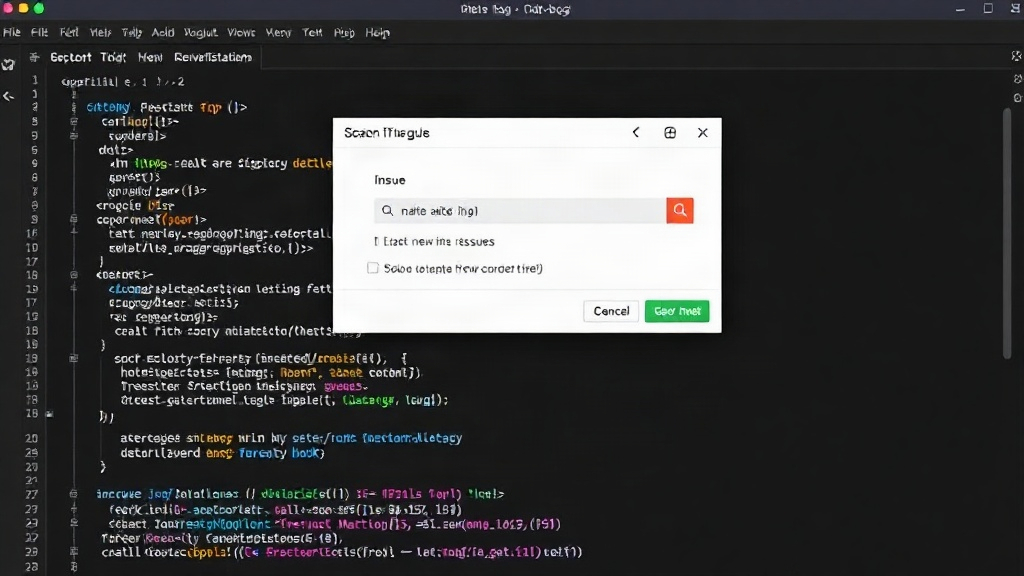
Distributed and Offline-First by Design
The 'distributed' and 'offline-first' nature of Git-bug is its most significant differentiator. Unlike centralized bug trackers that rely on a single server, Git-bug leverages Git's distributed nature. Each developer's local repository contains a full copy of the bug database. This means:
- Offline Access: You can create, edit, and view bugs without an internet connection.
- No Single Point of Failure: The bug database is as resilient as your Git repository.
- Performance: Operations are local, making them significantly faster than querying a remote server.
- Version Control for Bugs: Every modification is tracked, allowing for rollbacks and historical analysis.
This architecture directly addresses the pain points of remote teams, developers with intermittent connectivity, or those who simply prefer to keep their development environment entirely self-contained. The need for complex synchronization scripts or relying on third-party services to bridge the gap between code and issues is eliminated. When you `git pull`, you get not only the latest code but also the latest bug updates. When you `git push`, your bug changes are shared.
Features and Workflow Integration
Git-bug offers a comprehensive set of features expected from a modern bug tracker, all accessible via a command-line interface (CLI) that integrates seamlessly with Git commands. Key features include:
- Bug Creation and Editing: Intuitive commands to create new bugs with detailed descriptions, assignees, labels, and priorities.
- Status Management: Easily update bug statuses (e.g., open, in progress, resolved, closed).
- Commenting: Add comments to bugs, creating a discussion thread associated with each issue.
- Labeling and Filtering: Organize bugs with custom labels and filter them based on various criteria.
- Assignees: Assign bugs to specific team members.
- Search: Powerful search capabilities to find bugs based on keywords, status, assignee, etc.
- Export/Import: Functionality to import existing issues from other trackers and export bug data.
The CLI is designed to feel familiar to Git users. Commands like `git bug new`, `git bug assign`, `git bug status`, and `git bug list` are straightforward. This familiarity lowers the barrier to adoption for development teams already proficient with Git. The tool also supports integration with various Git hosting platforms, allowing for a hybrid approach where issues can be viewed and managed both locally and through a web interface provided by services like GitHub or GitLab, though the core data remains in the Git repository.
The Future of Issue Tracking?
Git-bug’s ambitious goal is to make issue tracking as seamless and integrated as version control itself. By treating bugs as Git objects, it brings a level of integrity, distributed access, and offline capability that traditional, server-centric bug trackers struggle to match. The project is still under active development, but its core concept addresses a significant unmet need in the developer tooling landscape.
What nobody has addressed yet is what happens to the thousands of developers who have built complex integrations and workflows around existing, centralized bug tracking systems. Migrating such systems, even with robust export tools, can be a significant undertaking. However, for new projects or teams seeking a more integrated and resilient workflow, Git-bug offers a compelling alternative that aligns issue management directly with the code that matters.