Setting Up Gemma 4 on a Google Compute Engine Tesla T4
Deploying large language models (LLMs) like Gemma 4 on dedicated GPU hardware is crucial for achieving optimal inference performance. This guide details the setup process for Gemma 4 on a Google Compute Engine (GCE) instance equipped with a Tesla T4 GPU. It builds upon previous work that identified the fastest Gemma 4 checkpoint for the T4, focusing now on constructing the underlying machine and installing the necessary software stack. The goal is to provide a functional environment for running Gemma 4, managed by a suite of Python tools and a dedicated shell script.
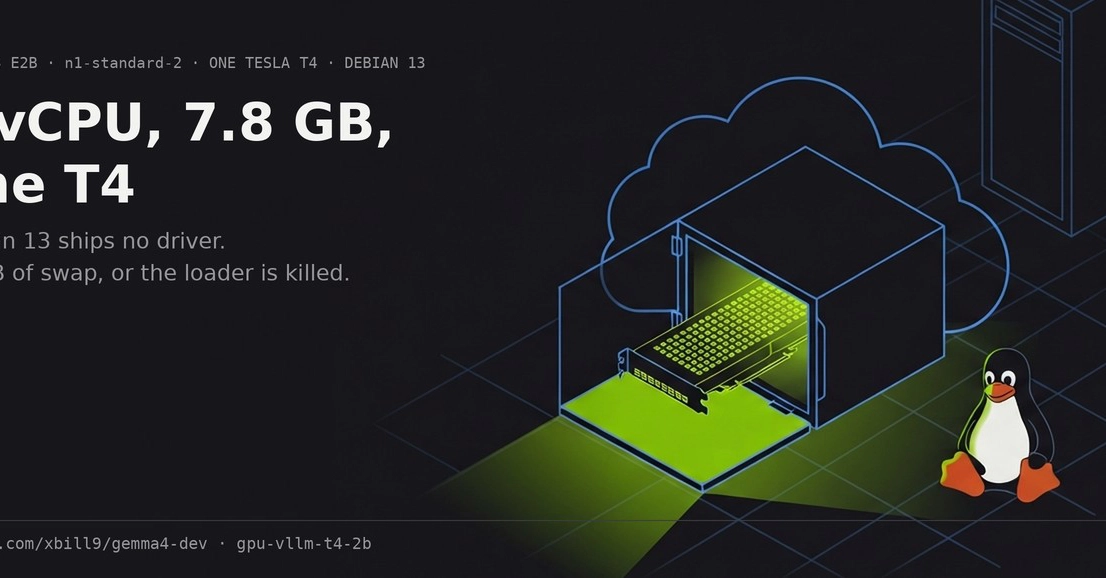
The chosen hardware configuration for this deployment is a Google Compute Engine instance running the n1-standard-2 machine type. This provides 2 vCPUs and 7.8 GB of RAM, a modest but sufficient base for managing the GPU workload. The critical component is the inclusion of one Tesla T4 GPU. This NVIDIA card, based on the Turing architecture, offers compute capability 7.5 and boasts 15360 MiB of VRAM, which is essential for loading and running models like Gemma 4 efficiently. For the operating system, a Debian 13 (Trixie) image is recommended, ensuring a modern and stable base for software installation.
Minimum VM Configuration and Software Stack
The minimum viable configuration for this setup prioritizes cost-effectiveness while ensuring the necessary resources for Gemma 4. The n1-standard-2 VM with a single Tesla T4 GPU strikes this balance. Installing the software stack involves several key components. First, the NVIDIA drivers must be installed to enable the system to recognize and utilize the Tesla T4 GPU. This is typically followed by the installation of CUDA Toolkit, which provides the necessary libraries and tools for GPU-accelerated computing. For LLM inference, a high-performance inference engine is required. The vLLM library is a popular choice, known for its efficient attention implementation and throughput optimization, making it well-suited for serving models like Gemma 4.
The project provides a GitHub repository (github.com/xbill9/gemma4-dev/tree/main/gpu-vllm-t4-2b) containing the necessary scripts and configurations. This repository includes a shell script, referred to as vllm-t4, which acts as the primary driver for the host state not managed by the Python management tools. This script automates the startup of the vLLM service, ensuring the model is loaded and ready for inference upon VM boot. The Python MCP (Model Control Plane) tools are designed to abstract away much of the direct interaction with the vLLM deployment, simplifying tasks such as starting, stopping, and querying the model.
The vLLM-T4 Shell Script and MCP Tools
The vllm-t4 shell script serves as the operational core for the deployed Gemma 4 instance. It encapsulates the commands needed to launch and manage the vLLM inference server. This script ensures that when the VM starts, the vLLM service is initiated with the correct parameters, pointing to the Gemma 4 model weights. It also handles basic logging and error reporting, providing visibility into the service's status. This script is particularly useful for system administrators or developers who need direct control or need to integrate the LLM service into larger workflows. Think of it less like a simple service starter and more like the dedicated pit crew chief for your AI model, ensuring it's ready to race the moment the green flag drops.
Complementing the shell script are the Python MCP tools. These tools offer a higher-level interface for interacting with the deployed Gemma 4 model. They abstract the complexities of the underlying vLLM setup, allowing users to perform common operations through simple Python commands. This could include sending inference requests, monitoring server health, or even managing different model checkpoints if multiple were deployed. The separation of concerns—the shell script for low-level host state management and the Python tools for user-facing control—creates a robust and flexible deployment architecture. This layered approach simplifies the user experience while maintaining the power and configurability needed for advanced use cases.
Performance Considerations and Next Steps
While this setup provides a functional deployment, performance tuning is an ongoing consideration. The Tesla T4, while capable, is an older generation GPU. For users requiring higher throughput or lower latency, exploring more recent NVIDIA GPUs like the A100 or H100 would be the next logical step. Additionally, the choice of Gemma 4 checkpoint, as determined in Part 1 of this series, significantly impacts performance. Ensuring the correct, optimized checkpoint is loaded via the vllm-t4 script is paramount. Further optimizations could involve exploring quantization techniques to reduce model size and memory footprint, potentially allowing larger models or batch sizes on the same hardware.
The MCP tools also offer avenues for future development. Enhancements could include more sophisticated model versioning, automated scaling based on inference load, or integration with MLOps platforms for streamlined deployment and monitoring. The current setup provides a solid foundation, but the path to production-ready LLM serving often involves continuous iteration and optimization. For developers looking to integrate Gemma 4 into their applications, this GCE VM and management script combination offers a practical starting point, bridging the gap between raw hardware and a usable LLM service.