
The ENOSPC Deception: When Green Means Red
A common pitfall in database operations, particularly with PostgreSQL, is the deceptive health check. A service can report itself as healthy simply because the process is running. However, beneath this veneer of operational normalcy, critical components like the Write-Ahead Log (WAL) can be failing silently due to ENOSPC (No Space Left on Device) errors. This situation is perilous because the system appears operational, yet new data writes are not being durably recorded. Log rotation mechanisms, which also rely on disk space, can fail in tandem, amplifying the problem. Retries by the application or database can then lead to increased load on an already compromised system, further exacerbating the issue. Crucially, simply deleting a file in such a state does not guarantee that durable writes have resumed; the underlying disk space issue might persist or reappear rapidly.
The core problem is that traditional health checks often only verify process liveness, not the actual write capacity of the underlying storage for critical system components like the WAL. When the WAL volume fills up, writes to it fail. This means transactions that are committed in memory are not being flushed to disk, losing their durability guarantee. Applications might continue to receive success acknowledgments for these writes, creating a false sense of security.
Simulating Failure: Bounded Local Fault Injection
To combat this deceptive state, a proactive approach involves simulating the exact failure condition: a full WAL volume. This is not about letting the system crash; it's about controlled, bounded fault injection to reveal underlying issues before they impact production. The goal is to drive a fixed write workload specifically targeting the WAL volume to observe its behavior under duress.
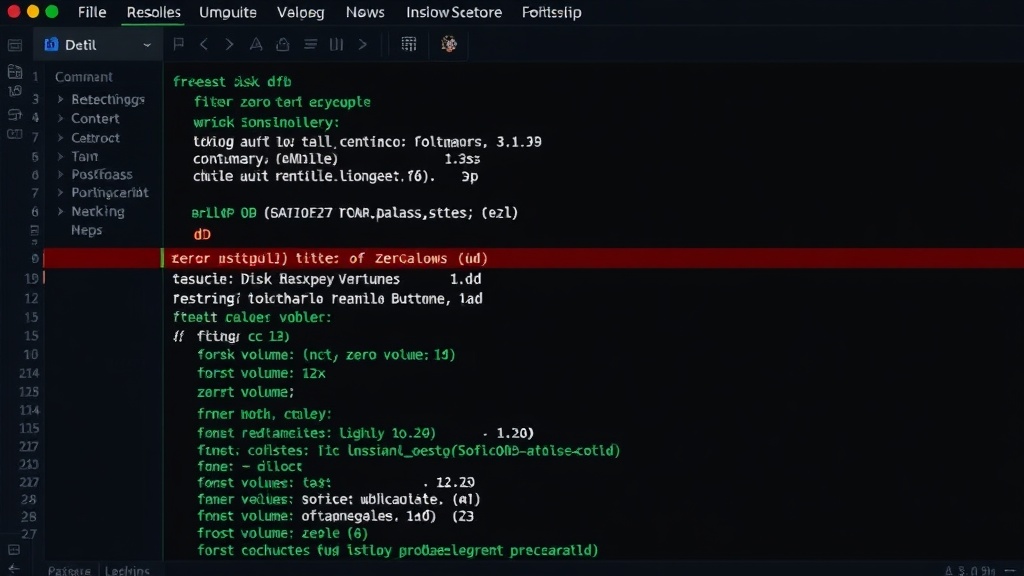
A practical method involves creating a temporary disk fixture. This is done using standard Linux utilities. First, create a directory to serve as the mount point for the fixture:
mkdir -p ./disk-fixture
Next, use the dd command to create a large file that will simulate the disk space. This file is filled with zeros, effectively consuming a specified amount of space. The example uses 900MB (bs=1M count=900):
dd if=/dev/zero of=./disk-fixture/filler bs=1M count=900
This command should be executed within a disposable volume that has a declared, fixed size. This ensures that the simulated fill is contained and does not accidentally consume space on critical system partitions. The key is to run this setup in an isolated environment, such as a Docker container or a dedicated test VM, that mimics the production storage configuration.
Monitoring Under Simulated Load
Once the simulated disk fill is in place, the critical step is rigorous monitoring. The objective is to record several key metrics during the test. This involves setting up a data collection mechanism that captures:
- Free Bytes: The amount of free space remaining on the WAL volume as the filler progresses.
- Successful Writes: The count of WAL write operations that complete without error.
- Failed Writes by Error Class: A breakdown of write failures, specifically identifying
ENOSPCerrors and any others encountered. - WAL/Checkpoint Age: The age of the most recent WAL record and the last checkpoint. This indicates how far behind the system is in persisting data.
- Retry Count: The number of times WAL write operations have been retried, either by the database system or the application layer.
- Health State: The reported health status of the database service throughout the test.
This comprehensive monitoring allows for the detection of the disconnect between the service's reported health and its actual write capabilities. The test should be designed to run until the simulated disk is full and the impact on WAL writes is clearly observed. It is imperative never to run this against a workstation's root filesystem or any production-critical storage without proper isolation and rollback plans.
The Unanswered Question: Proactive vs. Reactive
While this method effectively diagnoses potential ENOSPC issues before they cripple a system, it raises an important question: how often should such proactive volume filling and monitoring be performed? Is it a one-time check after initial setup, a periodic maintenance task, or should it be integrated into CI/CD pipelines for critical infrastructure deployments? The optimal frequency depends heavily on the rate of data ingestion, the volatility of disk space usage in the environment, and the acceptable downtime or data loss tolerance. Without a clear, automated strategy for these checks, organizations risk falling back into a reactive posture, waiting for the next unexpected outage.
Mitigation and Prevention
The ultimate goal is to prevent ENOSPC errors from occurring in the first place. This involves several strategies:
- Adequate Provisioning: Ensure WAL volumes are provisioned with ample free space, accounting for peak write loads and potential retention policies.
- Automated Monitoring: Implement robust, real-time monitoring of disk space specifically for WAL volumes. Alerts should be configured to trigger well before the volume is critically full, perhaps at 80% or 90% capacity.
- Log Rotation Policies: Configure WAL segment deletion and archiving policies correctly. Ensure that archiving completes successfully before segments are deleted to avoid data loss.
- Filesystem Choice and Tuning: Certain filesystems or mount options might behave differently under heavy I/O and low space conditions. Understanding these behaviors is crucial.
- Regular Audits: Periodically review storage usage patterns and adjust provisioning and alerting thresholds as needed.
By understanding the deceptive nature of health checks in the face of storage constraints and by implementing proactive fault injection and continuous monitoring, teams can significantly reduce the risk of encountering silent ENOSPC failures that compromise data durability.