The Self-Hosters' Persistent Problem
You've built it. A local API. A private Minecraft server for friends. A self-hosted dashboard. An internal ERP system running on an office machine. It performs admirably within your local area network (LAN). The moment you need external access, the complexity escalates:
- Port Forwarding Hurdles: This becomes a significant challenge if you're behind Carrier-Grade NAT (CGNAT), a restrictive corporate firewall, or an Internet Service Provider (ISP) that assigns you a private IP address.
- VPN Overheads: Requiring every user to install a client, join a network, and maintain a persistent connection is often overkill for simple, one-off demonstrations or temporary access needs.
- Cloud Deployment Trade-offs: Migrating to a cloud provider introduces the burden of maintaining dual environments, incurs unnecessary VPS costs, and sends data outside its necessary operational perimeter.
The fundamental requirement for many is far simpler: map a single local port to a public address, and be done with it. This is precisely the problem FRP (Fast Reverse Proxy) solves.
Understanding FRP Architecture
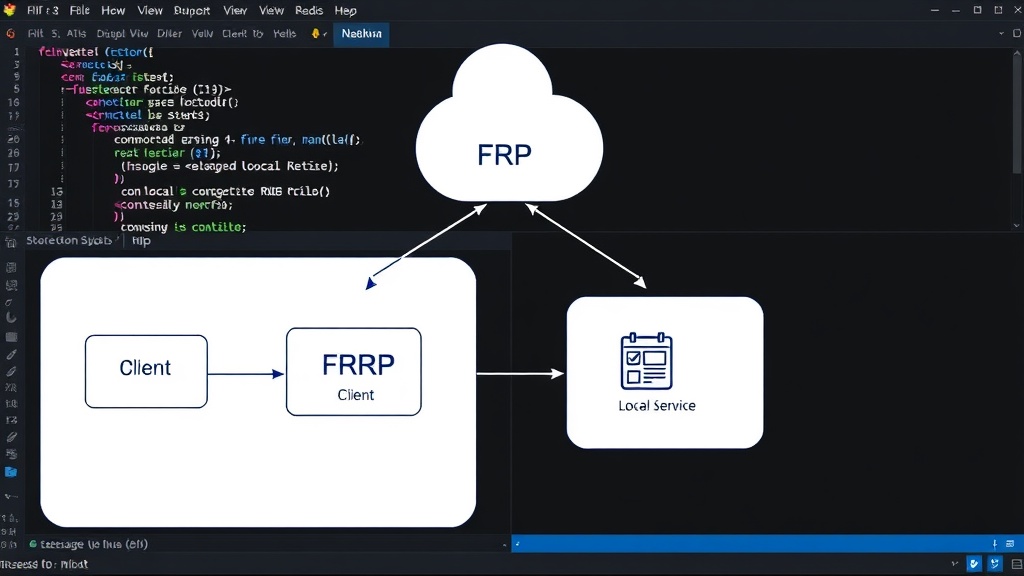
FRP operates on a client-server model. You need two components: the FRP server and the FRP client. The server runs on a machine with a public IP address (e.g., a cheap VPS), and the client runs on the machine hosting your local service.
The core mechanism is reverse tunneling. The FRP client establishes an outbound connection to the FRP server. This outbound connection is crucial because most firewalls and NAT devices permit outbound connections while blocking inbound ones. Once the tunnel is open, the FRP server can proxy incoming public traffic through this tunnel to the local service behind the client.
This approach effectively circumvents the need for direct inbound port forwarding on your local network. It's like having a secret, always-open doorway from the internet directly into your local machine, controlled by the FRP server.
Setting Up the FRP Server
First, you need a machine accessible from the public internet. A low-cost VPS from providers like DigitalOcean, Linode, or Vultr is ideal. Let's assume your VPS has the IP address 203.0.113.10.
Download the appropriate FRP binary for your server's operating system from the official FRP GitHub releases page. For a Linux VPS, you'd typically download a tarball like frp_x.y.z_linux_amd64.tar.gz.
Extract the archive:
tar -zxvf frp_x.y.z_linux_amd64.tar.gzNavigate into the extracted directory. The key configuration file for the server is frps.ini. Here's a minimal example:
[common]
bind_port = 7000
# Optional: authentication token for clients
# token = your_secure_token
# Optional: dashboard settings for monitoring
# dashboard_port = 7500
# dashboard_user = admin
# dashboard_pwd = your_password
The bind_port (e.g., 7000) is the port the FRP server listens on for incoming client connections. You can add optional authentication using a token for security. The dashboard provides a web interface to monitor connections.
To run the FRP server:
./frps -c ./frps.iniFor production use, you'll want to run this as a systemd service to ensure it restarts automatically.
Configuring the FRP Client
On the machine hosting your local service (e.g., your development machine or a Raspberry Pi), download and extract the FRP client binary (frpc) similarly.
The client configuration file is typically named frpc.ini. This is where you define the tunnels. Let's say you want to expose a local web server running on port 8080.
[common]
server_addr = 203.0.113.10
server_port = 7000
# If you used a token on the server, include it here
# token = your_secure_token

[web_service]
# Type of proxy: http, https, tcp, udp, etc.
type = http
# The local address and port of the service you want to expose
local_addr = 127.0.0.1:8080
# The public domain name or IP address this service will be exposed on.
# If using a domain, ensure it points to your FRP server's IP.
custom_domains = mylocalservice.example.com
# Or expose via a random port on the server's IP
# remote_port = 8080 # Uncomment this line for TCP/UDP proxies if not using http/https
In this example:
server_addrandserver_portconnect to your FRP server.[web_service]is a unique name for this tunnel.type = httpis crucial for HTTP/HTTPS traffic, allowing FRP to handle host header routing.local_addr = 127.0.0.1:8080points to your local service.custom_domainsis powerful. If you set up DNS formylocalservice.example.comto point to203.0.113.10, FRP will route traffic for that domain to your local 8080 port.
If you were exposing a TCP service like SSH (port 22), you would use:
[ssh]
type = tcp
local_addr = 127.0.0.1:22
remote_port = 60022 # A public port on the server for SSH
To run the FRP client:
./frpc -c ./frpc.iniAdvanced Configurations and Security
FRP supports various proxy types, including tcp, udp, http, https, and socks5. For https, you can configure TLS directly on the FRP server or tunnel existing TLS traffic.
Security is paramount. Always use a strong, unique token for client authentication. If exposing sensitive services, consider running the FRP client and server over TLS, or using FRP's built-in TLS support for added encryption within the tunnel.
The dashboard, when enabled, provides visibility into active connections, transferred data, and client status. Secure the dashboard with strong credentials and consider restricting its access to specific IP ranges if possible.
For persistent services, configure both frps and frpc to run as system services (e.g., using systemd on Linux) to ensure they start on boot and restart if they crash.
When to Use FRP
FRP shines in scenarios where traditional methods are cumbersome or impossible:
- Demonstrating Local Development: Quickly show a web app running on your laptop to a client or colleague without complex deployment.
- Temporary Access: Granting short-term access to a local resource for a collaborator.
- Home Lab Services: Exposing specific services from a home server (e.g., a media server, a game server) without complex router configurations.
- Bypassing CGNAT: The primary use case where a public IP is unavailable.
What nobody has addressed yet is the long-term operational cost and maintenance burden of managing numerous FRP tunnels across different machines and services. While excellent for temporary or specific use cases, scaling this to dozens of services across multiple users requires robust orchestration and monitoring beyond the basic setup.