
The Core Problem: Inconsistent Environments
The phrase "works on my machine" is a costly refrain in software development. It signals an environment mismatch, a common source of bugs, deployment failures, and wasted developer time. Docker was created to eliminate this friction by ensuring applications run the same way everywhere: on a developer's laptop, a teammate's workstation, staging servers, and production environments. At its heart, Docker provides a standardized way to package an application along with all its necessary components – the runtime, libraries, system tools, and code – into a single, self-contained unit.
Images and Containers: The Foundational Concepts
Docker's operation hinges on two primary concepts: images and containers. Understanding these is key to leveraging Docker effectively.
Images: The Read-Only Blueprint
An image is a read-only template containing the instructions for creating a container. Think of it as a class in object-oriented programming. It's a snapshot of an application and its environment at a specific point in time. Images are built from a configuration file, most commonly a Dockerfile, which lists the commands needed to assemble the environment. This includes specifying a base operating system, installing dependencies, copying application code, and defining runtime configurations. Once built, an image is immutable; any changes require building a new image.
Containers: The Running Instance
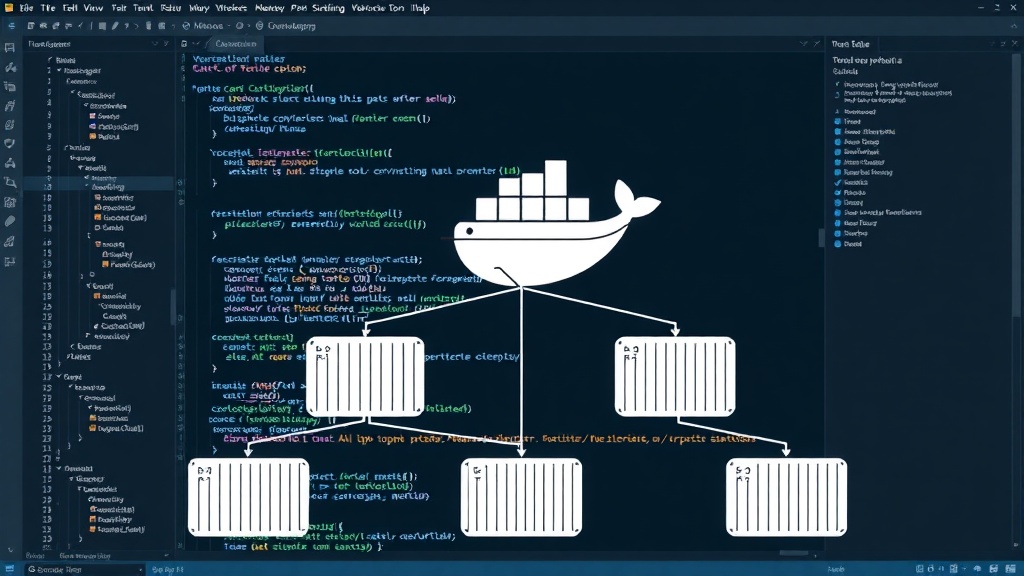
A container is a live, running instance of an image. It's the equivalent of an object instantiated from a class. When you run a Docker image, you create a container. This container is an isolated process on the host operating system. It has its own filesystem, network interface, and process space, but it shares the host's kernel. This isolation ensures that the application within the container doesn't interfere with other processes on the host or other containers, and vice versa. The benefit is that you can run multiple containers from the same image, each independent of the others, on a single host machine.
The Dockerfile: Orchestrating Your Environment
The Dockerfile is the script that Docker uses to build an image. It's a plain text file containing a series of instructions. Each instruction creates a layer in the image. Common instructions include:
FROM: Specifies the base image to start from (e.g., a specific version of Ubuntu or Alpine Linux).RUN: Executes commands in a new layer on top of the current image. This is used for installing packages, creating directories, or performing other setup tasks.COPYorADD: Copies files or directories from your build context (your local machine) into the image.WORKDIR: Sets the working directory for subsequent instructions likeRUN,CMD, orENTRYPOINT.EXPOSE: Informs Docker that the container listens on the specified network ports at runtime.CMD: Provides default commands for an executing container. There can only be oneCMDinstruction; if you list more, only the last one will take effect.ENTRYPOINT: Configures a container that will run as an executable. It's similar toCMDbut is harder to override at runtime.
By chaining these instructions, developers can precisely define the entire environment their application needs. This level of control and reproducibility is what makes Docker so powerful.
Benefits for Developers
Docker offers significant advantages for individual developers and teams:
- Environment Consistency: The primary benefit. Developers can be confident that the code running on their machine will behave identically in testing and production. This dramatically reduces debugging time spent on environment-specific issues.
- Simplified Setup: New team members can get up and running quickly. Instead of manually installing databases, runtimes, and libraries, they simply pull the Docker image and start the container.
- Isolation: Containers isolate applications from the host system and from each other. This prevents dependency conflicts and allows developers to run multiple applications with different requirements on the same machine without interference.
- Portability: Docker containers can run on any system that has Docker installed, whether it's Windows, macOS, or Linux, and across different cloud providers.
- Resource Efficiency: Compared to traditional virtual machines, Docker containers are lightweight. They share the host OS kernel, leading to faster startup times and lower resource consumption (CPU, RAM).
- Microservices Architecture: Docker is a natural fit for microservices, where each service can be packaged in its own container, allowing for independent development, deployment, and scaling.
Getting Started: A Practical Example
Let's consider a simple Node.js application. First, you'd create your Node.js app files. Then, you'd create a Dockerfile:
# Use an official Node.js runtime as a parent image
FROM node:18-alpine

# Set the working directory in the container
WORKDIR /usr/src/app

# Copy package.json and package-lock.json
COPY package*.json ./

# Install app dependencies
RUN npm install

# Bundle app source
COPY . .

# Make port 8080 available to the world outside this container
EXPOSE 8080

# Define environment variable
ENV NODE_ENV production

# Run app.js when the container launches
CMD [ "node", "app.js" ]
With this Dockerfile, you can build an image using the command docker build -t my-node-app .. Then, you can run a container from this image with docker run -p 4000:8080 my-node-app. This command maps port 4000 on your host machine to port 8080 inside the container, allowing you to access your Node.js application via http://localhost:4000.
The Future of Development with Docker
Docker has fundamentally changed how software is built, shipped, and run. It has democratized access to consistent development and deployment environments, making complex infrastructure management more accessible. While containerization technologies continue to evolve, with orchestrators like Kubernetes becoming standard for managing large-scale deployments, Docker remains the foundational tool for creating and running containers. For any developer serious about modern software development, understanding Docker is no longer optional; it's a core competency.