Introduction: A Surprise Waiting to Happen
When George Kobaidze, a backend engineer, decided to build his first browser game, he approached it with a developer's mindset: focus on the core logic, the backend systems, and the game loop. He built a simple 2D space shooter, complete with physics and player controls. It worked flawlessly on his machine. He shipped it. Then came the bug reports, bafflingly specific and seemingly random: some players experienced wildly different game speeds, with projectiles zipping by too fast or controls feeling sluggish. The common denominator? Their monitor's refresh rate.
This isn't a story about a complex exploit or a zero-day vulnerability. It's a tale of a common pitfall for developers new to real-time applications: conflating code execution speed with real-world time. In the universe Kobaidze initially envisioned, his code ran at a consistent pace. In the real universe, however, the speed at which his game's logic updated was directly tied to the hardware it was running on, specifically the monitor's refresh rate.
The Game and Its Core Loop
The game itself is a straightforward space shooter. Players control a ship, firing projectiles at incoming enemies. The core game loop, as Kobaidze initially implemented it, was designed around a fixed number of updates per frame. Each frame, the game would process player input, update object positions based on their velocities, and render the scene. The assumption was that each frame represented a consistent unit of time, and therefore, updating game state a certain number of times per frame would result in consistent gameplay.
The physics were basic: objects moved at a constant velocity. Projectiles traveled at a set speed, and enemy ships moved predictably. There was no consideration for how the actual time elapsed between frames might vary. This is a common oversight when transitioning from backend systems, where operations are often discrete and don't have a direct, real-time dependency on user interaction speed or display output.
The "It Worked on My Machine" Problem
The bug reports started trickling in. Players described the game as either impossibly fast or frustratingly slow. Kobaidze's initial reaction was one of disbelief, followed by the classic developer's lament: "It worked on my machine." His monitor runs at a standard 60Hz refresh rate. On his machine, the game felt right. But on monitors with higher refresh rates (e.g., 120Hz, 144Hz) or even lower ones, the game's internal timing was thrown off.
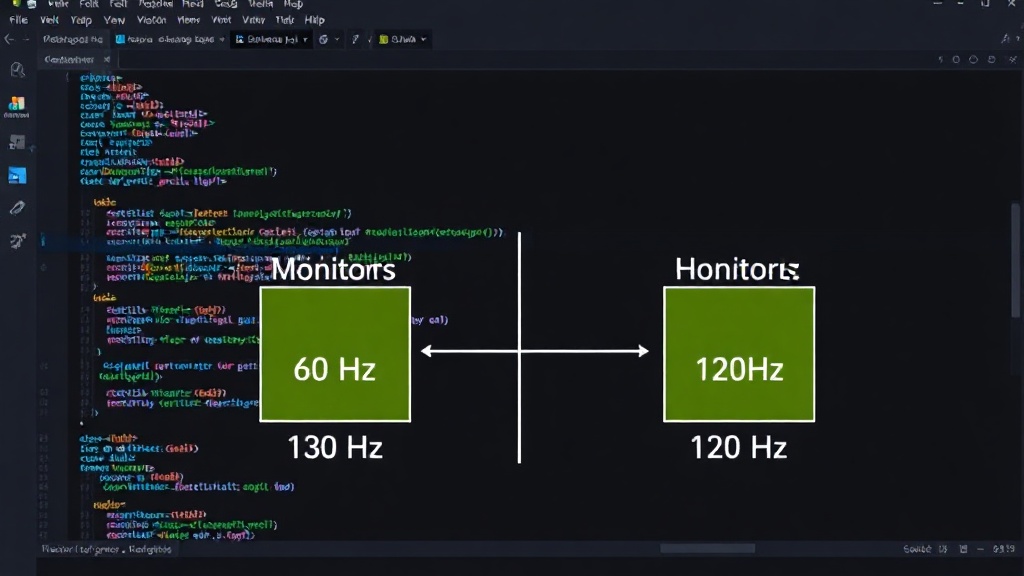
The root cause wasn't a bug in the logic itself, but in how that logic was *timed*. When the game loop is tied to the display's refresh rate, and that rate varies, the amount of actual time that passes between game updates also varies. If a monitor refreshes 120 times per second, the game loop might run twice for every 'frame' that a 60Hz monitor processes. If the game logic updates based on a fixed number of steps per frame, it effectively runs twice as fast on a 120Hz monitor compared to a 60Hz monitor.
Understanding the Root Cause: Frame Rate vs. Time
The core misunderstanding was treating the 'frame' as a unit of time. In reality, a frame is a unit of display output. The time between frames, known as the frame interval, can fluctuate based on hardware performance, background processes, and, crucially, the monitor's refresh rate. A 60Hz monitor aims to refresh 60 times per second, meaning each frame should ideally take about 16.67 milliseconds (1000ms / 60). A 120Hz monitor aims for 120 refreshes per second, with each frame taking about 8.33 milliseconds (1000ms / 120).
When game logic is updated based on the number of frames rendered rather than the actual time elapsed, its speed scales directly with the frame rate. If a game updates an object's position by `10 pixels per frame`, it will move faster on a 120Hz monitor (1200 pixels per second) than on a 60Hz monitor (600 pixels per second). This leads to the inconsistent gameplay described by users.
The Fix: Delta Time
The standard solution for this problem in game development is delta time. Instead of updating game state by a fixed amount per frame, you update it based on the actual time that has passed since the last update. This is typically represented by a `dt` variable, which holds the duration of the last frame in seconds.
So, if an object should move at `100 pixels per second`, the update logic becomes: `object.position += velocity * dt`. If `dt` is 0.01667 seconds (for a 60Hz display), the object moves `100 * 0.01667 = 1.667` pixels. If `dt` is 0.00833 seconds (for a 120Hz display), the object moves `100 * 0.00833 = 0.833` pixels. The total distance moved per second remains consistent, regardless of the frame rate.
Kobaidze implemented this by measuring the time between the end of one game loop iteration and the start of the next. This `dt` value was then used to scale all time-dependent operations, from movement to projectile speed.
But There's a Catch: Not Everything is Fixed with `× dt`
While delta time is the primary solution, Kobaidze discovered that not all time-dependent operations behave perfectly when simply multiplied by `dt`. He identified three patterns where this naive application of delta time could still lead to subtle issues:
Pattern 1: Linear Operations
These are the straightforward cases, like basic movement: `position += velocity * dt`. As shown above, these work as expected. The distance covered per second remains constant.
Pattern 2: Exponential Decay
Consider a system where a value decreases over time, like the speed of an object losing momentum. A common implementation might look like: `speed = speed * decayFactor`, where `decayFactor` is a value slightly less than 1 (e.g., 0.98) applied each frame. If this is simply multiplied by `dt`, the decay rate becomes dependent on the frame rate. On a faster frame rate, the `decayFactor` is applied more times, leading to faster decay. To fix this, the decay factor needs to be adjusted. If `decayFactor` represents the factor for one frame at 60Hz, the correct factor for a variable `dt` is `new_decayFactor = Math.pow(original_decayFactor, dt * 60)`. This ensures the same amount of decay occurs over a given real-time interval, regardless of frame rate.
Pattern 3: Lerp Smoothing
Linear interpolation (lerp) is often used for smooth transitions, like easing a camera or a UI element into position. A typical lerp update might be: `currentValue = lerp(currentValue, targetValue, smoothingFactor)`. Here, `smoothingFactor` dictates how quickly `currentValue` approaches `targetValue`. Similar to exponential decay, a fixed `smoothingFactor` per frame leads to frame-rate dependent smoothing. Faster frames mean more lerp steps, resulting in faster smoothing. The fix involves adjusting the `smoothingFactor` based on `dt`. A common approach is to use `smoothingFactor = 1 - Math.pow(1 - original_smoothingFactor, dt * 60)`, where `original_smoothingFactor` is the desired factor at 60Hz.
Summary: The Three Patterns
Kobaidze's experience highlighted that while delta time is crucial for synchronizing game logic with real time, it's not a universal silver bullet. Developers must be mindful of how their update functions behave. Simple linear movements are generally fine. However, operations involving exponential changes (like decay) or iterative smoothing (like lerp) require careful re-tuning of their parameters to ensure frame-rate independence. The core principle is to ensure that the operation's effect is proportional to the real time elapsed, not the number of frames rendered.
One More Thing: Re-tune Your Constants
Even after implementing delta time and correcting for exponential decay and lerp, Kobaidze found that the game's constants (like projectile speed or enemy movement speed) needed fine-tuning. This is because the original constants were implicitly tuned for his 60Hz monitor. While delta time makes the *rate of change* consistent, the absolute values of speeds and other parameters might still feel slightly off if they were initially balanced based on a fixed frame rate. A small adjustment to these constants, using the new `dt`-based physics, can bring the game feel back to the intended level.
Pull Request
The solution involved modifying the game's update loop to calculate and utilize delta time, and then carefully adjusting the parameters for exponential decay and lerp functions. This allowed the game to run at a consistent speed across different monitor refresh rates. The pull request, once merged, resolved the bug reports and ensured a more predictable player experience.
The Takeaway
This experience serves as a critical lesson for any developer venturing into real-time applications, especially games. The assumption that code execution speed correlates directly with real-world time is a dangerous one. Understanding and correctly implementing delta time, along with being aware of how certain mathematical patterns behave under variable frame rates, is essential for building robust and consistent applications. It's a stark reminder that the "it worked on my machine" fallacy often points to a deeper, systemic issue rather than a user error.