The Need for AI-Accessible Notes
For users of AI assistants like Claude and Cursor, the ability to access and interact with personal notes is a significant productivity booster. This functionality, however, has been a gap for OneNote users. To bridge this, developer Singhamandeep sought to integrate OneNote's vast note-taking capabilities with AI assistants via the Model Context Protocol (MCP). The initial attempt, however, was met with a cryptic 401 error, prompting a complete rewrite of the existing MCP server in TypeScript.
Understanding the Model Context Protocol (MCP)
The Model Context Protocol (MCP) is an open standard designed to facilitate communication between AI assistants and external tools. It operates using JSON-RPC over standard input/output (stdio). An MCP server exposes specific tools or functions, such as listNotebooks or createPage, which MCP-compatible clients—like Claude Desktop, Cursor, or Claude Code—can then invoke. This allows AI agents to interact with a wider ecosystem of applications and data sources. The choice of stdio for communication is a deliberate design decision, enabling a lightweight and efficient inter-process communication mechanism, but it also presents specific implementation challenges that became apparent during the rewrite.
The Original Implementation and the 401 Error
The project began by forking an existing open-source OneNote MCP server. This initial codebase served as a starting point, but it soon became clear that it was not functioning as intended. The primary hurdle encountered was a persistent 401 Unauthorized error when attempting to authenticate with Microsoft Graph. This error indicated a fundamental issue with how the server was handling authentication credentials and permissions required to access OneNote data via the Microsoft Graph API.
The Rewrite: Embracing TypeScript and Modern Auth
Facing the authentication roadblock, Singhamandeep opted for a complete rewrite in TypeScript. This decision was driven by several factors. TypeScript offers strong typing, which can help catch errors during development and improve code maintainability—crucial for complex API interactions. Furthermore, the rewrite provided an opportunity to modernize the authentication flow, moving away from potentially outdated or misconfigured methods in the original server.
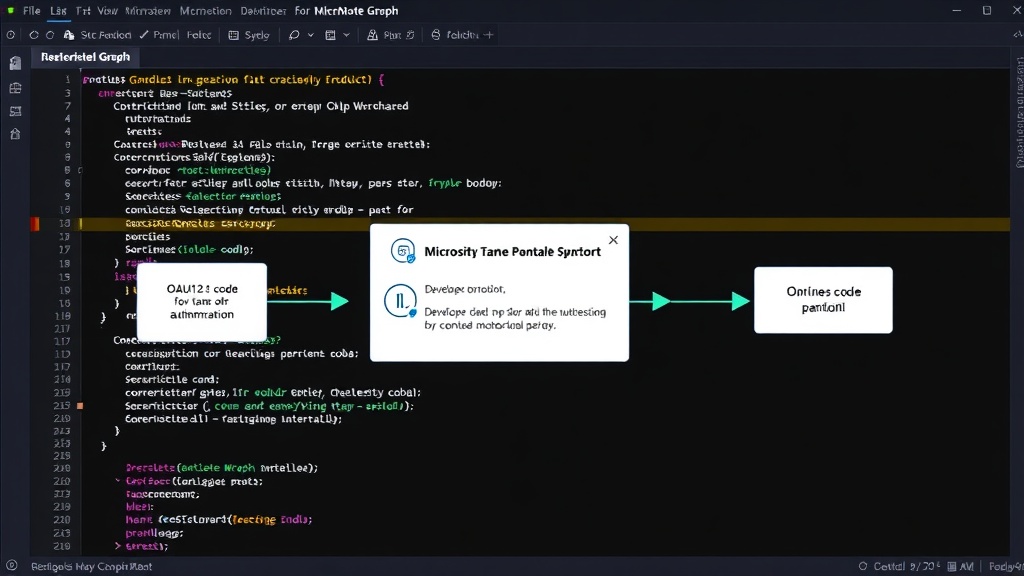
The core of the rewrite involved re-architecting how the server requests and manages authentication tokens from Microsoft Graph. This meant diving deep into Microsoft's OAuth 2.0 implementation for accessing Microsoft Graph. The process involves registering an application in Azure Active Directory (now Microsoft Entra ID), configuring the necessary API permissions (e.g., `Notes.Read.All`, `Notes.ReadWrite.All`), and handling the token acquisition and refresh flow. A key challenge in this process is correctly setting up the client secrets or certificates and ensuring the application has the appropriate permissions granted, either by an administrator or by the user themselves through an interactive login flow.
The rewrite focused on implementing a robust OAuth 2.0 client within the TypeScript server. This client is responsible for initiating the authorization code grant flow, exchanging the authorization code for an access token and a refresh token, and then using the refresh token to obtain new access tokens when the old ones expire. Managing the lifecycle of these tokens securely is paramount, as compromised tokens could grant unauthorized access to sensitive user data.
Lessons Learned: Microsoft Graph Authentication Nuances
The most significant learning from this endeavor centered around the intricacies of Microsoft Graph authentication. Several key points emerged:
1. Scopes and Permissions are Granular
Microsoft Graph employs a highly granular permission model. Simply requesting broad access is insufficient. Developers must precisely define the scopes (permissions) required for their application. For an MCP server interacting with OneNote, this means specifying permissions like `Notes.Read.All` for reading all notebooks and `Notes.ReadWrite.All` for creating or modifying pages. Incorrect or insufficient scopes are a common cause of 401 errors. The rewrite ensured that the application requested only the necessary permissions, adhering to the principle of least privilege.
2. Token Expiration and Refresh Logic
Access tokens for Microsoft Graph are short-lived, typically expiring within an hour. A production-ready server must implement reliable logic for token refresh. This involves storing the refresh token securely and using it to obtain new access tokens without requiring the user to re-authenticate every time. The TypeScript rewrite incorporated a robust token refresh mechanism, ensuring continuous access to OneNote data even during prolonged server operation.
3. The Importance of `User.Read` (or equivalent)
Even when accessing user-specific data like OneNote notebooks, an initial permission to read basic user profile information (like `User.Read`) is often a prerequisite for the OAuth flow to complete successfully. This is because the Microsoft identity platform uses this to identify and validate the user context. Without this fundamental permission, subsequent requests for data-specific permissions might fail or lead to unexpected authentication issues. The original 401 errors could potentially have stemmed from this subtle but critical requirement.
4. State Parameter for Security
When implementing OAuth 2.0, the `state` parameter is crucial for preventing cross-site request forgery (CSRF) attacks. During the redirect from Microsoft's authentication endpoint back to the application, this parameter should be verified to ensure the request originated from the legitimate client. The rewrite included proper handling of the `state` parameter to enhance security.
5. Stdio Communication Challenges with Async Operations
While MCP uses stdio for communication, managing asynchronous operations, particularly those involving network requests to Microsoft Graph, requires careful handling. The JSON-RPC requests coming over stdio are synchronous from the client's perspective, but the server's response generation might involve time-consuming API calls. The TypeScript implementation needed to effectively manage these asynchronous tasks, ensuring that the server could process incoming requests, perform the necessary Graph API calls, and return responses without blocking the main thread or timing out.
The Outcome: A Functional OneNote MCP Server
By systematically addressing the authentication challenges and rebuilding the server logic in TypeScript, Singhamandeep successfully created a functional MCP server for OneNote. This server now allows AI assistants to read and potentially write to OneNote notebooks, significantly enhancing the AI's utility for users who rely on Microsoft's note-taking application. The experience highlighted that while Microsoft Graph offers powerful capabilities, mastering its authentication mechanisms is a critical prerequisite for any developer building integrated applications.
The surprising detail here is not merely that a rewrite was necessary, but how a seemingly straightforward 401 error masked a complex interplay of OAuth scopes, token management, and fundamental identity platform requirements. This underscores the often-underestimated depth of authentication systems in modern cloud platforms.
Future Implications and Open Questions
This work demonstrates a viable path for integrating OneNote with AI tools. However, it raises further questions: What is Microsoft's long-term strategy for MCP integration, if any? Will official SDKs or clearer documentation emerge to simplify these authentication flows for developers? For users, the next step might be seeing more sophisticated AI interactions emerge, moving beyond simple note retrieval to complex summarization and content generation based on their OneNote corpus.