
The Tools That Nobody Used
Last year, I shipped four AI tools. My goal was to streamline developer workflows: an incident commander, a CI failure diagnoser, a code governance checker, and a DORA metrics dashboard. Each was a separate repository, a distinct Command Line Interface (CLI), and a proud announcement on Slack. I demoed them in team meetings, sent follow-up reminders, and even pinned messages. Adoption hovered around 20%, and that's a generous estimate.
The tools themselves weren't the issue. They worked. The problem was distribution and developer friction. Asking engineers to learn four different CLIs, remember commands from months-old pinned Slack messages, or navigate away from their editor introduces too much overhead. The result? Developers debug incidents manually, pasting logs into Slack, unaware that tools built to help are sitting unused, ready to diagnose and streamline the process.
This pattern is common. Tools designed to improve developer experience often fail not due to technical shortcomings, but because they don't meet developers where they are. Engineers live in their editors and integrated development environments (IDEs). Any workflow that requires switching contexts, remembering obscure commands, or digging through old communication channels is a barrier.
The Single Unified Interface Solution
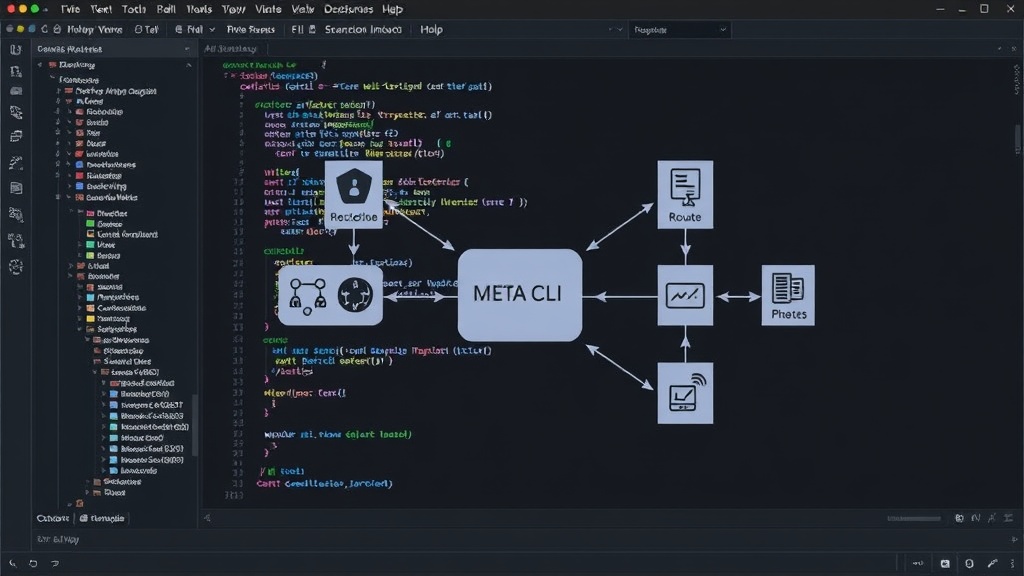
The realization was stark: developers don't want more tools; they want a unified experience. They want solutions that integrate seamlessly into their existing environment. To address this, I built a fifth tool: a single interface that acts as a meta-CLI, a central hub for the previous four. This new tool acts as an abstraction layer, presenting all the functionalities of the individual CLIs through a single, consistent command structure.
Think of it less like installing four separate apps and more like having a single, intelligent assistant who knows how to perform all four tasks. This approach drastically reduces the learning curve and the cognitive load for developers. Instead of remembering `incident-commander --diagnose`, `ci-checker --find-failure`, `code-gov --check-policy`, and `dora --dashboard`, they interact with a single entry point. The meta-CLI parses commands and routes them to the appropriate underlying tool, presenting results in a uniform format.
This unified interface is crucial. It consolidates functionality, making it easier to discover, learn, and use the tools. When a developer encounters an issue, they can simply type a single command like `ai-assistant --help` and see a clear menu of options. This dramatically lowers the barrier to entry compared to remembering and typing four different tool names and their respective subcommands.
Key Learnings for Tool Builders
My experience highlights several critical lessons for anyone building developer tools, especially open-source ones:
- Meet developers where they are: Integrate into existing workflows. IDE plugins, editor extensions, and single-entry-point CLIs are far more effective than standalone applications or complex command sets.
- Consolidate, don't fragment: Every new tool, even a useful one, adds cognitive load. A meta-tool or a unified platform that aggregates multiple functionalities is often more successful than a collection of discrete tools.
- Prioritize discoverability: Tools need to be easily found and understood. Simple, intuitive interfaces and clear documentation are paramount. Pinned Slack messages and buried READMEs are not discoverable.
- Embrace simplicity: The most effective tools are often the simplest to use. Reduce the number of commands, options, and context switches required.
- Understand adoption friction: Technical merit is only half the battle. The effort required for a developer to adopt and integrate a tool into their daily routine is the other, often larger, half.
The success of open-source tools hinges not just on elegant code but on seamless integration into the developer ecosystem. My initial approach failed because it created friction. The subsequent meta-tool aims to eliminate that friction, proving that the path to adoption is paved with convenience and integration, not just technical prowess.
What This Means for the Developer Ecosystem
The lesson learned here is a universal one in software development: usability and integration trump raw functionality when it comes to adoption. For developers, this means advocating for tools that fit into their existing environments rather than demanding they adapt to new ones. For maintainers of open-source projects, it's a clear signal to invest in unified interfaces and IDE integrations. The future of developer tooling likely lies in platforms that consolidate functionality, reducing the complexity developers face daily.